Redesigning a complex enterprise experience to simplify purchase order workflows: Purchase Order Management UX case study by Rita Omatsone
A full UX redesign of Lowe's purchase order management system around four connected jobs: find an order, monitor all of them, stay informed about changes, and investigate the details.
- Role
- Lead Product Designer
- Users
- 2,500+ internal users in sourcing, logistics, finance and vendor management
- Scope
- Full UX redesign: search, dashboard analytics, notifications, PO details
- Platform
- Desktop web, responsive
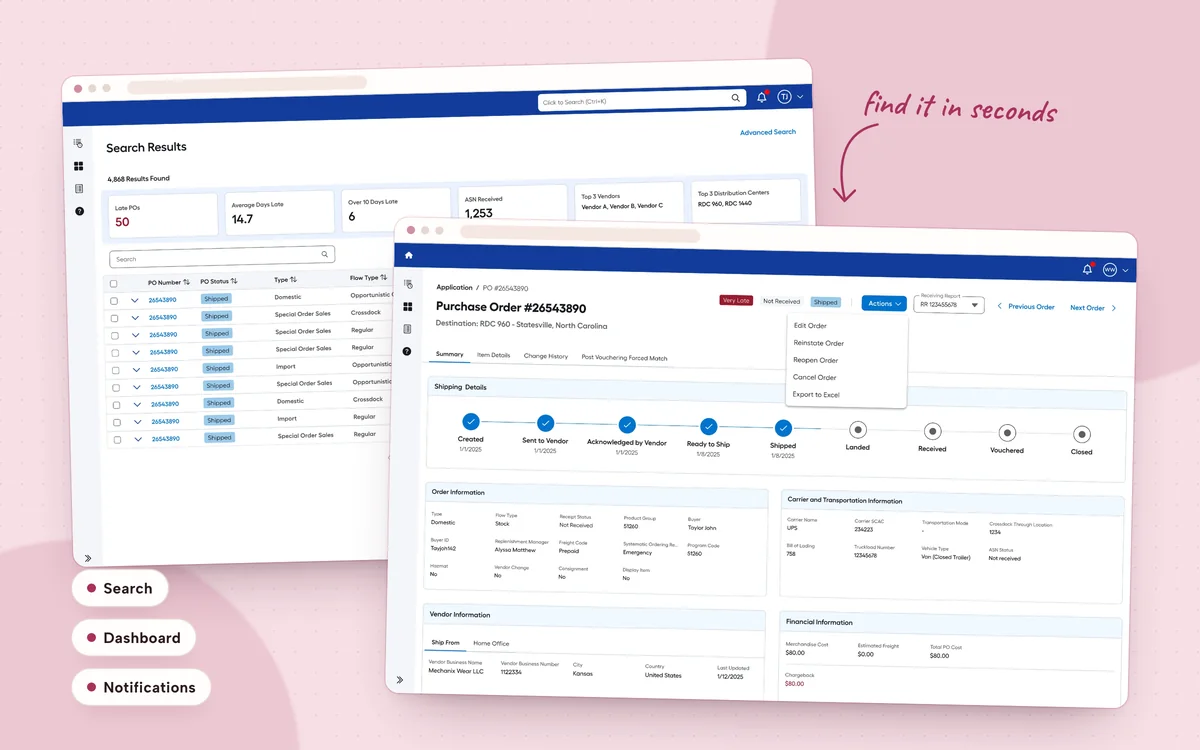
- 2500+ employees rely on the redesigned platform
- < 30 s to find a purchase order
- 6.7/7 user satisfaction
- 10K+ purchase orders, instantly filterable
The challenge
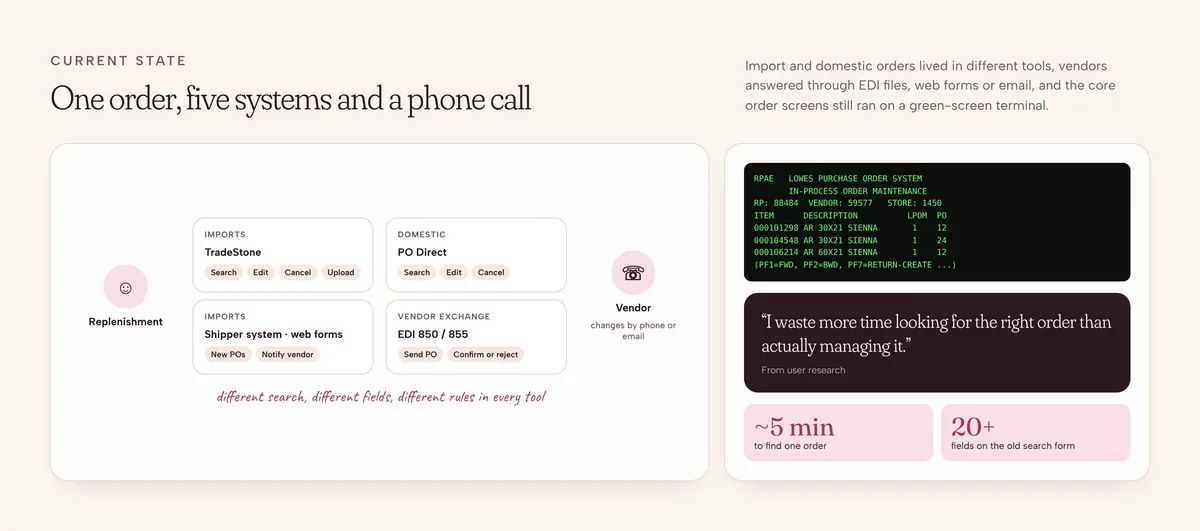
Purchase order management is the backbone of day-to-day operations. Internal teams need to find orders, review item information, monitor activity and understand changes. The existing system made all of that hard, and people had stopped trusting it.
What wasn't working
- Fragmented workflowsTasks and related information were spread across disconnected screens and tools.
- Outdated searchFinding the right purchase order took far too long.
- Little visibilityIt was hard to see the state of orders, stay on top of updates or review an order's history.
- Low adoptionThe experience wasn't meeting users' needs, and satisfaction was low.
Understanding the experience
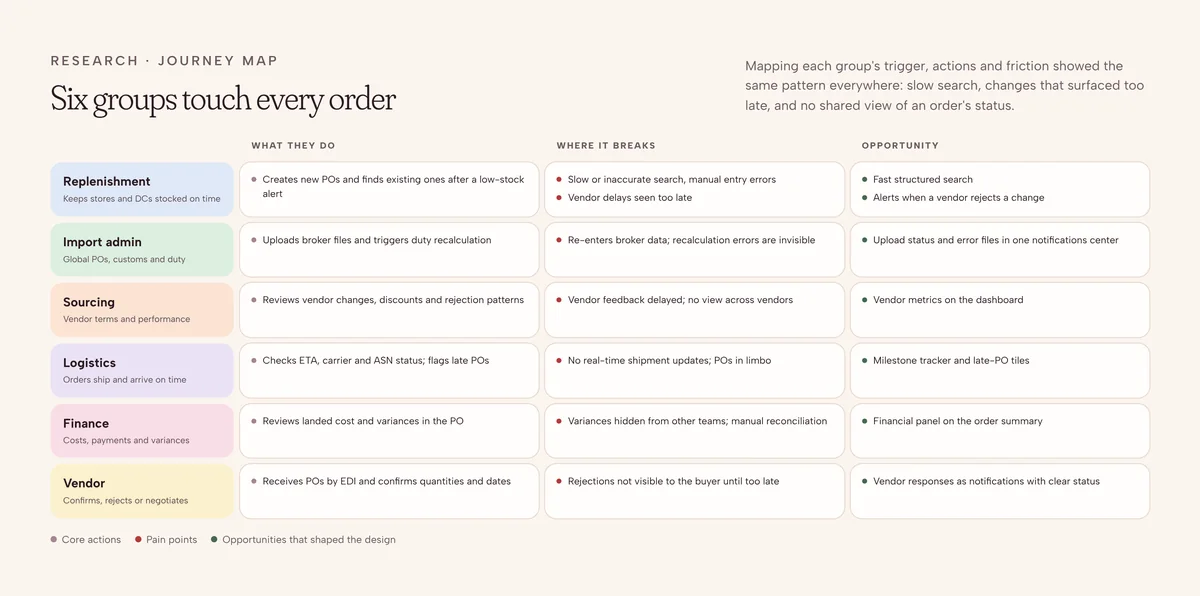
Before redesigning anything, I looked at how people actually moved through the system and what they needed at each step. The work focused on the overall workflow, how information was organized, and how people reached and reviewed order data. Three questions framed the exploration.
- How do I find the right order?Search and discovery had to support people navigating a very large set of purchase orders.
- What is happening across my orders?Dashboard analytics could bring the right information into one central view.
- What is going on with this order?Item details and change history needed to live in the context of the order itself.
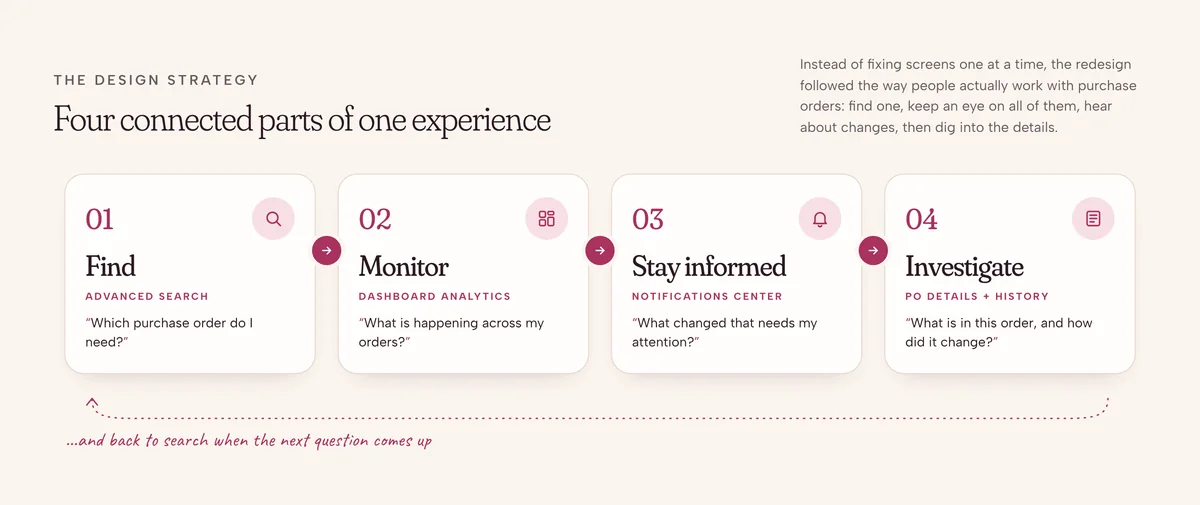
The design strategy
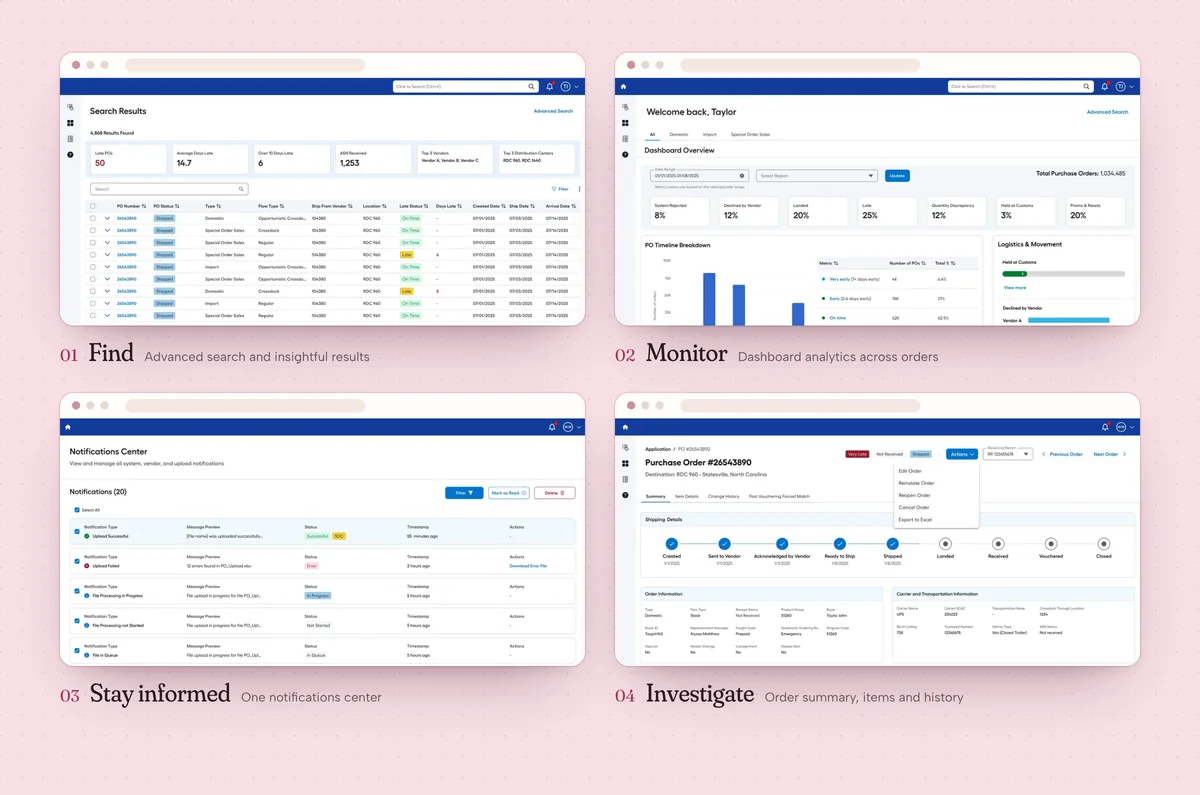
Rather than fixing screens in isolation, I organized the redesign around four connected parts of the purchase order experience.
Making orders easier to find
Decision 01 · Advanced search
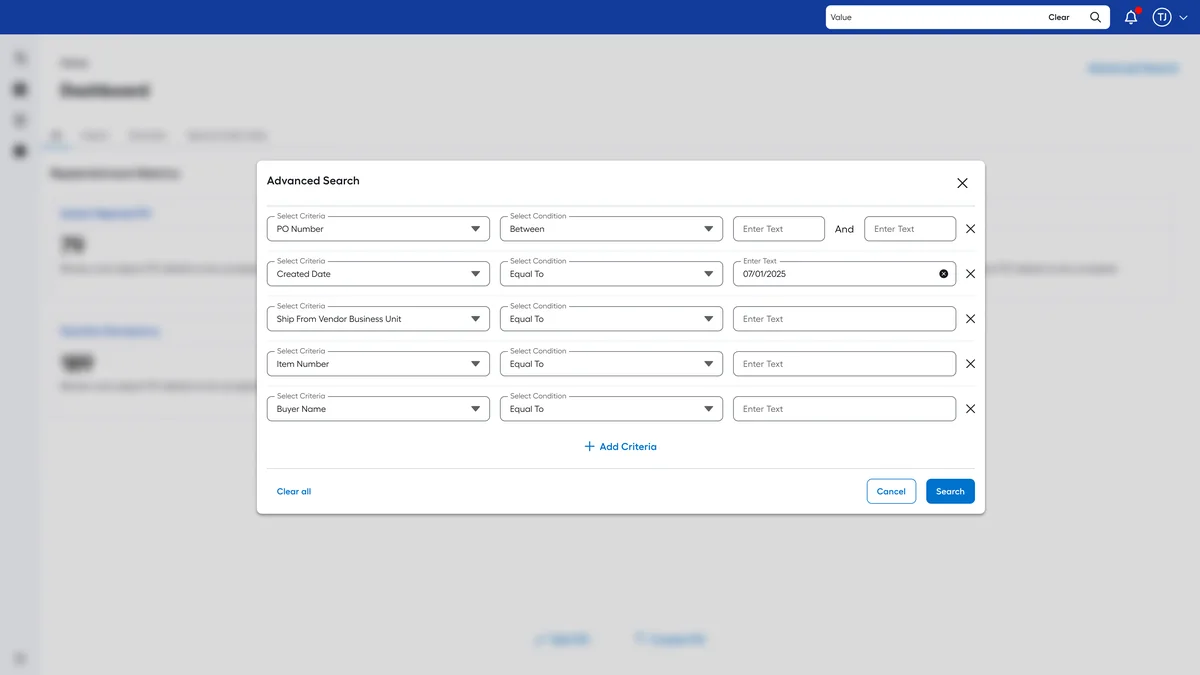
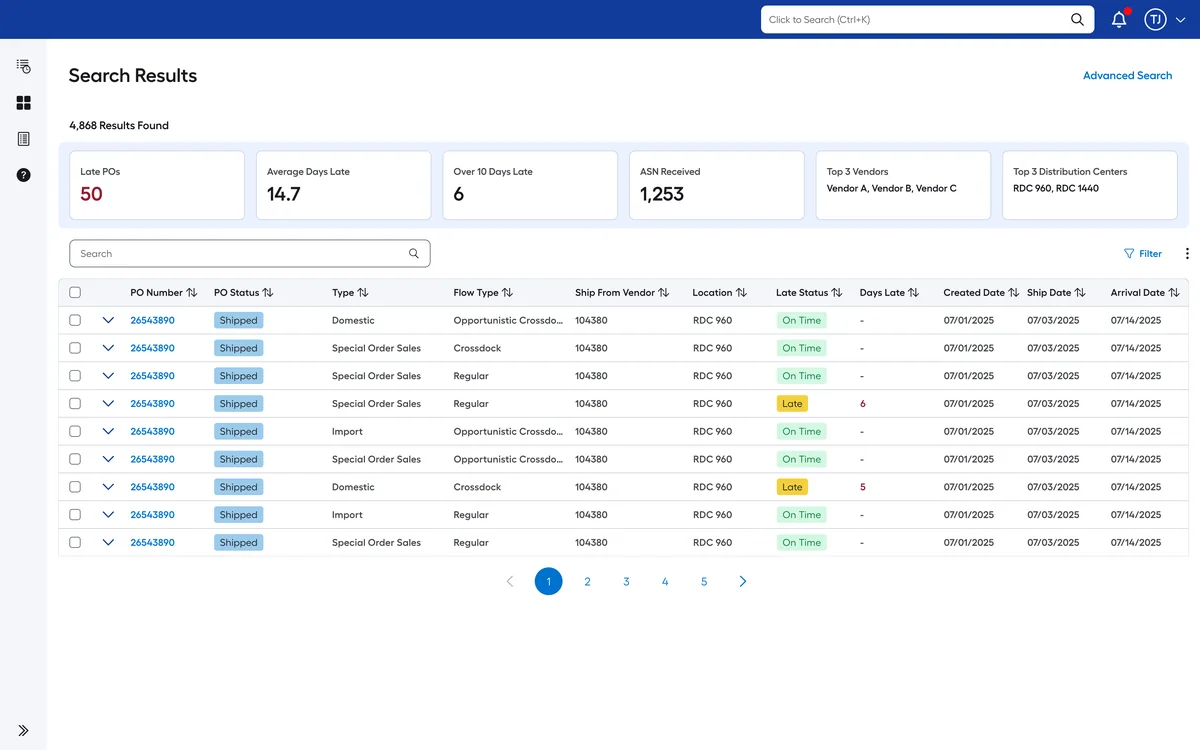
Finding one order among thousands meant wading through operational data. I designed an advanced search experience that gives people a structured way to search and narrow down purchase orders, working alongside the results so they can go straight from a match into the order.
- Search criteria organized clearly
- Filters that are easy to find and use
- Results laid out for fast scanning
- One step from a result to the order details
Visibility through dashboard analytics
Decision 02 · A central view of purchase order activity
Managing a single order is only part of the job. People also need to understand patterns and statuses across many orders. The new dashboard brings selected purchase order information into one overview and gives people a starting point for exploring the data underneath.
Dashboard, from MVP to analytics
1 / 3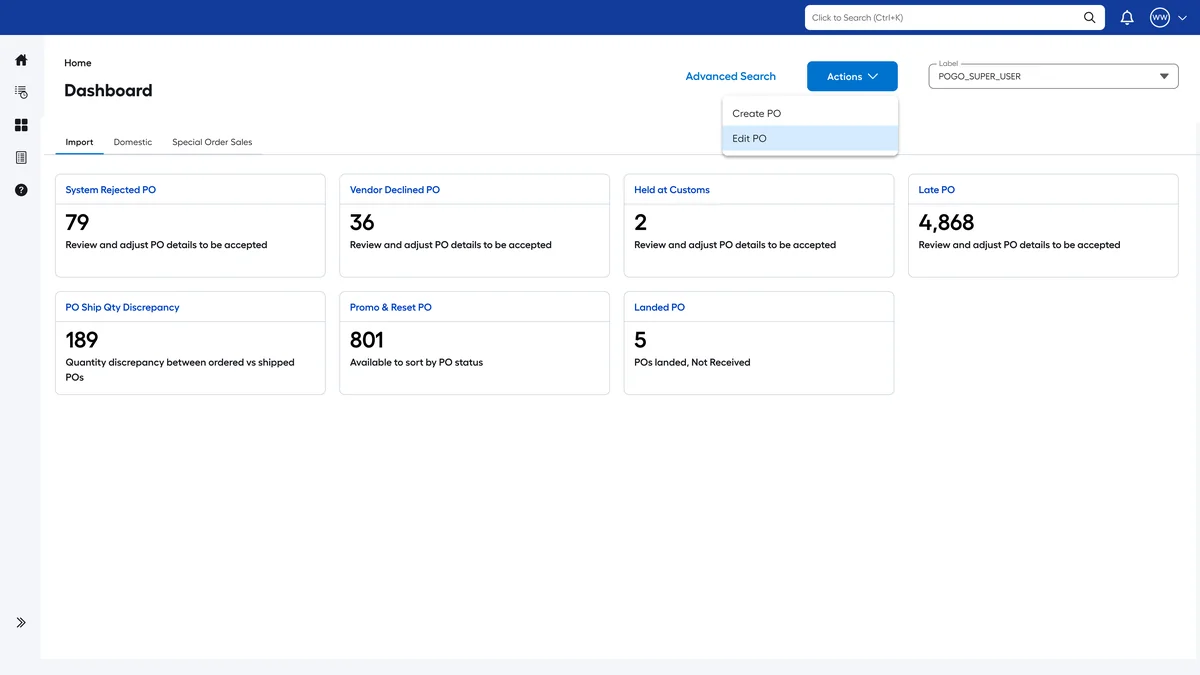
01MVP · action tiles
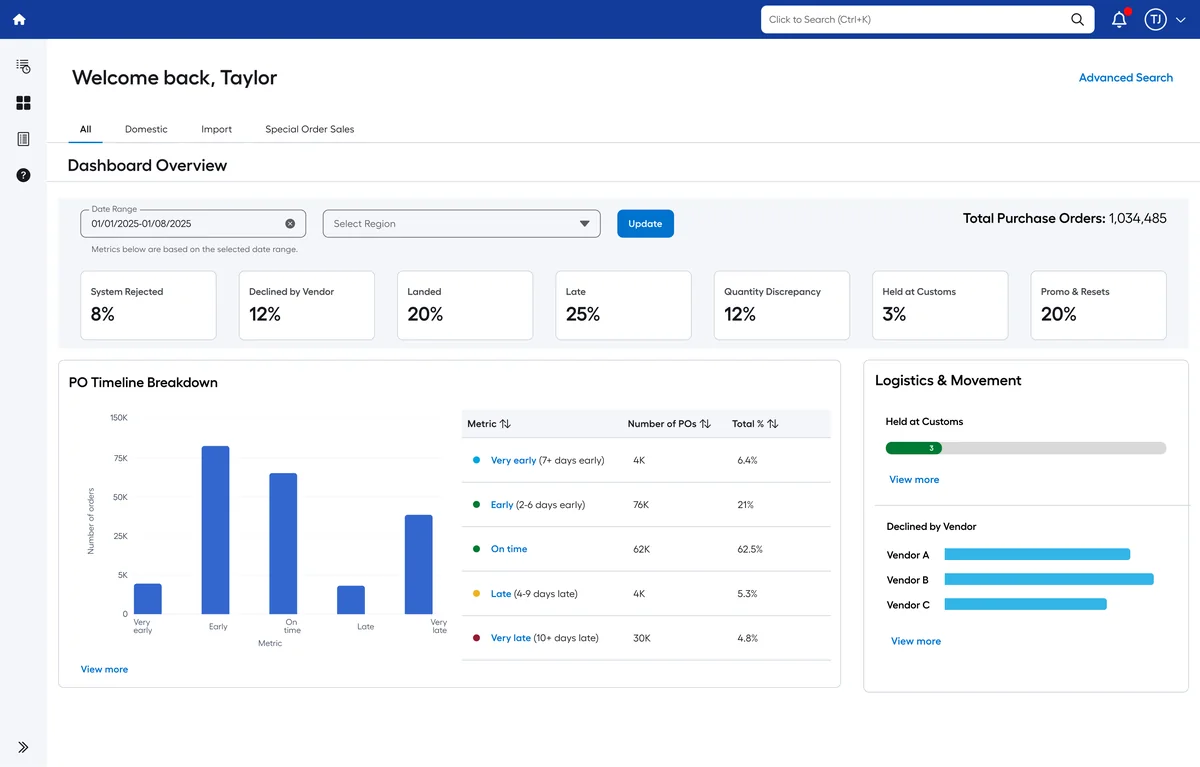
02Analytics · timeline and logistics
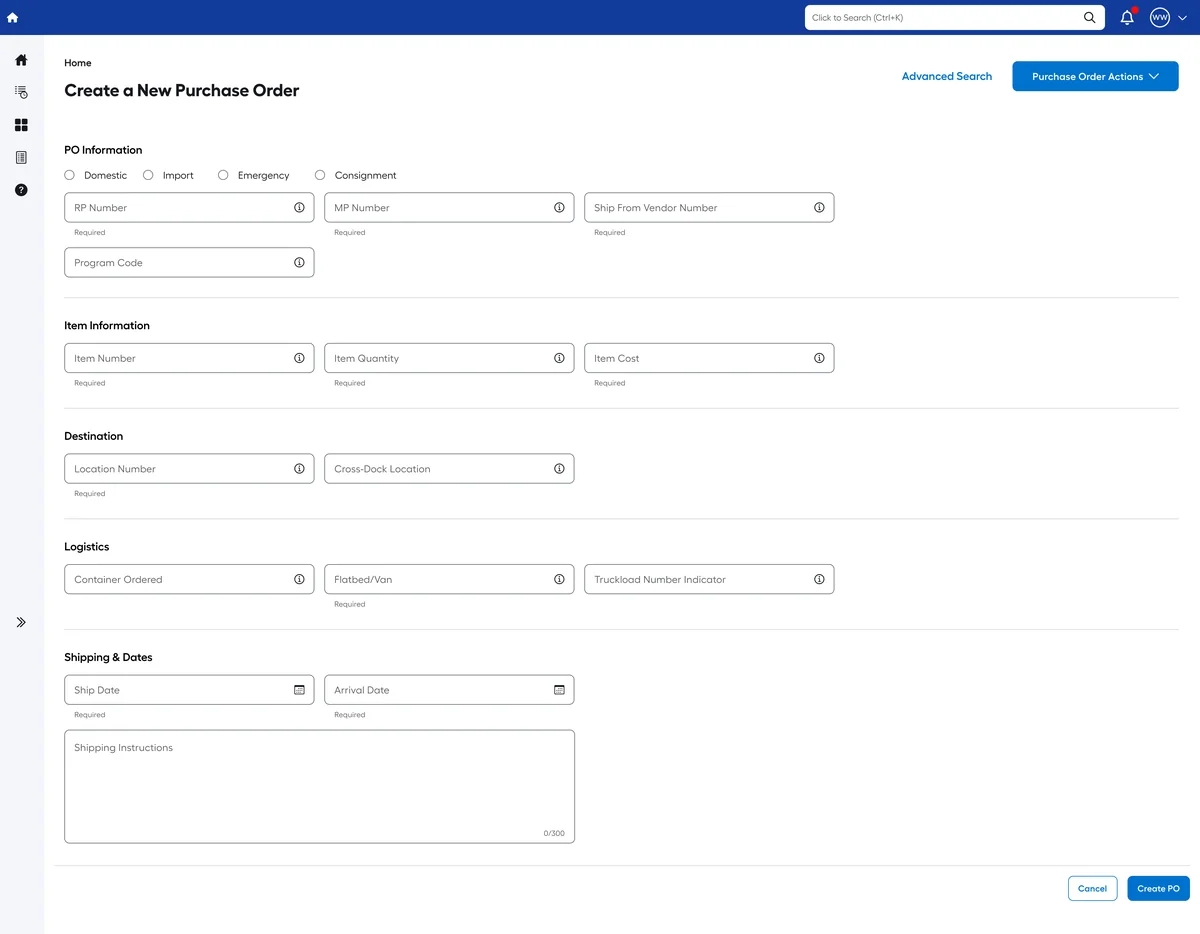
03Create PO from the dashboard actions
- A clear visual hierarchy for dashboard information
- Metrics and visualizations that are easy to scan
- A consistent layout for order information
- A path from the overview into detail
Bringing updates into one place
Decision 03 · Notifications center
Purchase order activity changes constantly. I designed a centralized notifications center, a dedicated place to review updates without first hunting down each related order.
Notifications center
1 / 3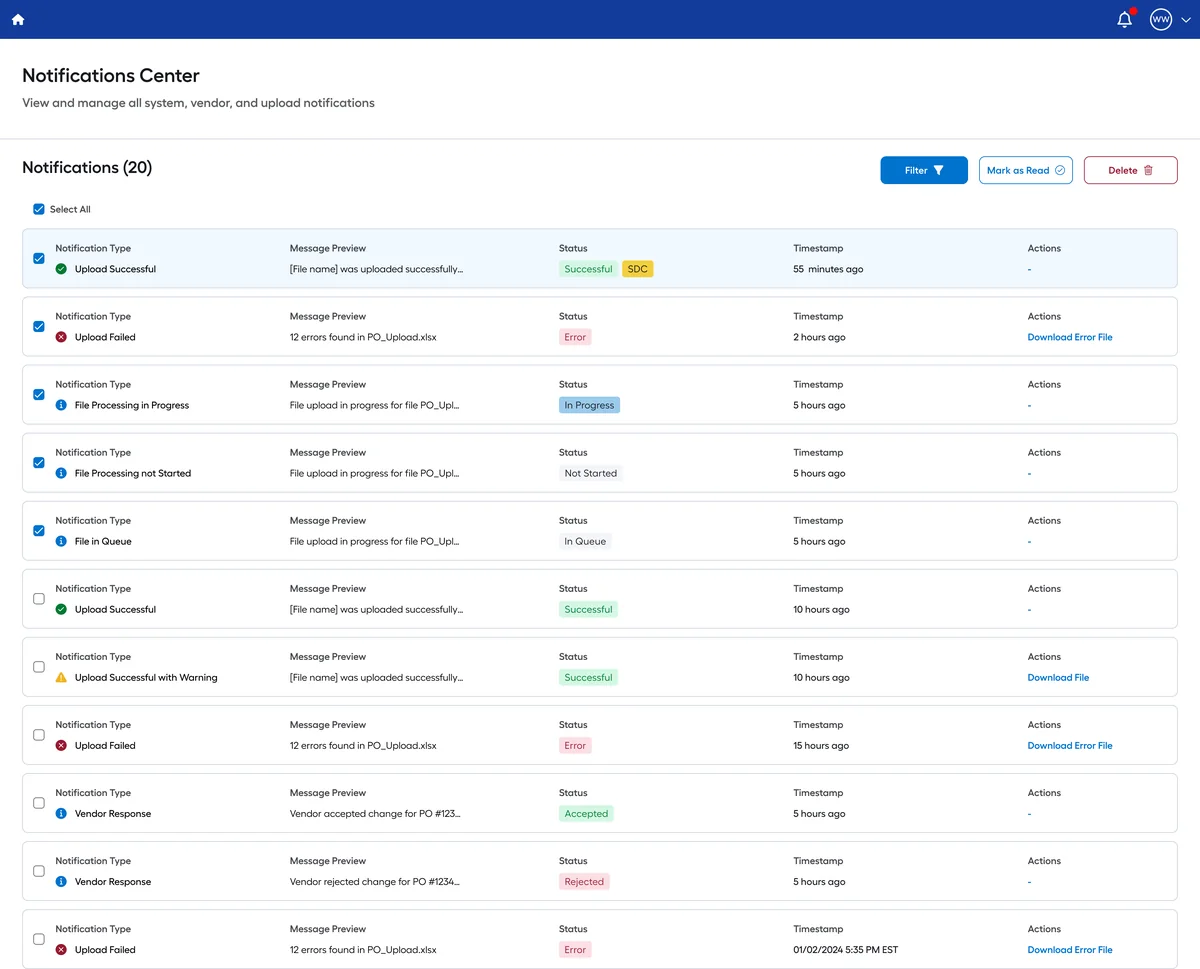
01All updates in one list
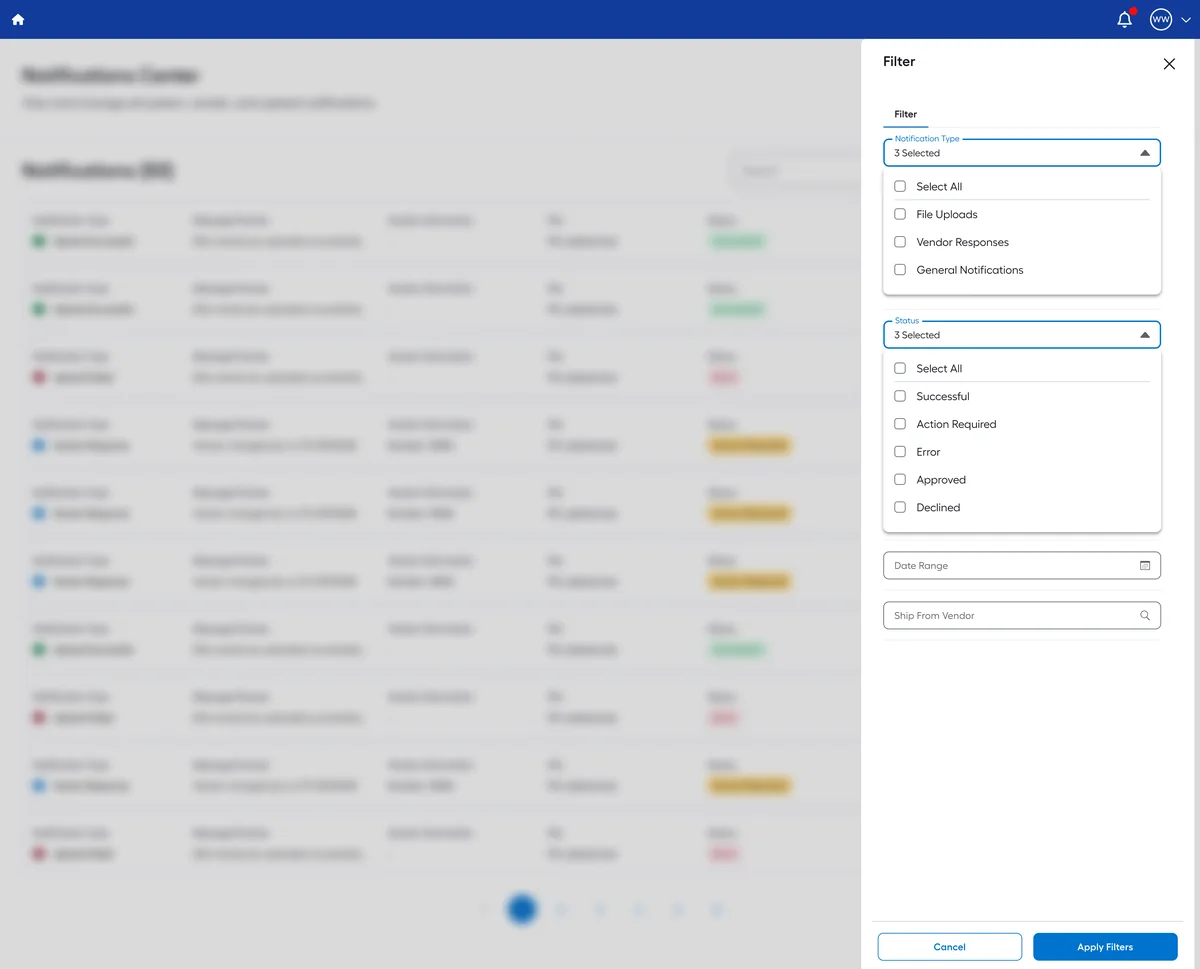
02Filter drawer
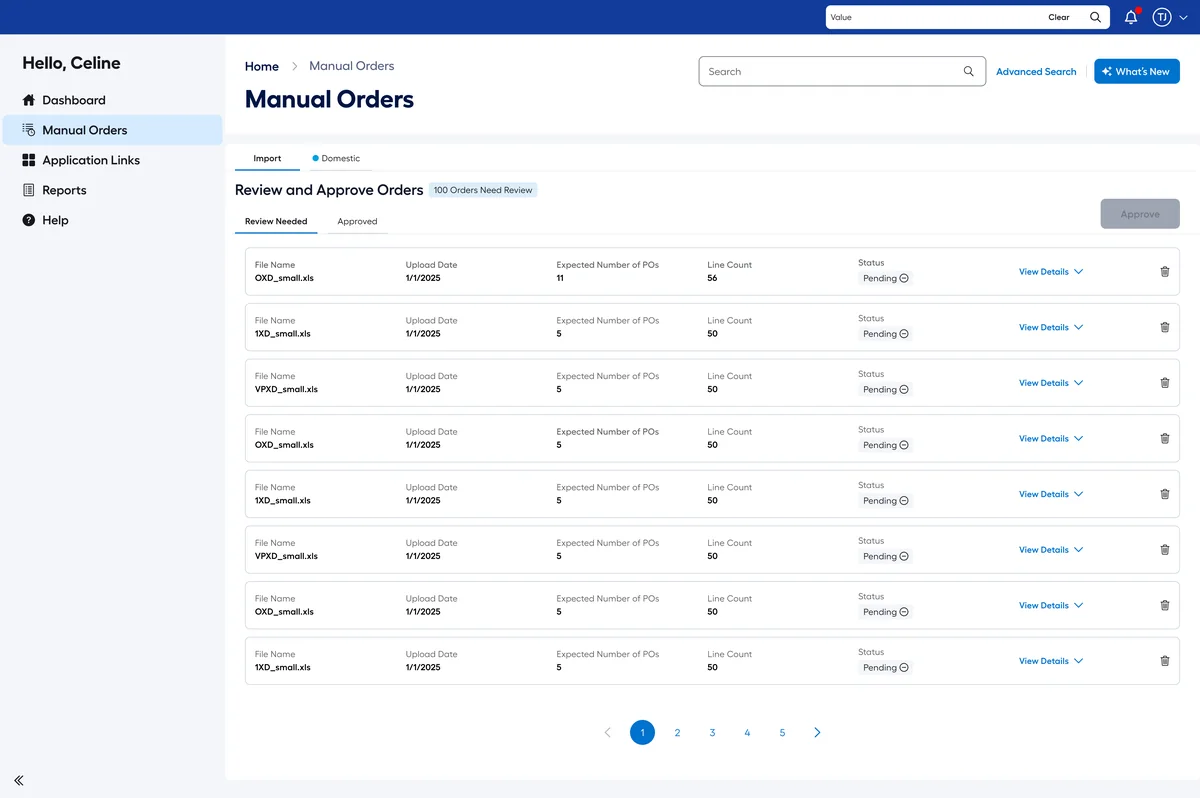
03Review and approve uploads
- Notifications organized in a readable format
- The information behind each update is easy to understand
- Every notification connects back to its purchase order
- One consistent way to review activity
More complete order details
Decision 04 · Item details and change history
Finding an order is only the beginning. People need to understand what's in it and, when needed, how it changed. The redesigned detail view brings item-level information and a change log into the order itself, so moving from identifying an order to examining it happens in one place.
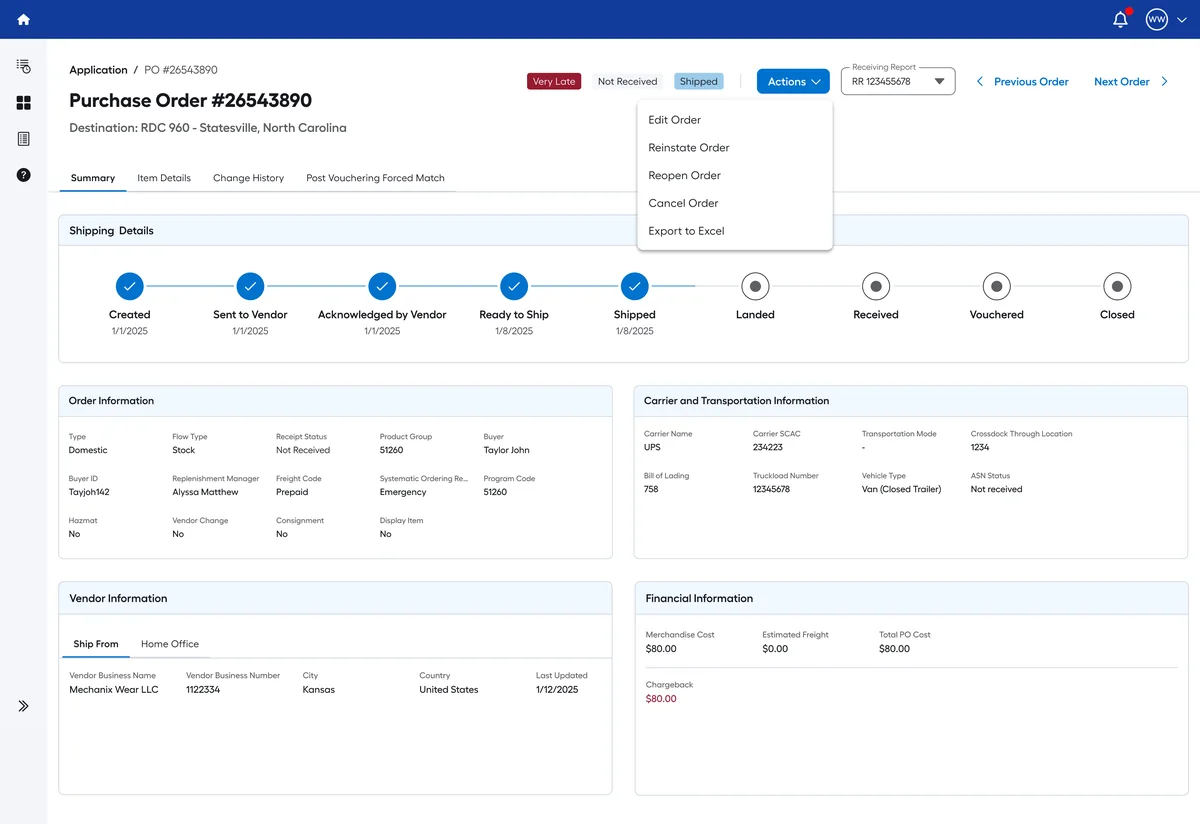
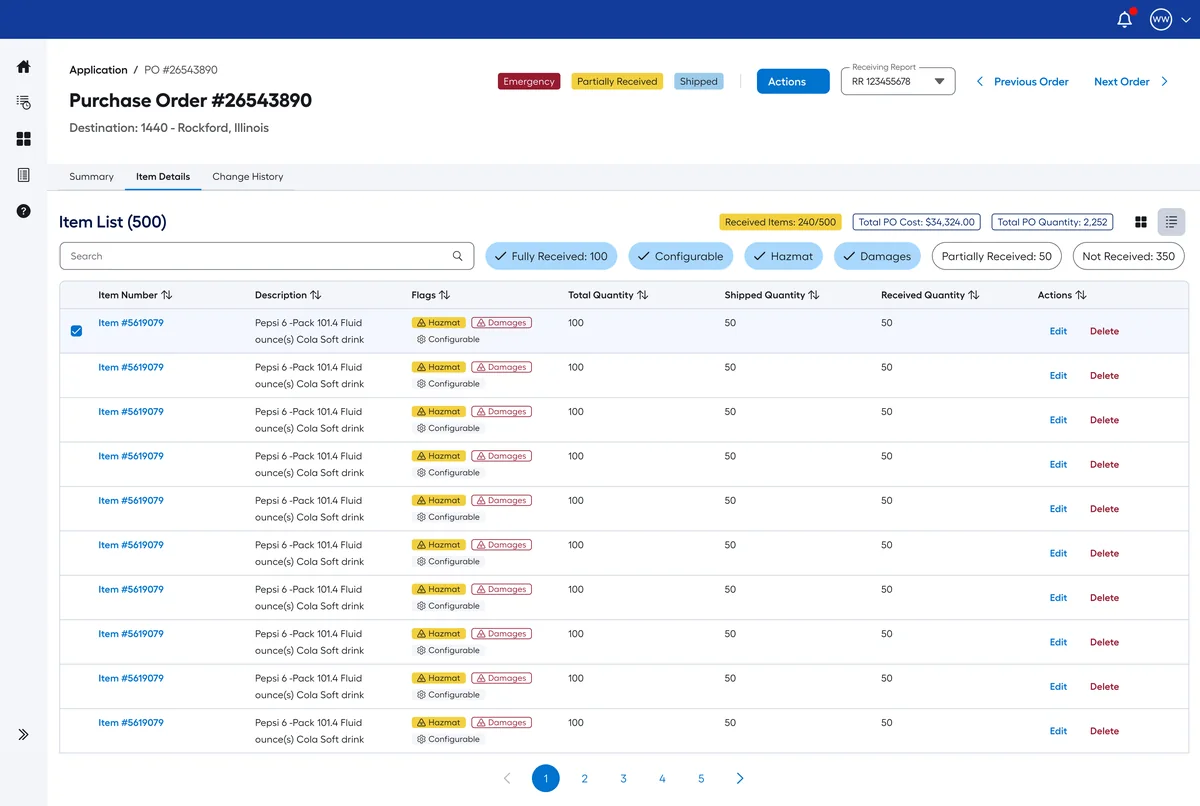
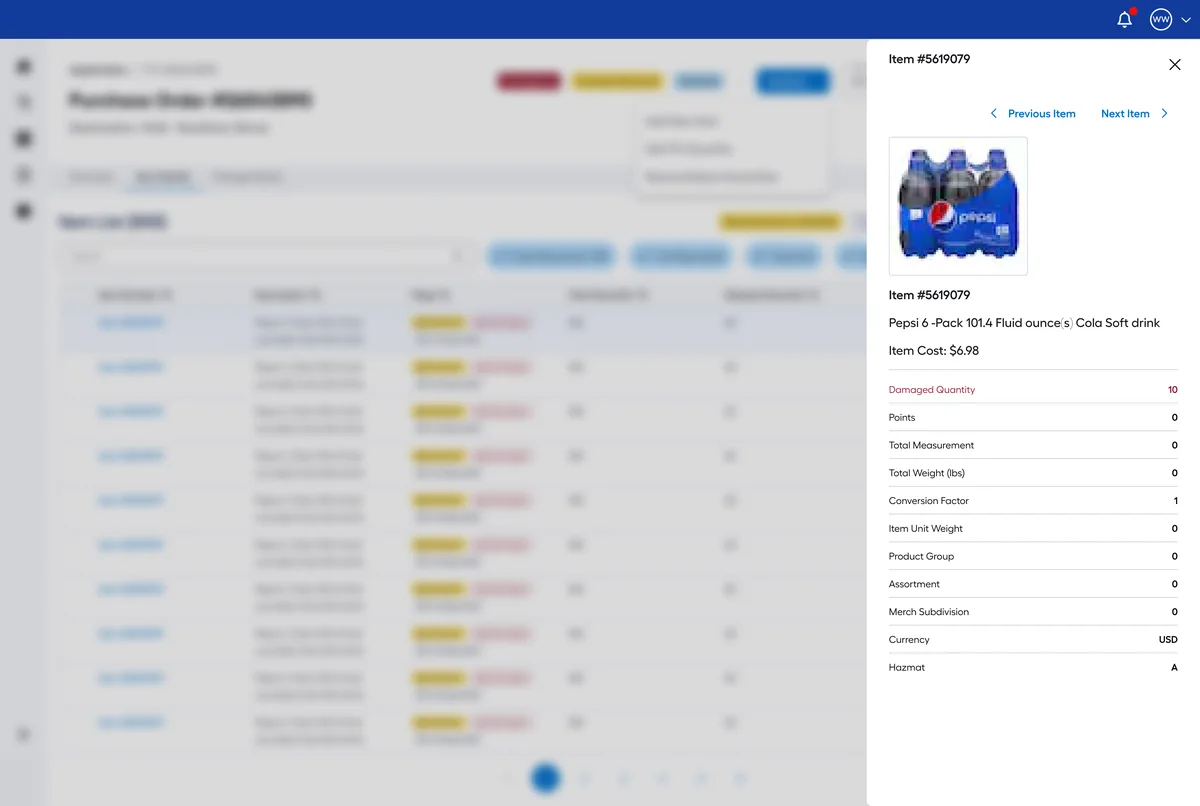
- Detailed order information in a clear hierarchy
- Item information available within the order
- Historical changes presented in a reviewable format
- Current information clearly separated from past activity
Bringing it together
- FindAdvanced search provides a dedicated way to locate purchase orders.
- MonitorDashboard analytics present order information in a central overview.
- Stay informedThe notifications center is one place to review updates.
- InvestigateOrder details bring item information and change history into context.
Outcome & impact
- 2,500+employees rely on the redesigned platform
- < 30 sto find a purchase orderdown from about 5 minutes
- 6.7/7user satisfaction
- 10K+purchase orders, instantly filterable
The redesign delivered a new purchase order experience across search, analytics, notifications and order details, and rethought how people navigate the system and reach the information behind each order.
Reflection
Redesigning purchase order management meant looking past individual screens to the connected needs behind them, from finding an order to reviewing its history and keeping track of activity. It reflects how I approach enterprise UX: see the whole experience, organize complex information, and design for the tasks people actually have to get done.