Building a scalable design foundation for enterprise applications: Enterprise Design System UX case study by Rita Omatsone
Shared components, responsive layout scaffolding, accessibility and documentation that let Lowe's product teams build consistent enterprise applications without solving the same problems over and over.
- Role
- Product Designer
- Users
- Product designers, engineers and teams building enterprise applications
- Scope
- Design tokens, components, responsive layouts, accessibility, documentation
- Breakpoints
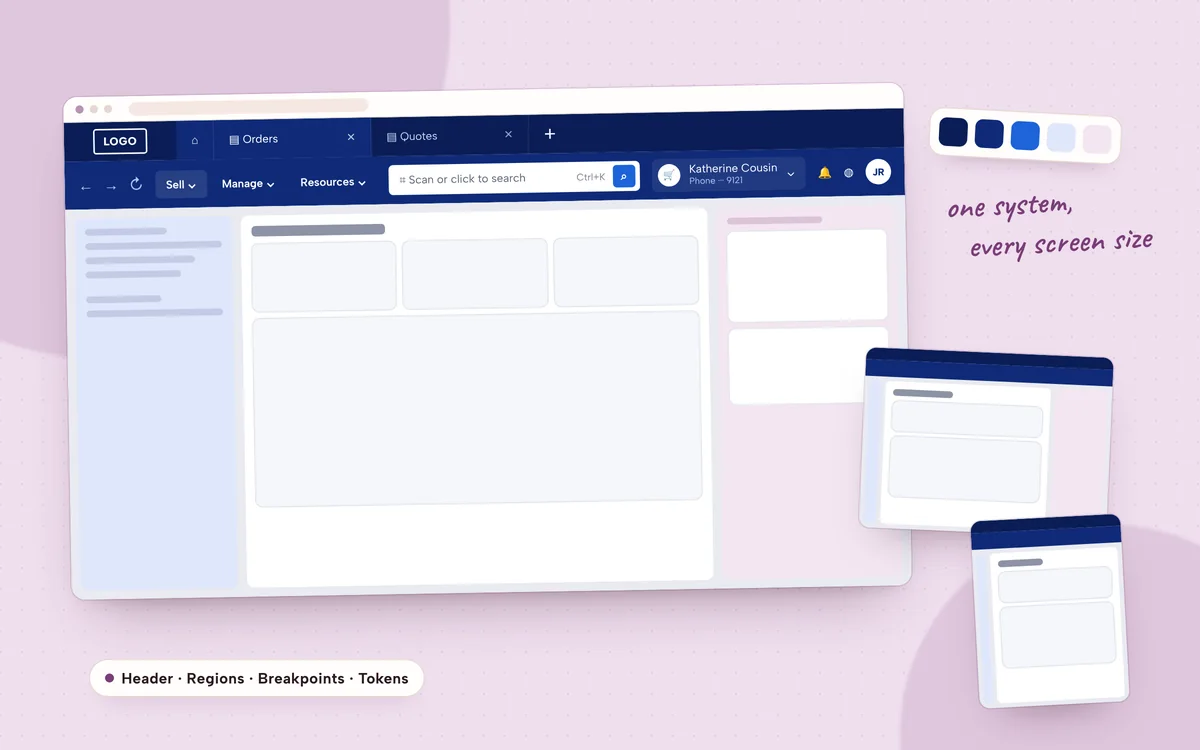
- XXL, large and medium
- 40% faster design delivery
- 200+ engineering hours saved per quarter
- 85% of design and development teams adopted it within six months
- WCAG 2.1 AA accessibility for audited components
The challenge
As enterprise applications grow, keeping one consistent experience across products, teams and screen sizes gets harder. Duplicated components, inconsistent interaction patterns and repeated design and engineering work slow delivery and make products harder to maintain.
I worked on establishing an enterprise design system: standardized shared components, responsive layout patterns, built-in accessibility and documentation that helped teams apply the system across applications.
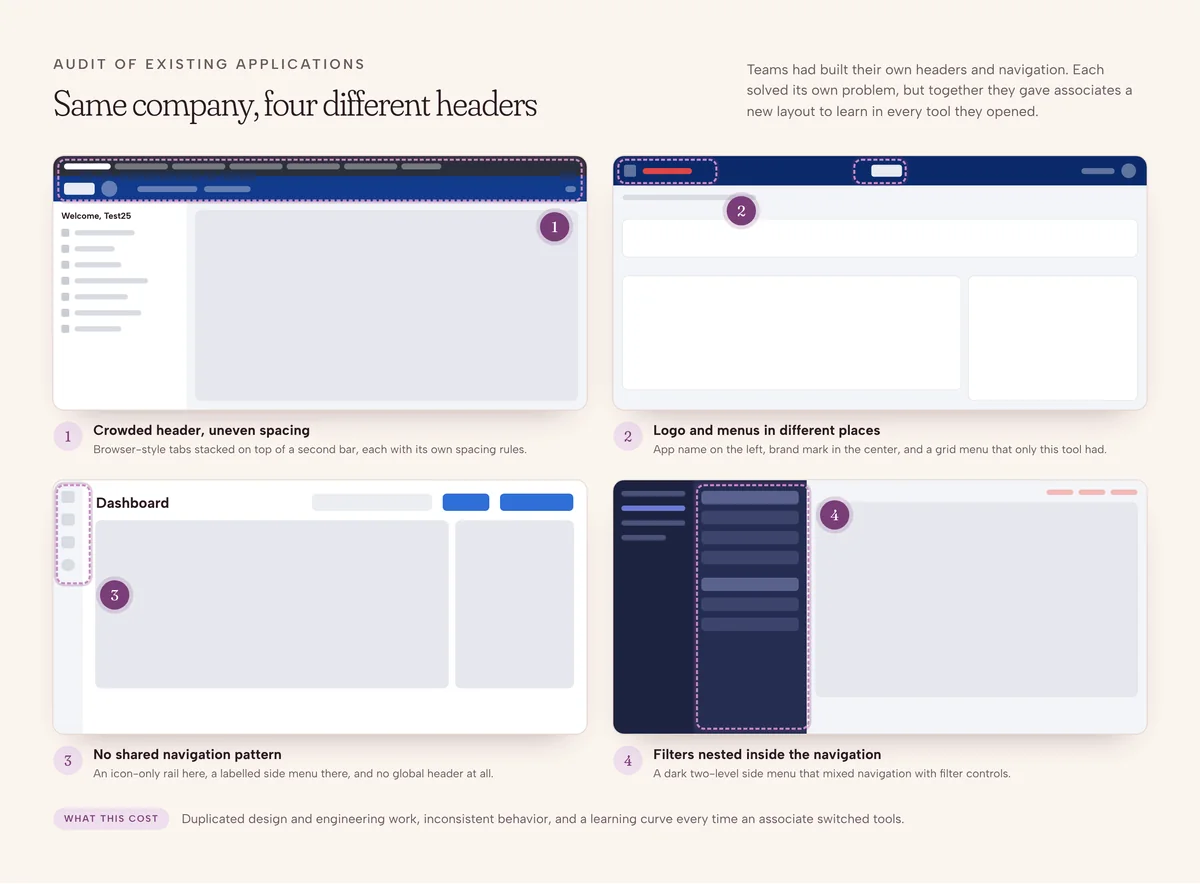
The opportunity
Three connected opportunities
- StandardizationShared components and patterns that teams can apply consistently.
- ScalabilityResponsive layout foundations that adapt across screen sizes and application contexts.
- AdoptionDocumentation and guidance that help design and engineering teams understand and use the system.
The objective was never just a component library. It was making consistent, accessible design easier to deliver across the organization.
Understanding the system
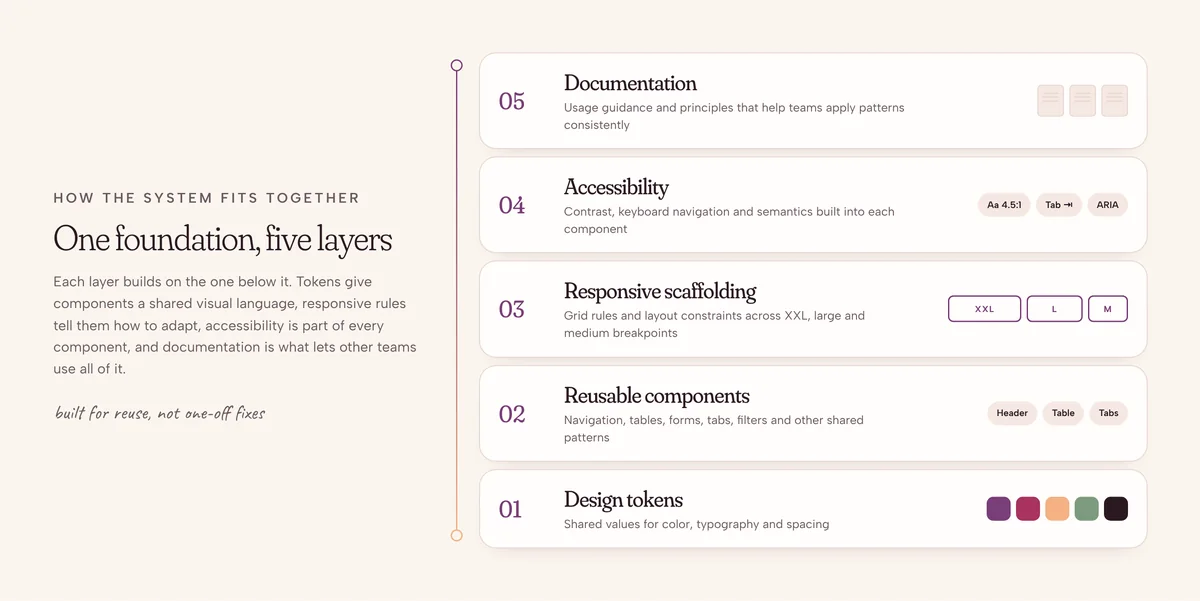
A scalable design system has to do more than look consistent. Components must work inside real product workflows, respond to different screen sizes, and behave predictably for designers and engineers alike. The system covered five layers, each building on the one below.
From the working boards
1 / 4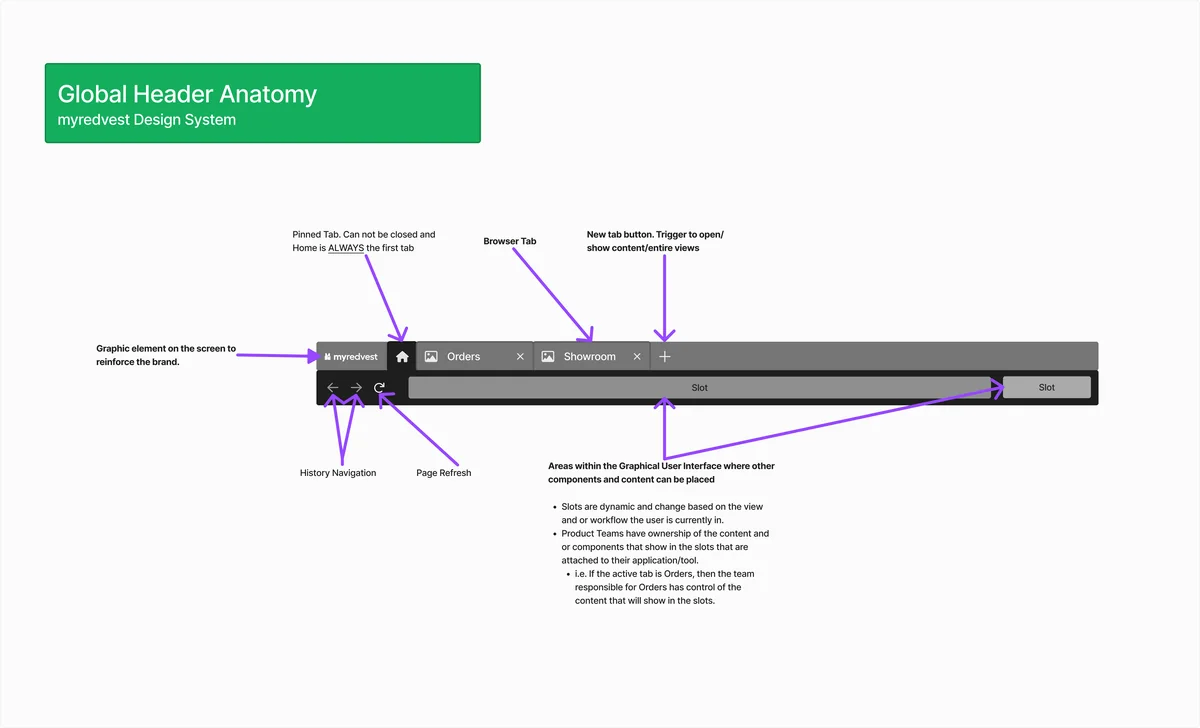
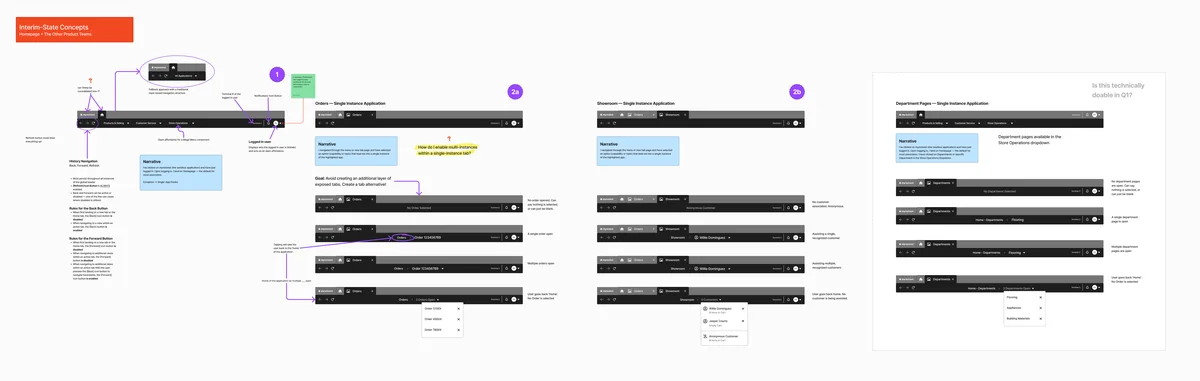
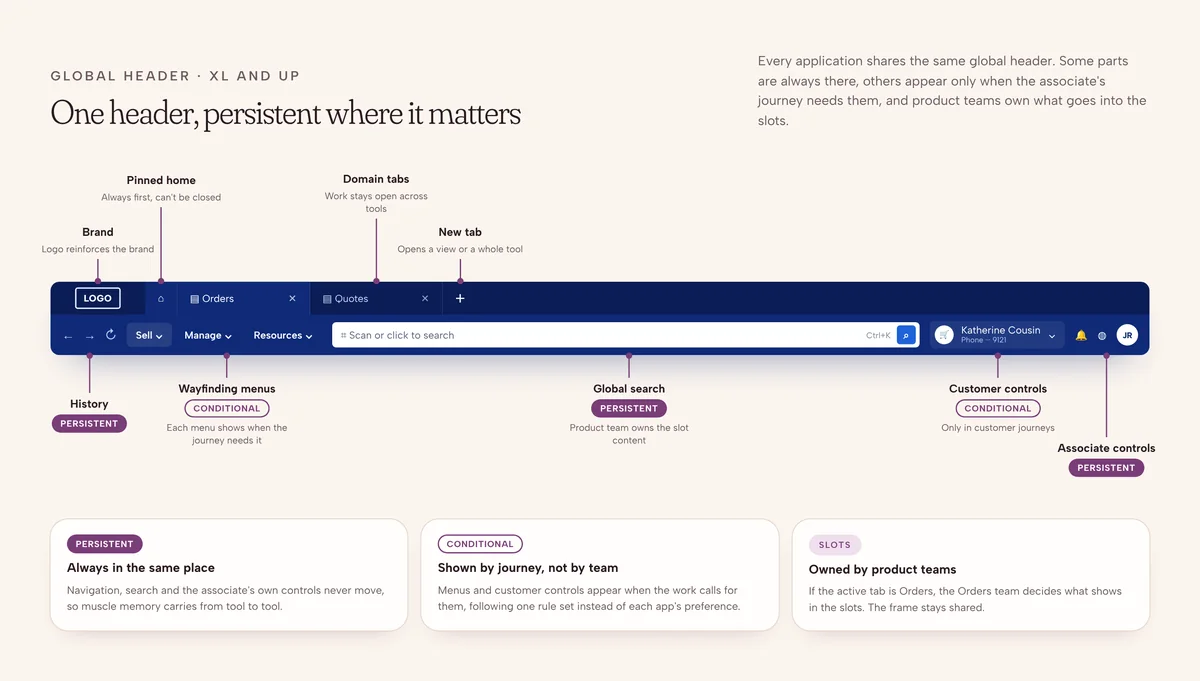
01Global header anatomy
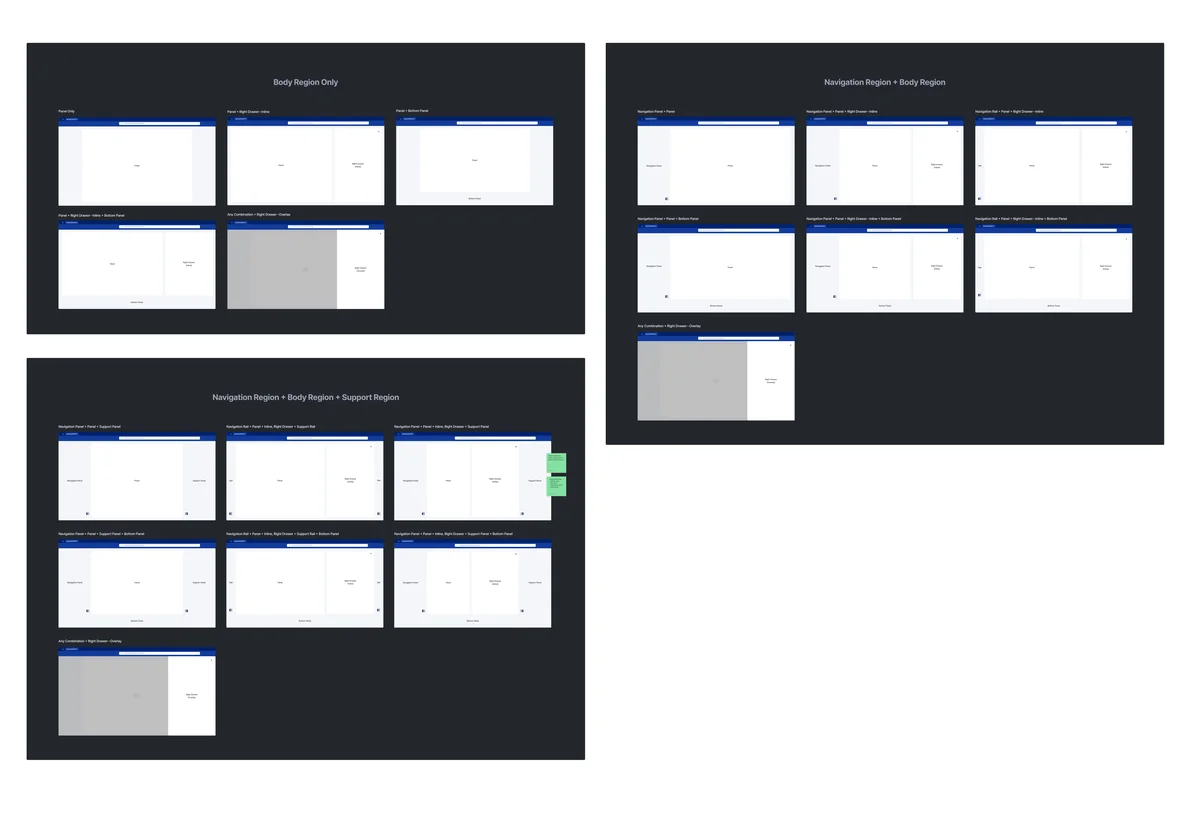
02Interim-state tab concepts
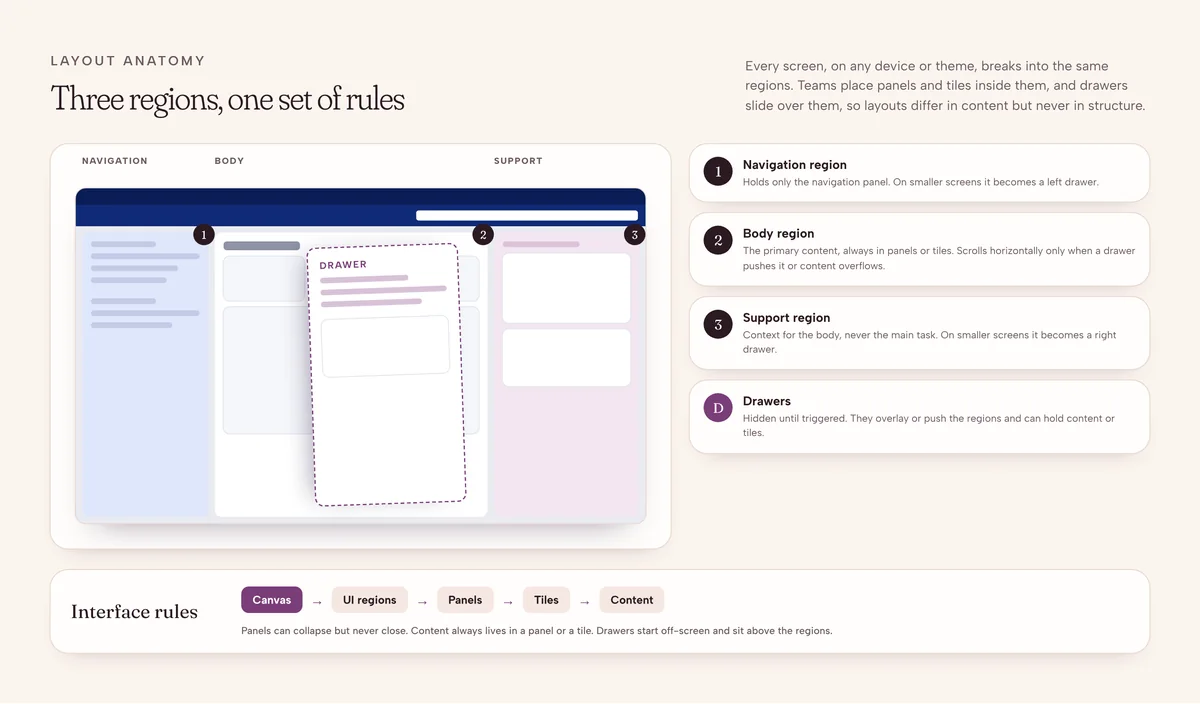
03Every layout combination

04Navigation drawer scenarios
Design principles
- 1Consistency by defaultShared and documented
Shared components and clear usage guidelines help teams deliver consistent experiences across applications.
- 2Reuse, not rigidityRoom for real differences
Components support the common cases while allowing for legitimate differences between products and workflows.
- 3Responsive at the corePart of the system
Responsive behavior is designed into the system, not patched screen by screen.
- 4Accessible by designInside every component
Accessibility is considered during component design and validation, not left to the end.
A shared component foundation
Decision 01 · Standardizing frequently used patterns
When every team solves the same design problem independently, the result is duplication. I worked on defining reusable components for common enterprise needs, including navigation, the global header, tables and forms, with clear structures and variants.
- Consistent visual and interaction patterns
- Clear component structures and variants
- Components designed for reuse across applications
- A shared foundation that still respects product needs
Responsive layout foundations
Decision 02 · Designing for every screen size
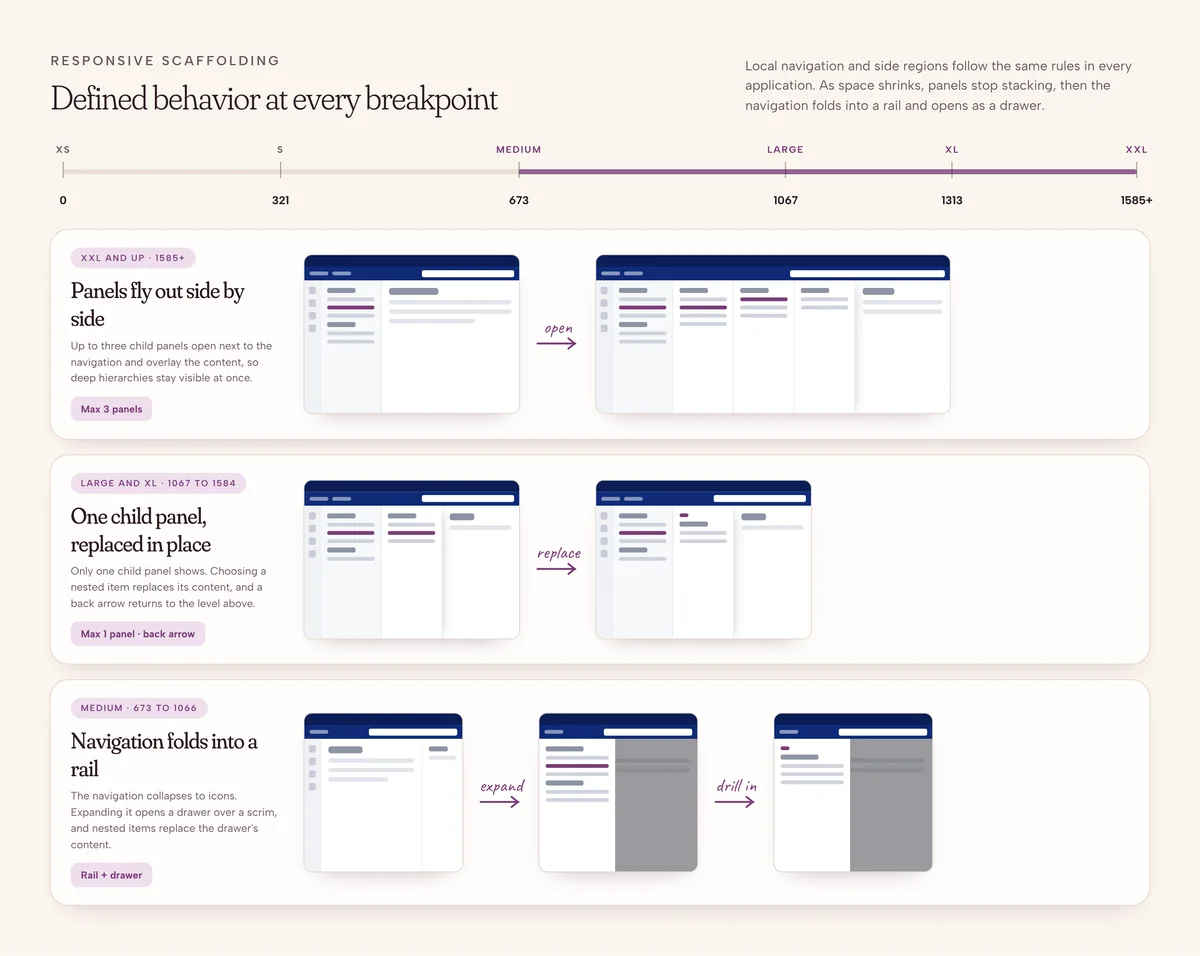
Without shared layout rules, every team implements responsive behavior differently. I worked on responsive scaffolding across XXL, large and medium breakpoints, with consistent grid rules and layout constraints, so layout behavior became predictable instead of re-solved on every project.
- Consistent grid and spacing rules
- Defined behavior for each breakpoint
- Components that respond as available space changes
- A usable information hierarchy at every size
Accessibility built in
Decision 03 · Making accessible patterns reusable
Components get reused across many workflows and products, so accessibility had to live in the components themselves. I incorporated contrast, keyboard navigation and labeling and semantics into the design-system work, with guidance documented alongside each component.
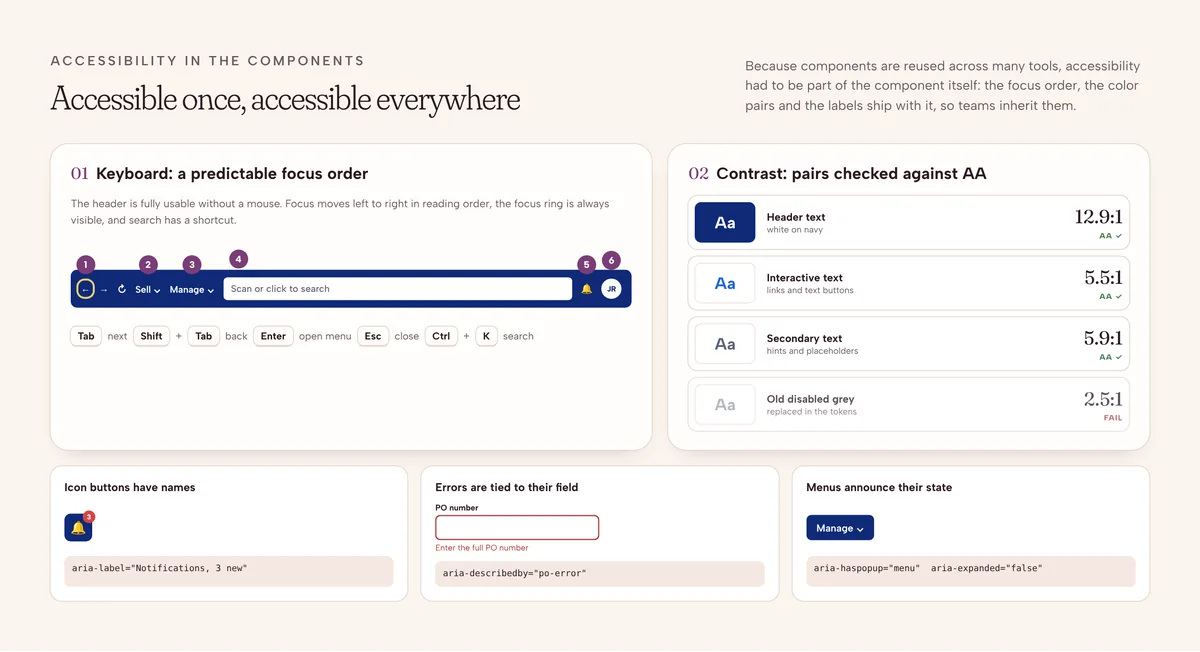
- Accessible color and contrast patterns
- Keyboard interaction for relevant components
- Clear labeling and predictable behavior
- Accessibility guidance next to every component
Supporting adoption
Decision 04 · Documentation that teams actually use
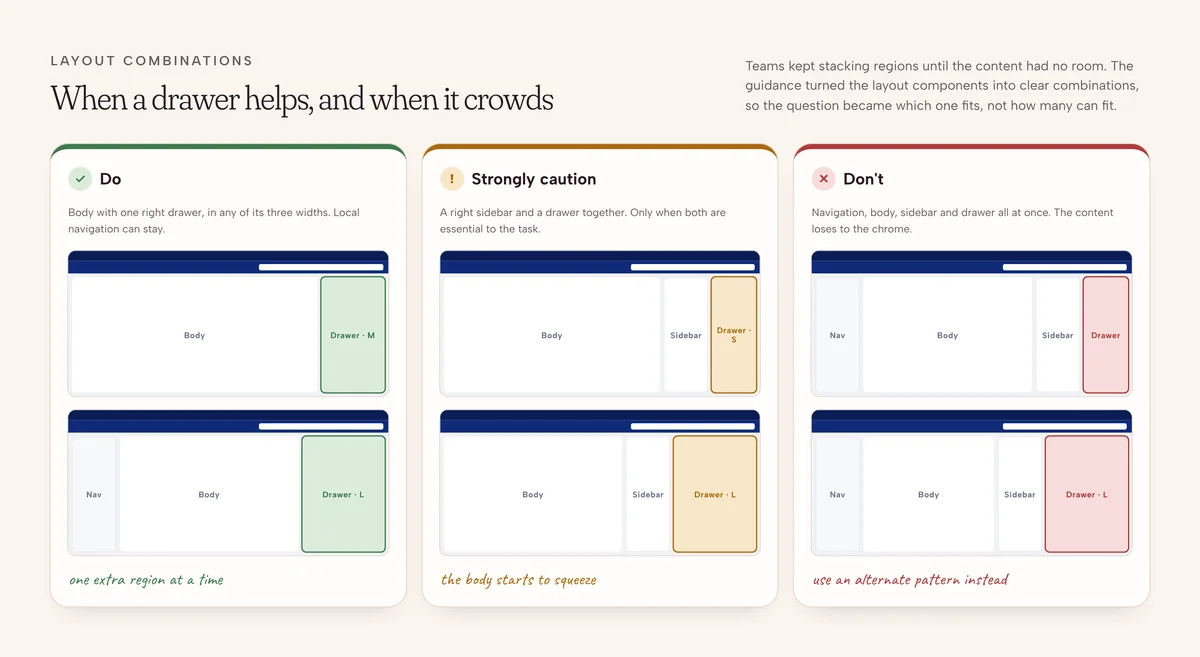
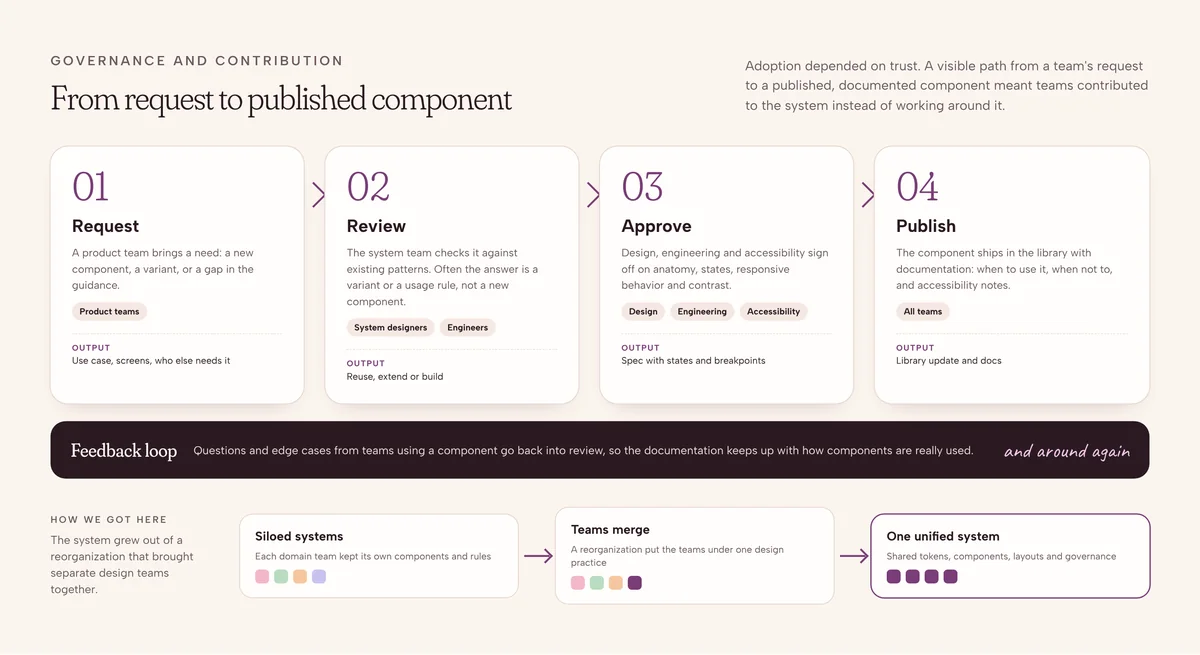
A design system creates value only when teams can understand and apply it. Alongside the component and layout work, I contributed documentation and standards that explain not just what components look like, but how and when to use them, including when a different solution is the right call.
Outcome & impact
- 40%faster design deliverycommon flows went from about 10 hours to 6
- 200+engineering hours saved per quarter
- 85%of design and development teams adopted it within six months
- WCAG 2.1 AAaccessibility for audited components
Shared components, responsive foundations, accessibility guidance and documentation came together as one framework that reduced duplicated work and helped teams build more consistent enterprise experiences.
Reflection
This project expanded my perspective from designing individual experiences to helping build the foundations that let teams create consistent experiences at scale.
Three lessons that shaped my approach
- Design for reuseSolve common interface problems in ways that support many products, not one-off fixes.
- Make the system understandableComponents are only useful when teams know how and when to apply them.
- Treat adoption as part of the workA system has to fit how teams design, build and maintain products to last.