Designing more relevant product experiences for DIY and PRO customers: Product Information Page Redesign UX case study by Rita Omatsone
Redesigning parts of The Home Depot product page: three ways to navigate product details for DIY shoppers, and a PRO layout that brings specifications and manuals higher, shaped by prioritization workshops and customer testing.
- Role
- Sr. User Experience Designer
- Segments
- DIY and PRO customers
- Scope
- Product details navigation, information architecture, layout, image gallery
- Methods
- Prioritization workshop, RICE scoring, Dscout listening sessions, third-party testing with Good Growth
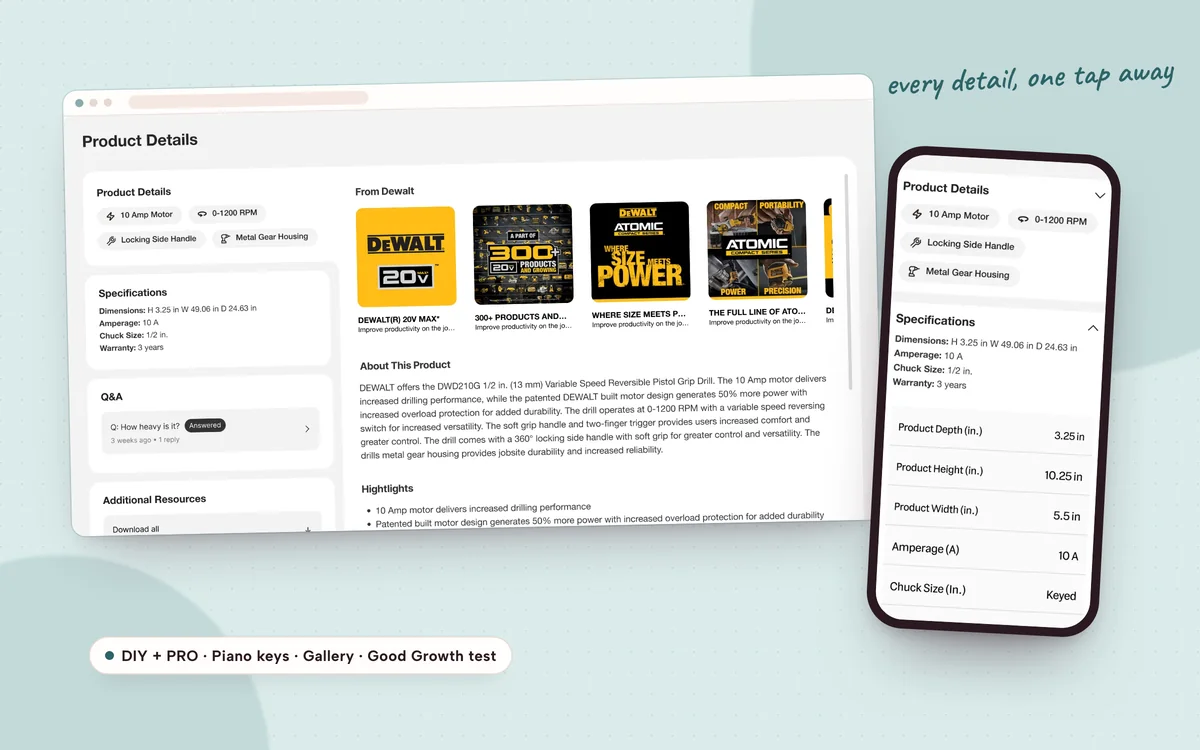
- 3 navigation patterns explored for product details
- 2 customer segments with their own page hierarchy
This case study is password protected
It includes confidential work. Enter the password from Rita’s application or email to read it.
Inside this case study
- The challenge
- Prioritizing what to work on
- DIY product details
- Validating with customers
- PRO product page
- Outcome & impact
- Reflection
That password doesn’t match. Check the email or résumé Rita sent you, or ask Rita for access.
The challenge
A product page has to do more than list information. It has to help customers understand a product, find the details that matter to them and make a confident decision.
Product pages hold a lot: details, specifications, resources and manuals, reviews. Each serves a different purpose, but putting everything on one page raises a hard question: how do customers reach detailed information without making the whole page harder to shop?
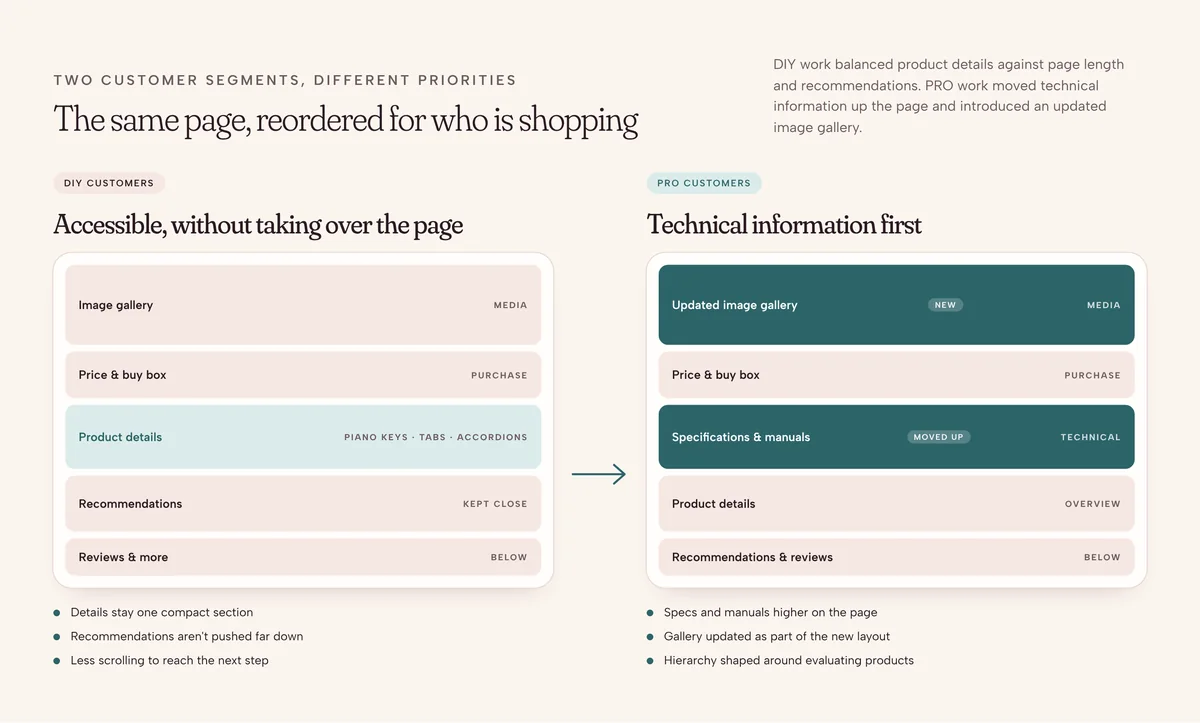
Two segments, different priorities
- DIY customersProduct details have to be accessible while keeping page length manageable and recommendations close.
- PRO customersTechnical information needs more prominence, with a revised hierarchy and an updated image gallery.
Prioritizing what to work on
With many possible improvements, the team needed a structured way to decide where to focus. In a cross-functional workshop we mapped opportunities on a two-axis matrix of impact and confidence, then used RICE scoring (reach, impact, confidence, effort) to rank them.
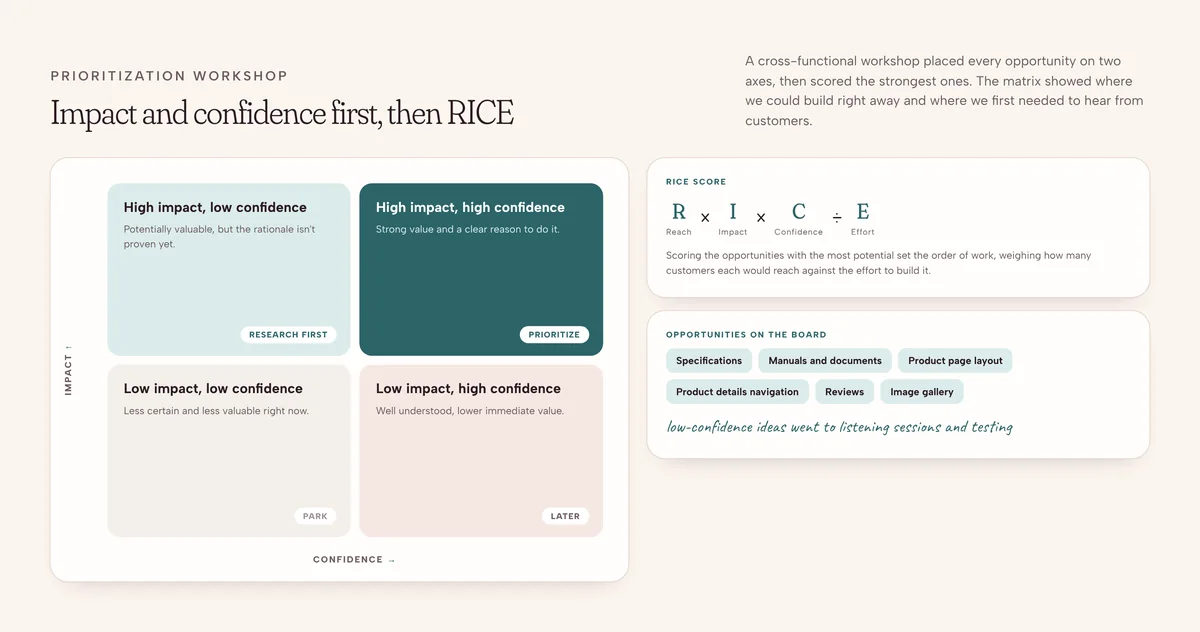
- High impact, high confidenceStrong potential value and a clear rationale: prioritize.
- High impact, low confidencePotentially valuable, but needs research or validation first.
- Low impact, high confidenceWell understood, lower immediate value.
- Low impact, low confidenceLess certain and less valuable right now.
The matrix covered opportunities such as specifications and manuals, product page layouts and reviews. It showed where we needed more customer insight, and that direction fed straight into the DIY and PRO design work and listening sessions.
DIY product details
Part 01 · How customers navigate product information
The DIY product details section holds product details, specifications, additional resources and reviews. The challenge wasn't displaying each section, it was making the information accessible without letting product details dominate the page and push recommendations far down.
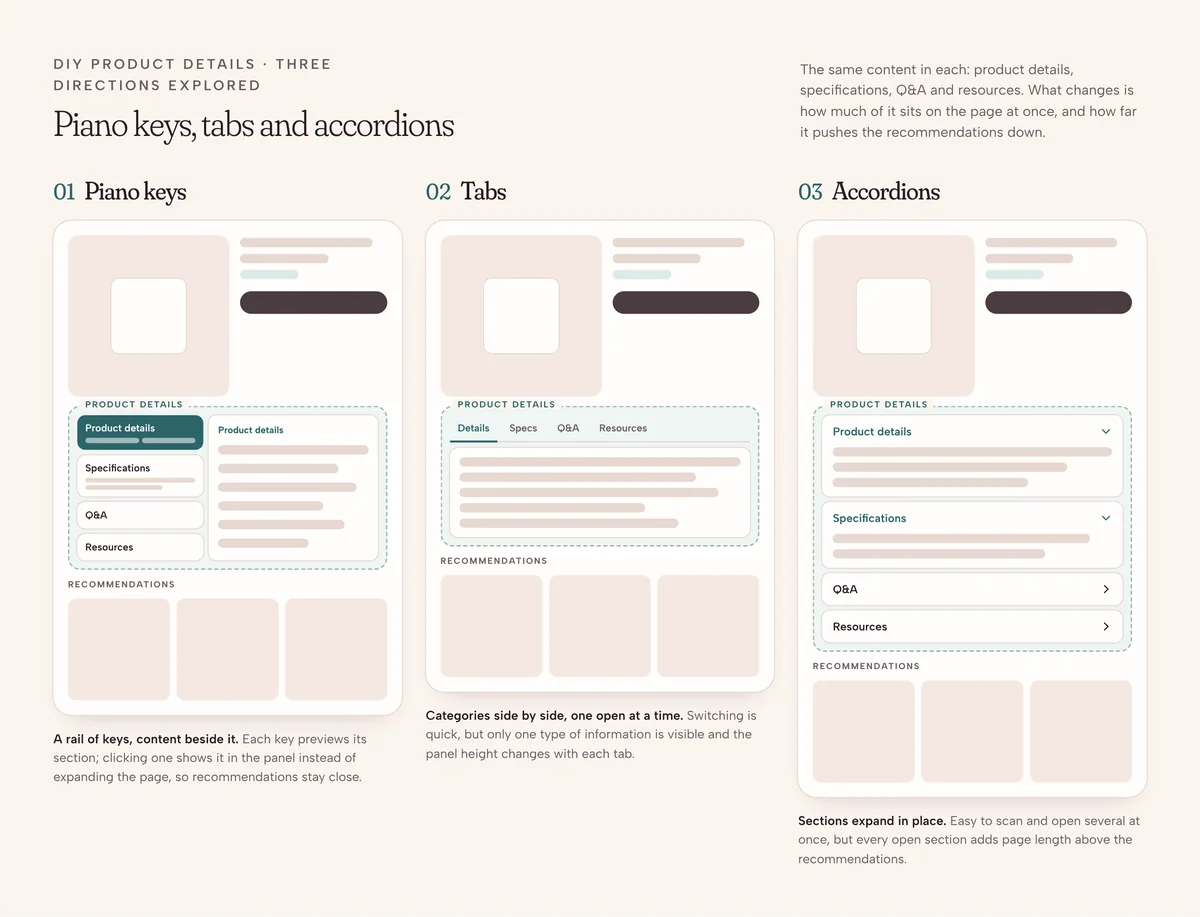
I heavily influenced the exploration of three approaches: piano keys, tabs and accordions. Each offered a different trade-off between information access, what stays visible and how much vertical space the section takes.
Product details, explored
1 / 8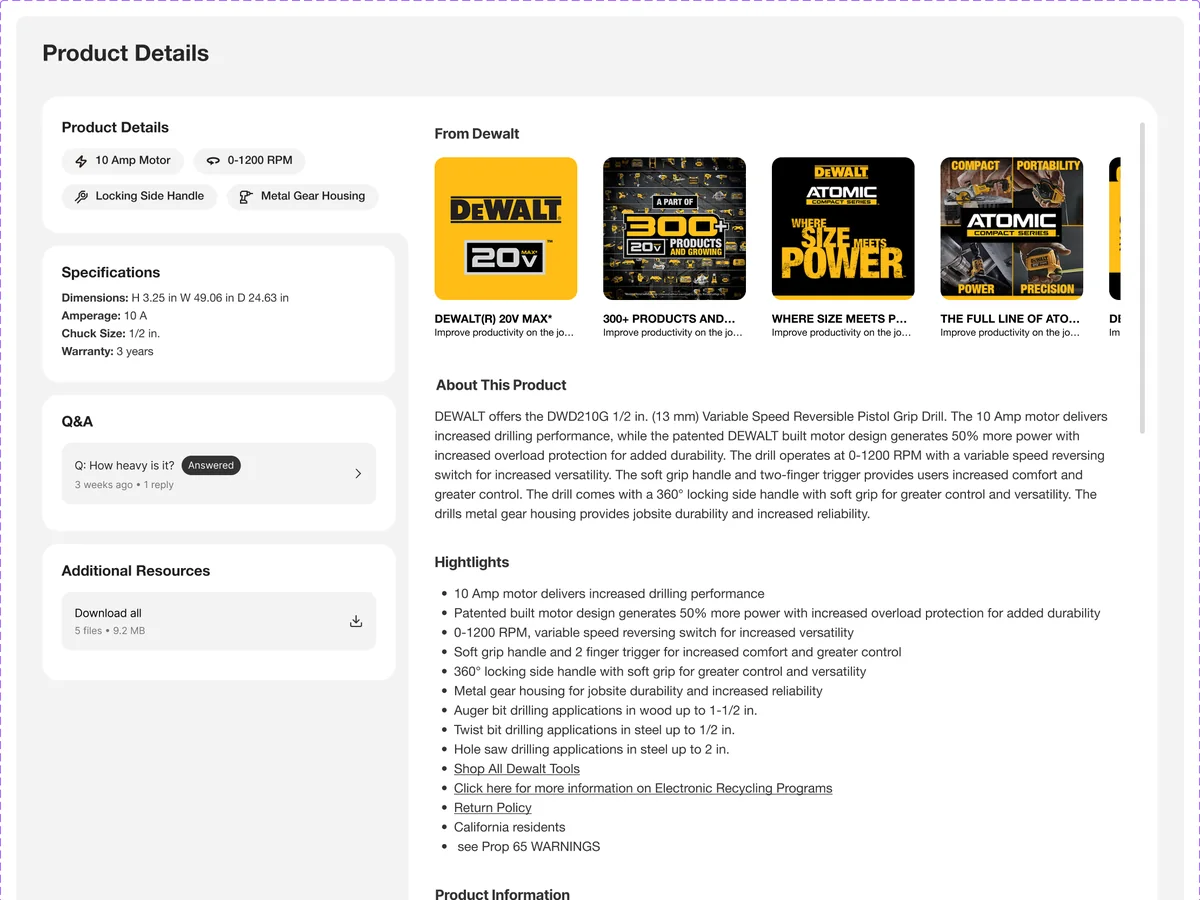
01Piano keys
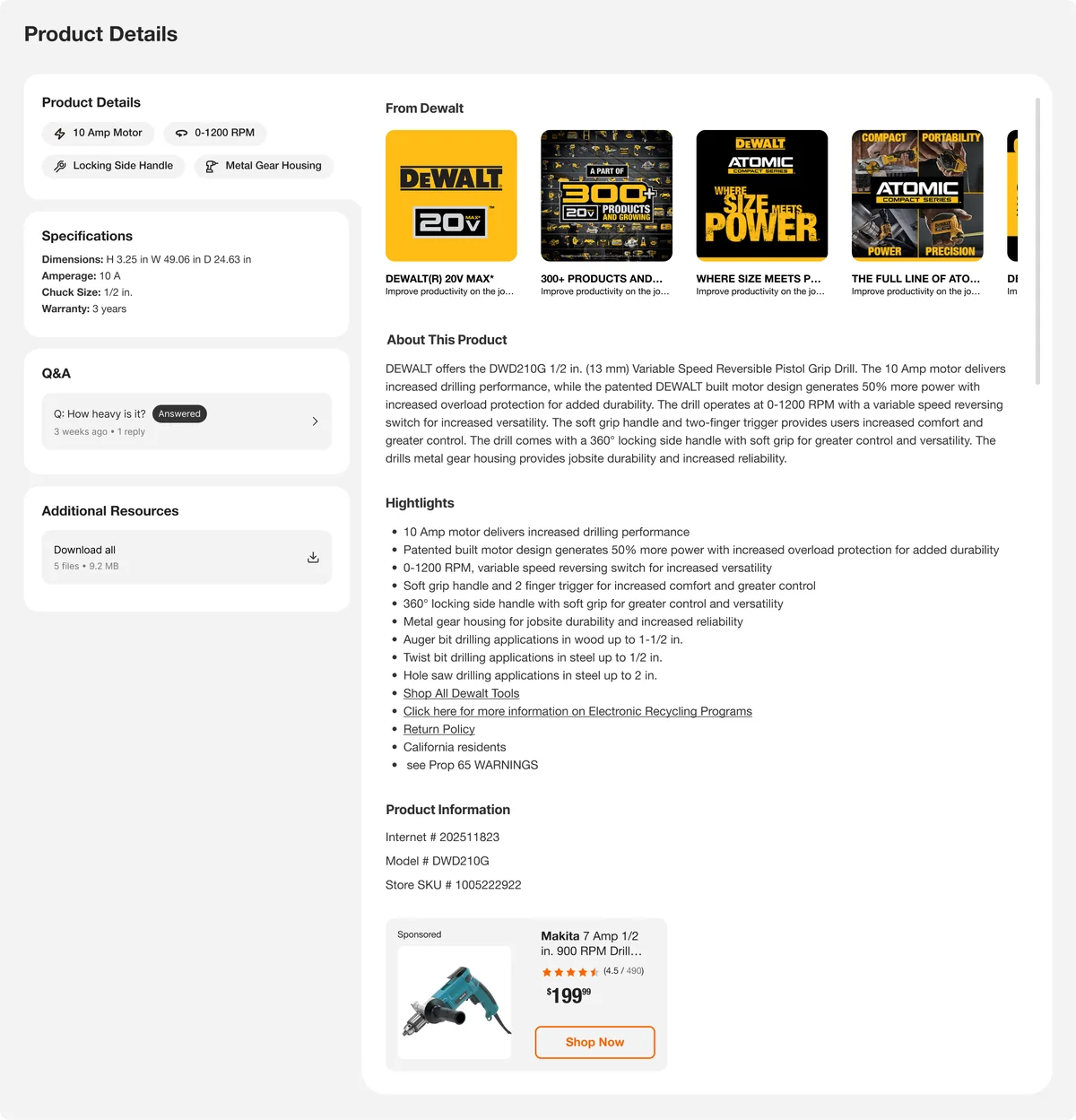
02Piano keys · clickable prototype
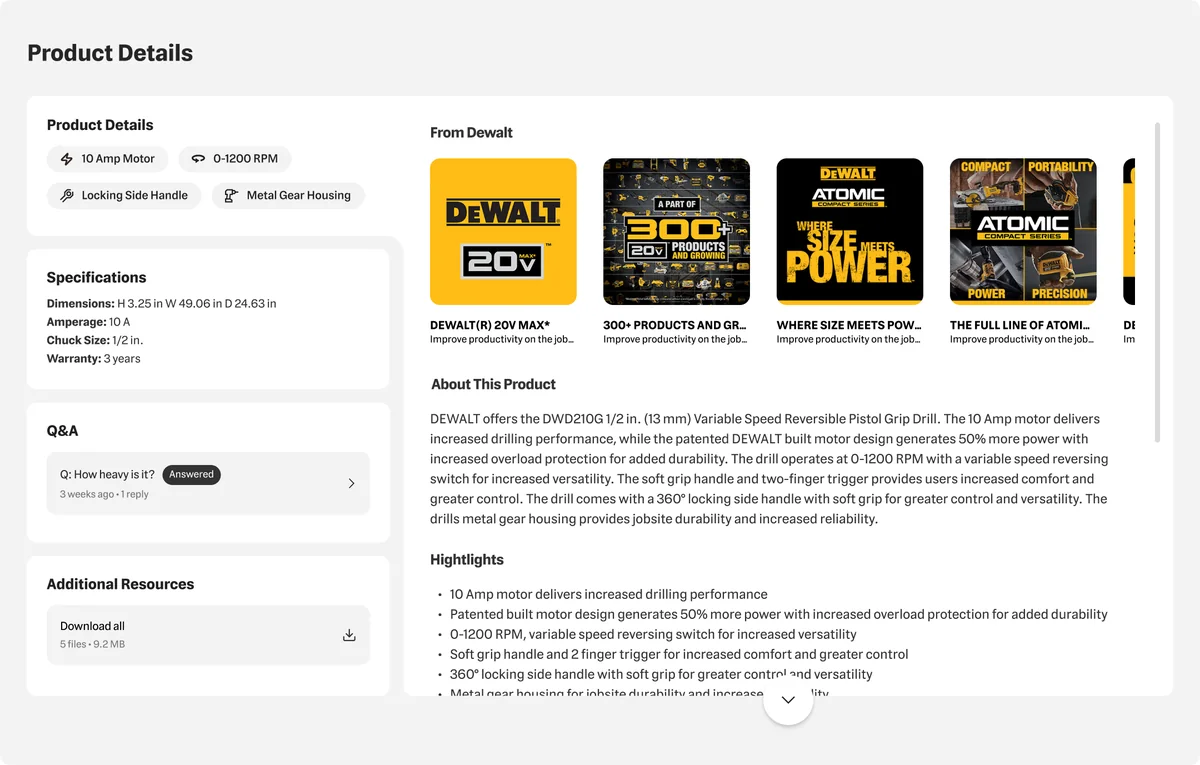
03Vertical tabs
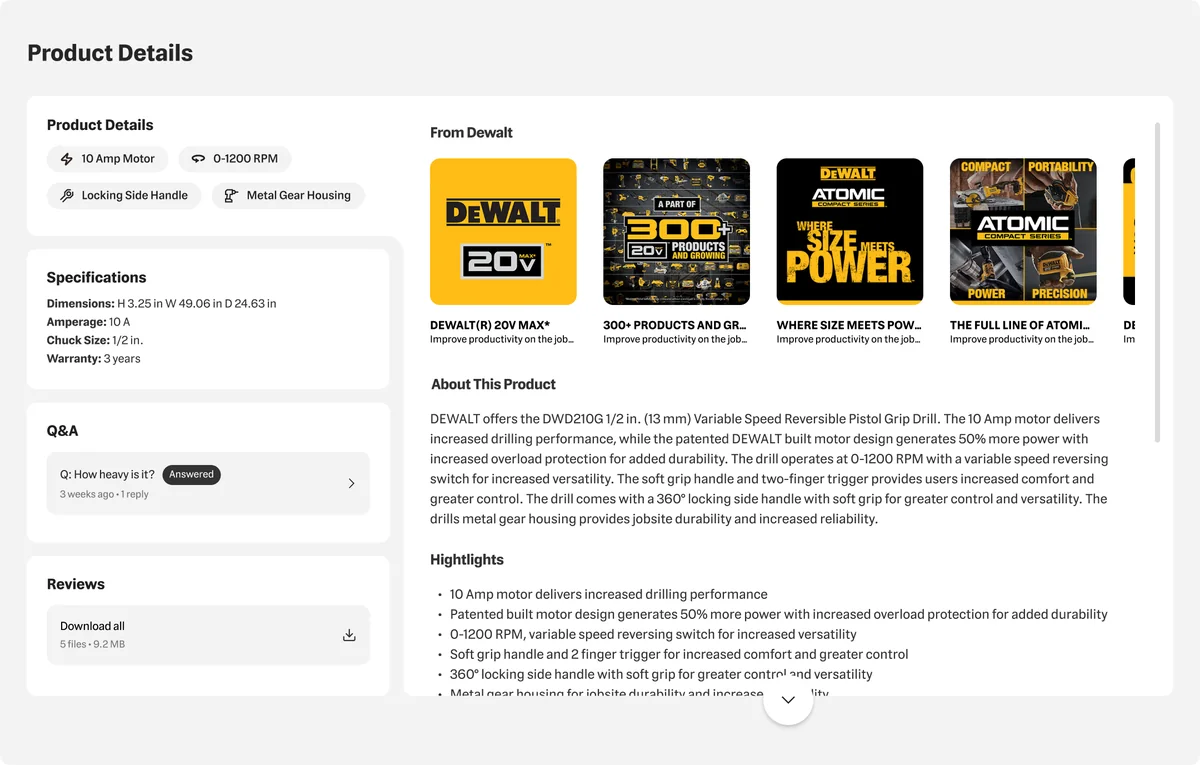
04Vertical tabs · expanded
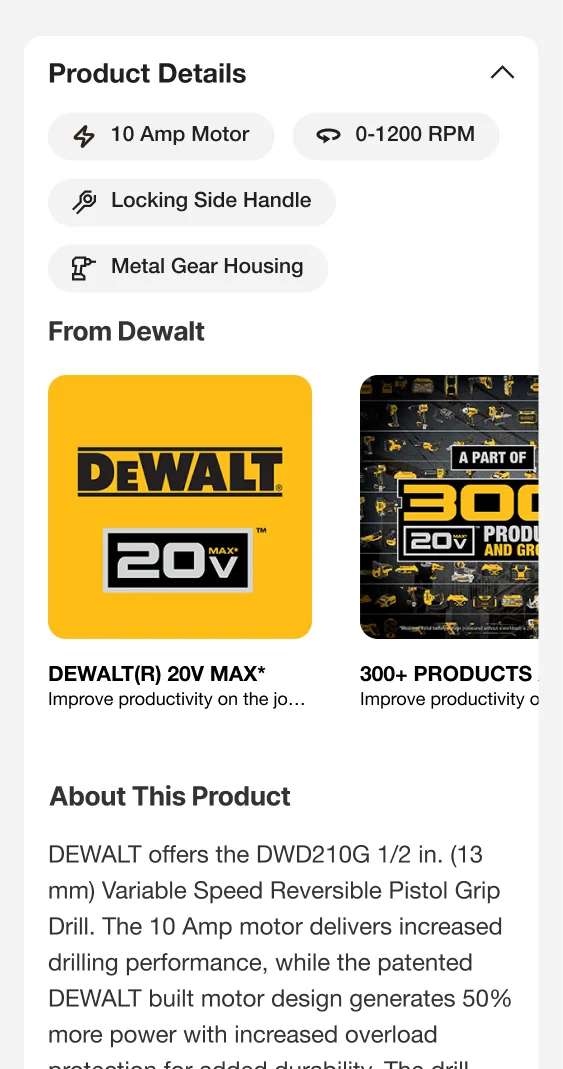
05Mobile · product details
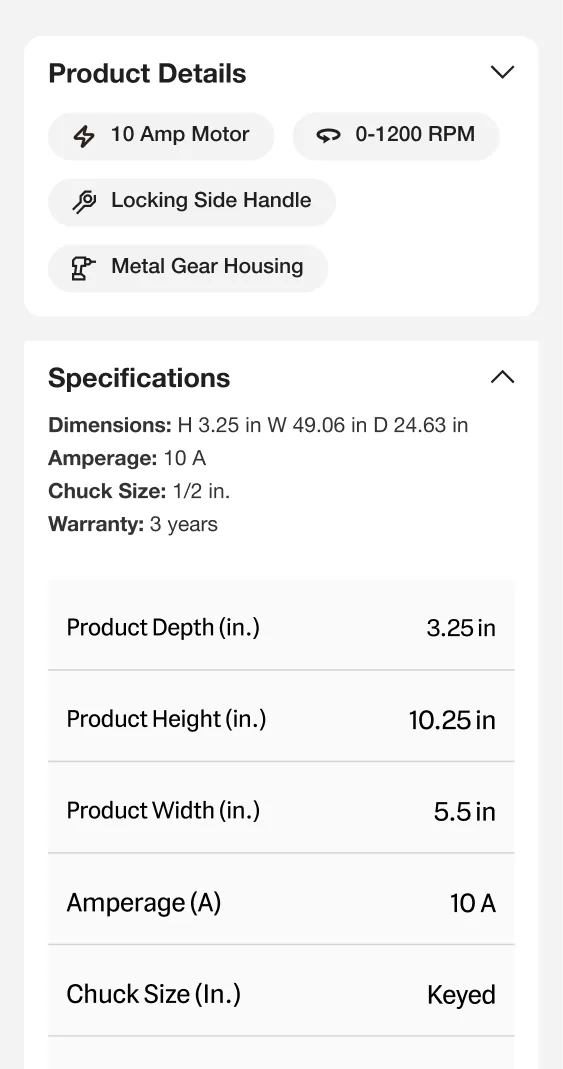
06Mobile · specifications
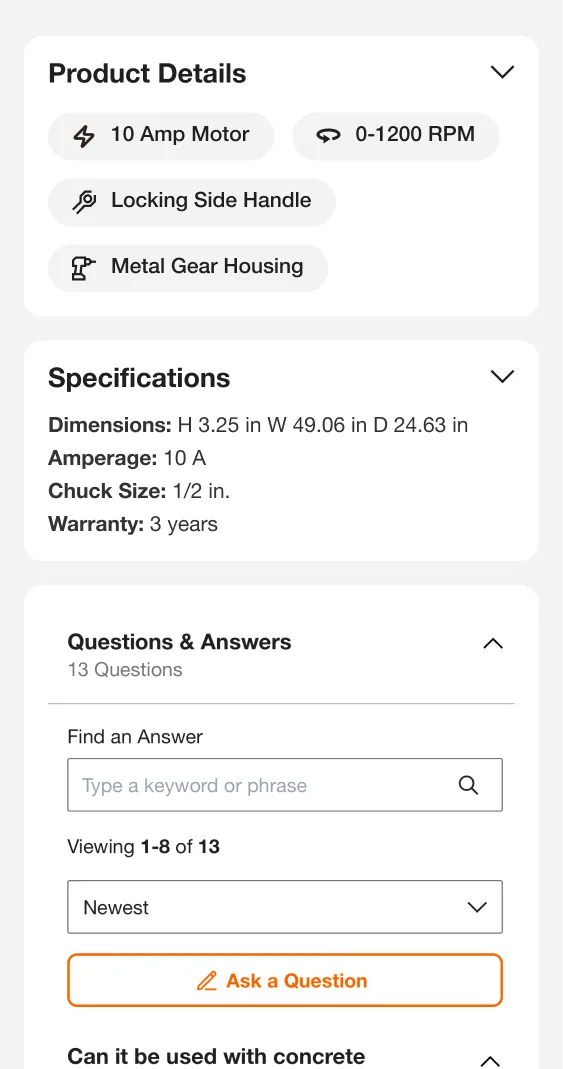
07Mobile · Q&A
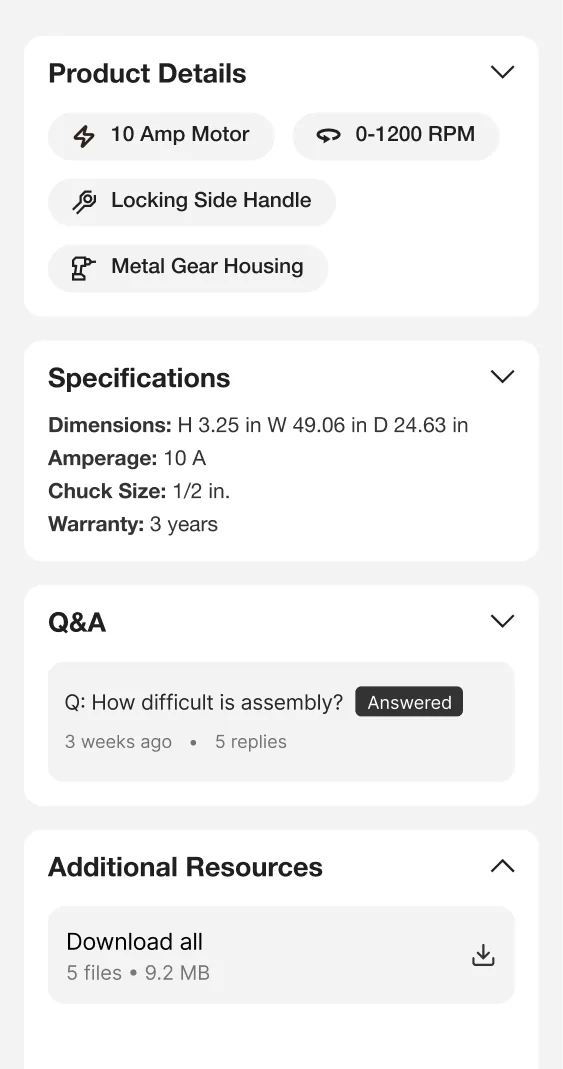
08Mobile · resources
What I evaluated in each
- Piano keysHow clearly the categories read, how customers move between them, and how the pattern coexists with recommendations.
- TabsClarity of labels, how navigation relates to content, and switching categories versus reading one continuous page.
- AccordionsScannable section labels, expanded and collapsed states, and the effect on page length and scrolling.
Validating with customers
To evaluate the directions, we ran several customer listening sessions on the concepts, hearing how customers responded to each way of organizing product information. We also engaged a third-party company, Good Growth, to test the piano keys version.
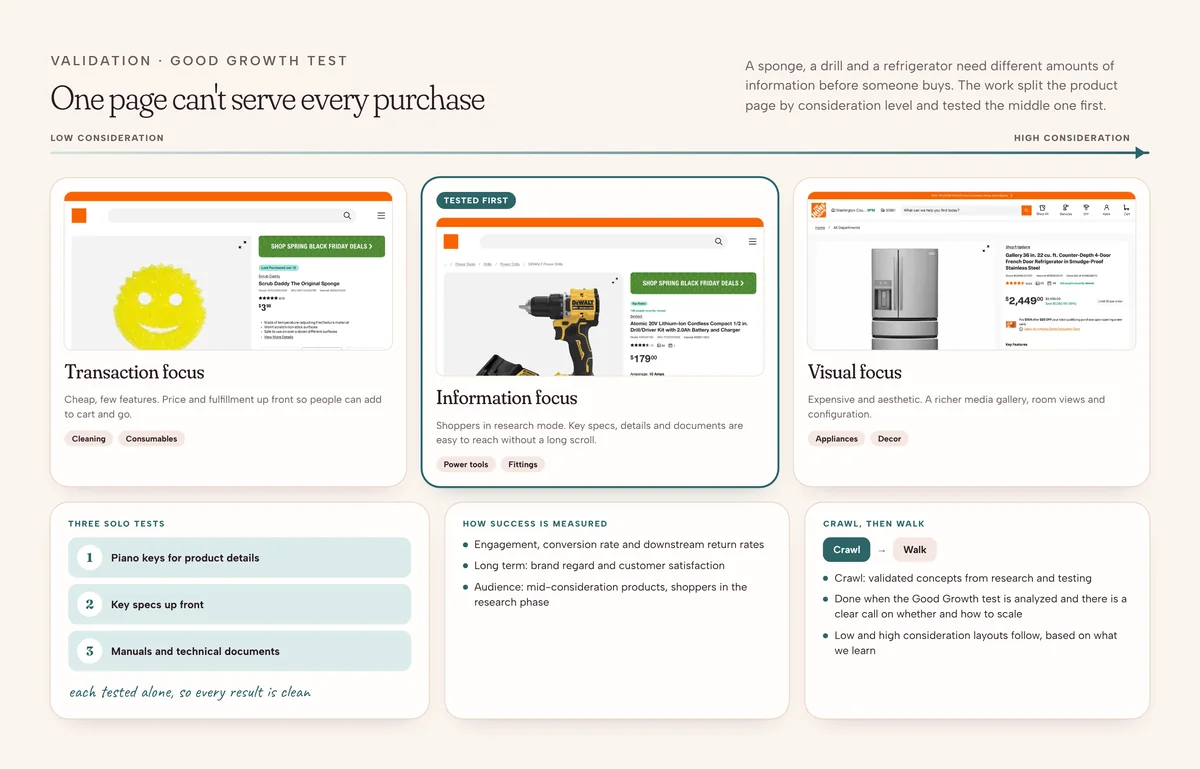
What the sessions covered
- How customers responded to each product details pattern
- How they interpreted and navigated the information structure
- How accessible the product information felt
- Feedback on the broader page experience
PRO product page
Part 02 · Technical information first
PRO customers often evaluate products through technical information like specifications and manuals. I worked on a PRO-focused layout that brings specifications and manuals higher on the page and introduces an updated product image gallery, recognizing that one hierarchy doesn't serve every customer equally.
PRO product page
1 / 5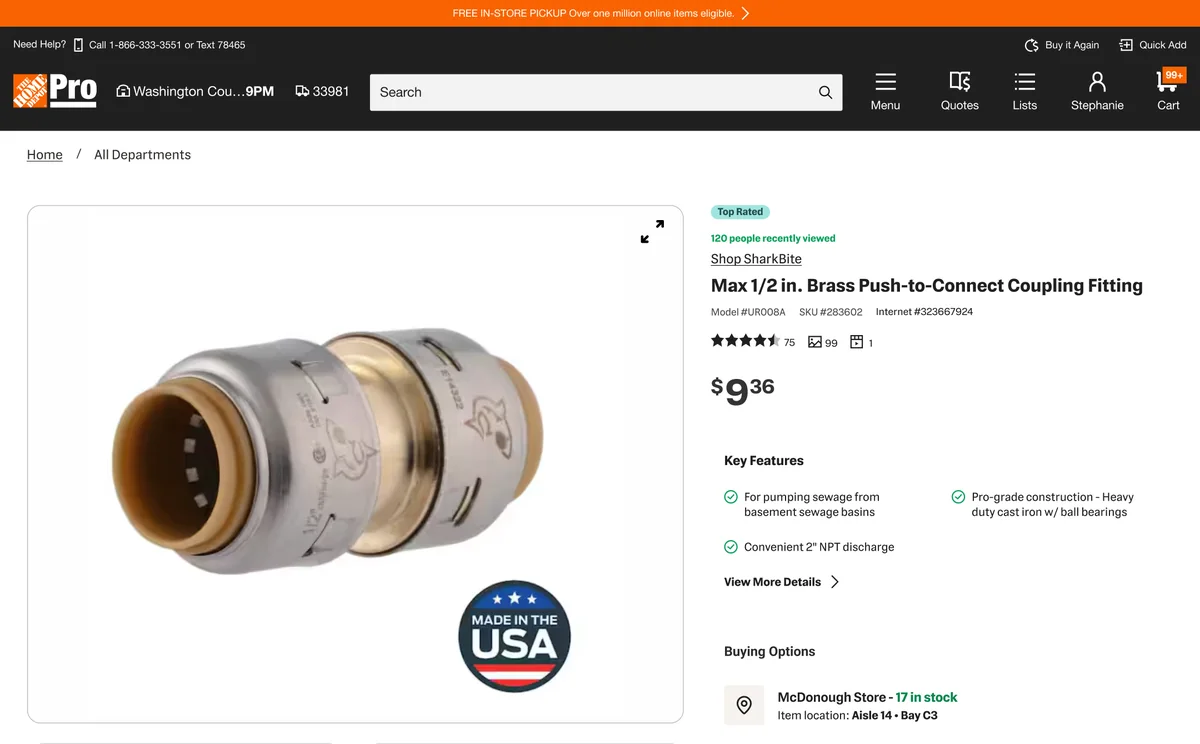
01Specialty trades · gallery first
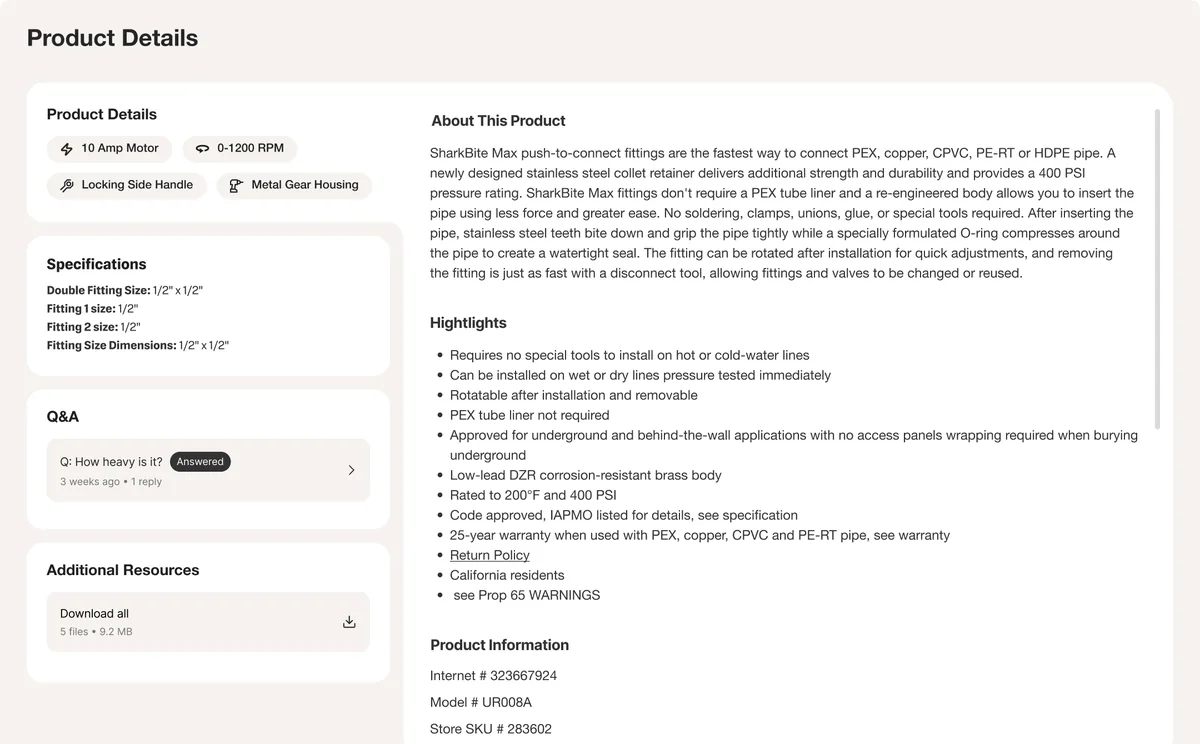
02Specs and documents higher
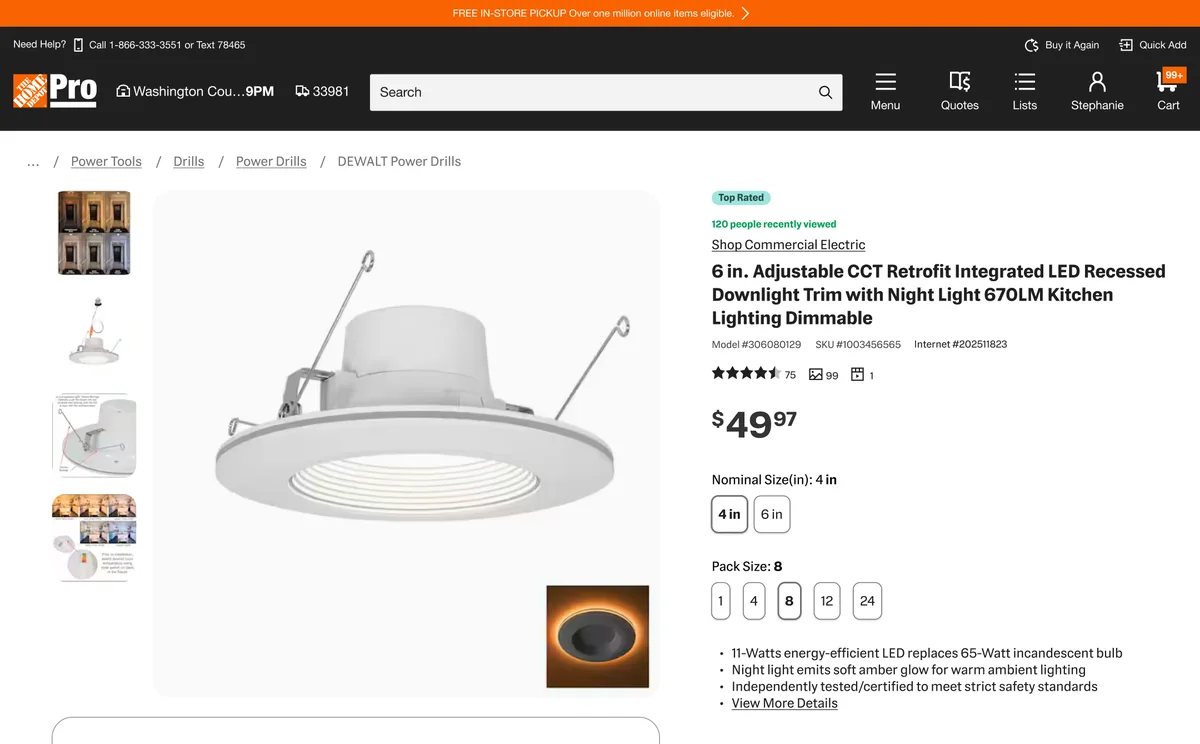
03Information focused
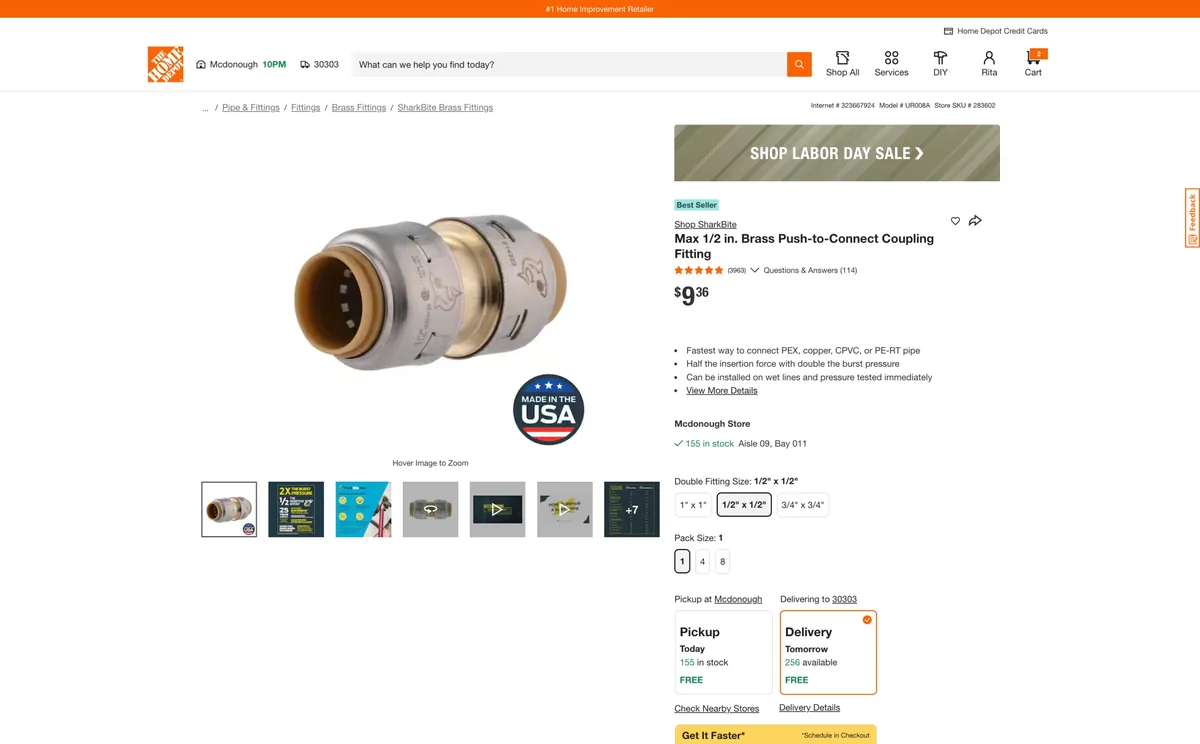
04Bulk and pack sizes
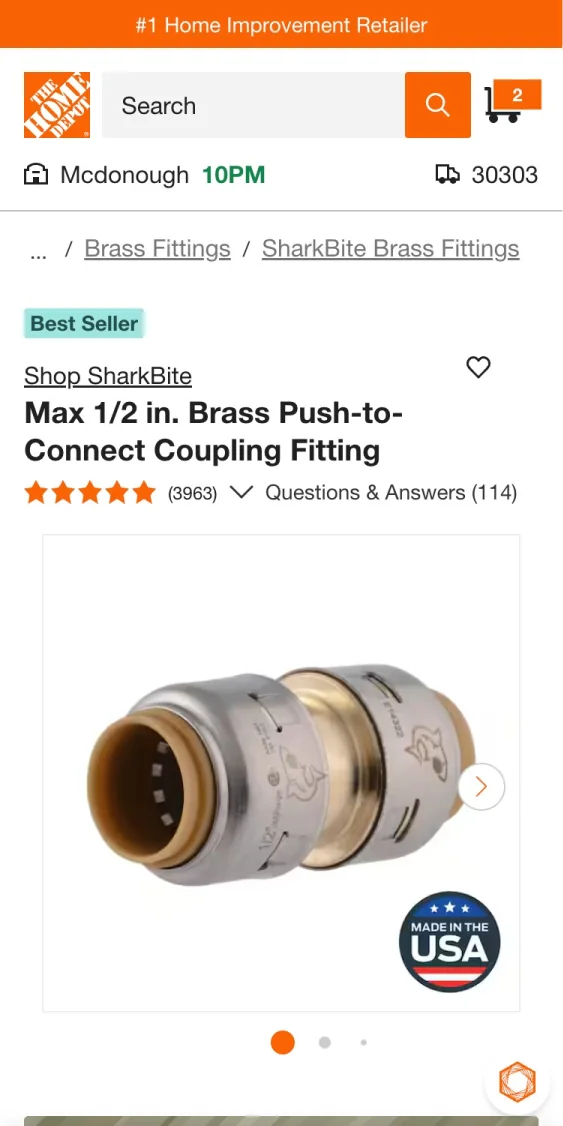
05PRO on mobile
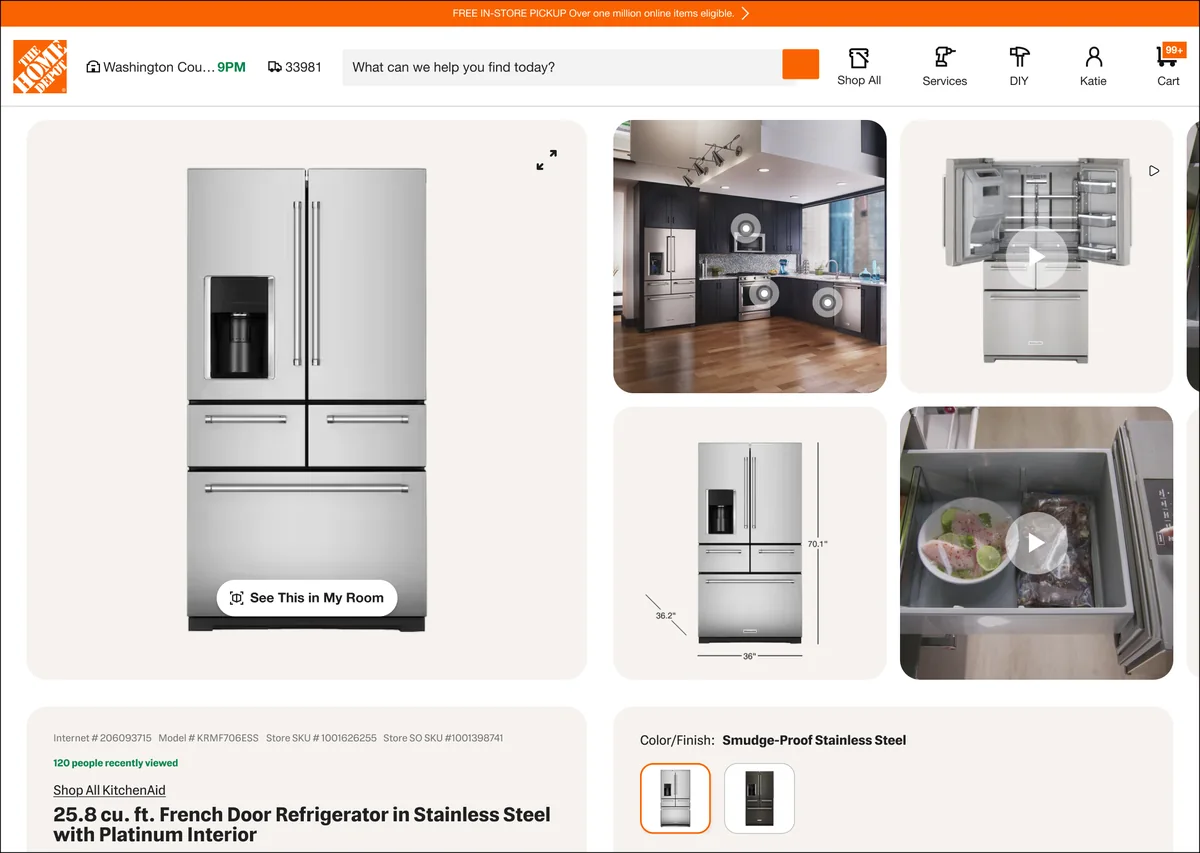
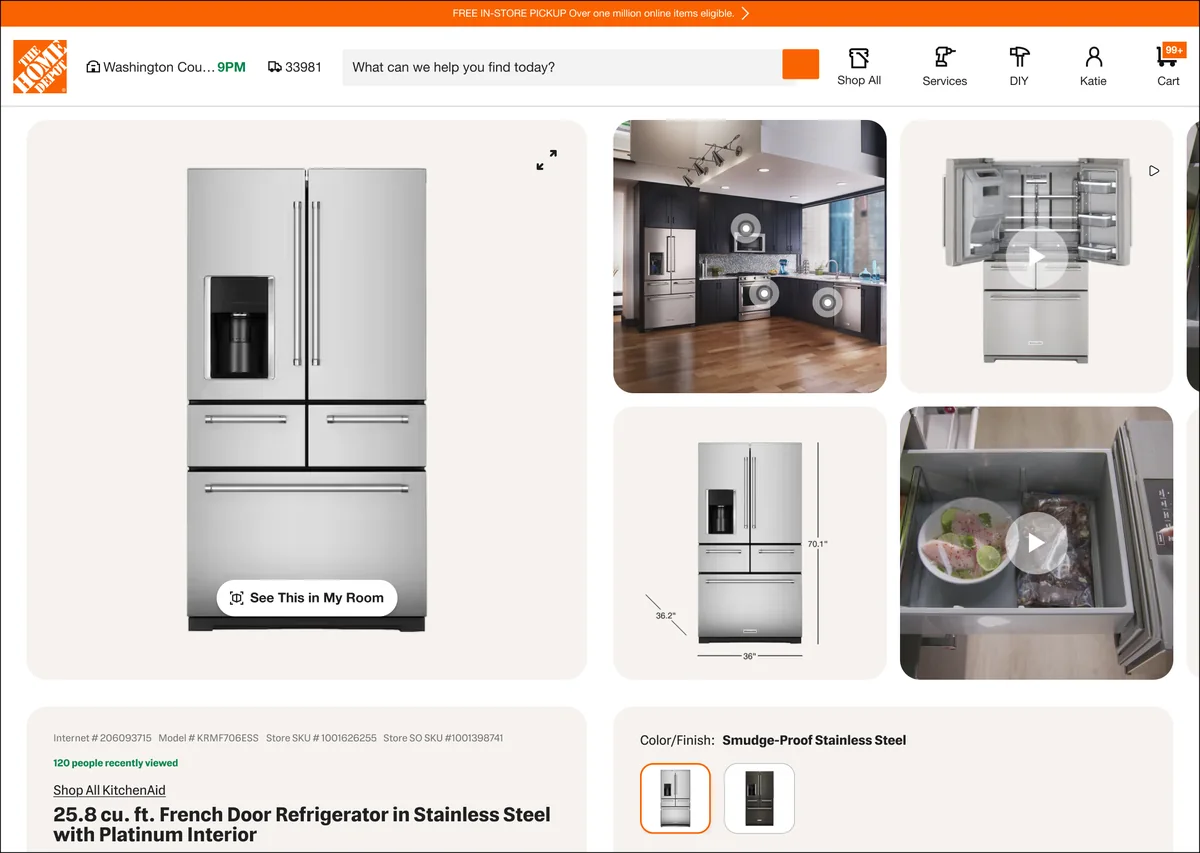
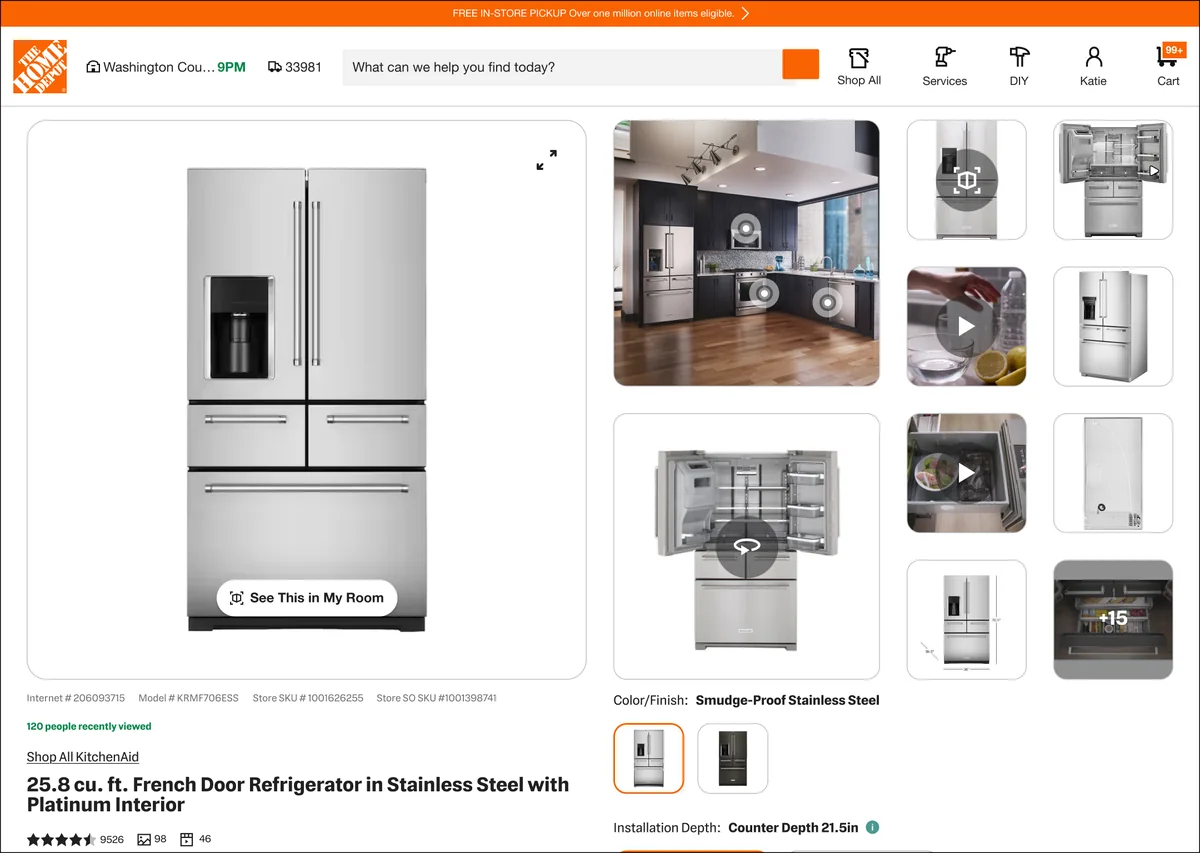
Updated image gallery, tested variants
1 / 5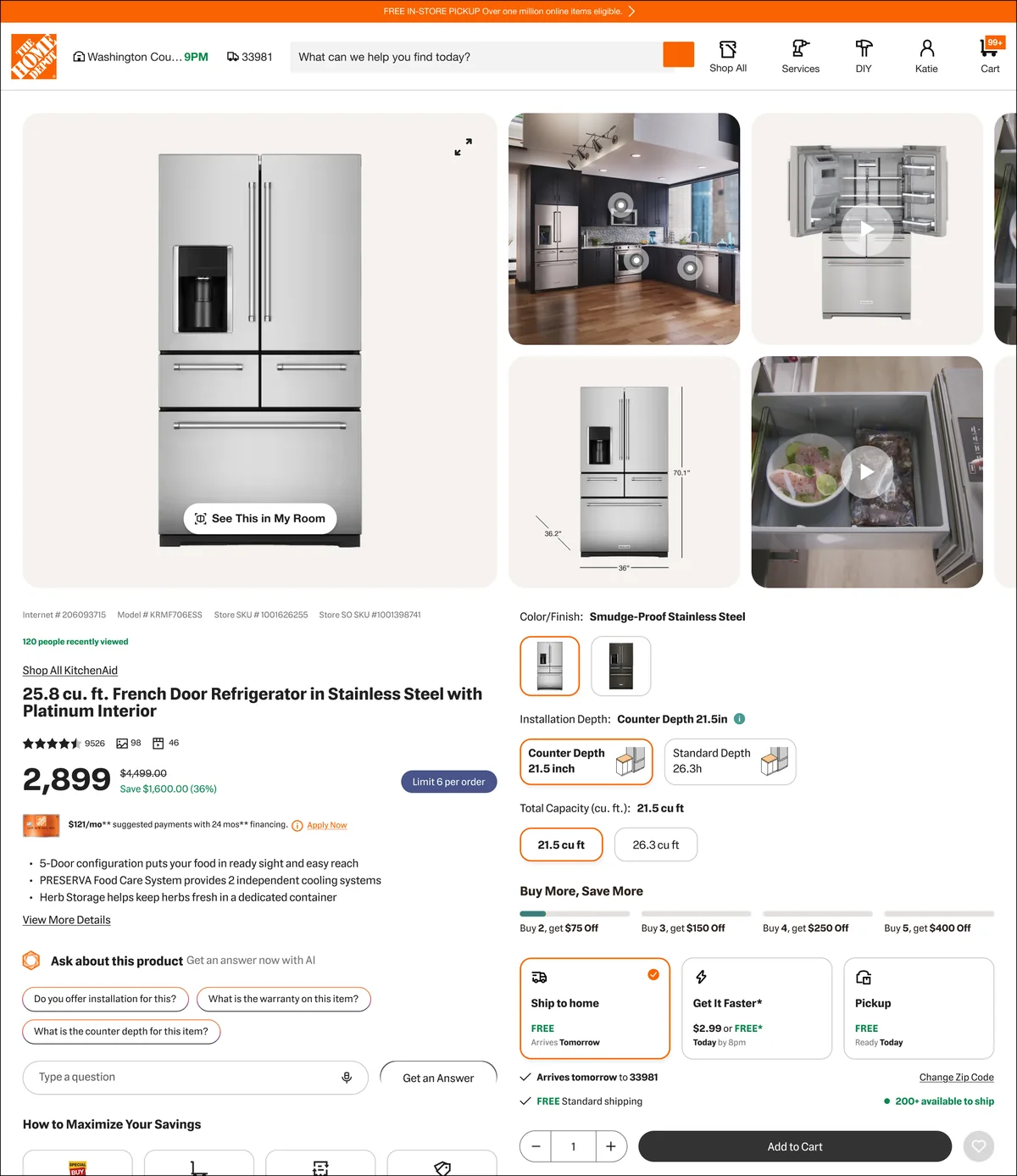
012×2 flat panels
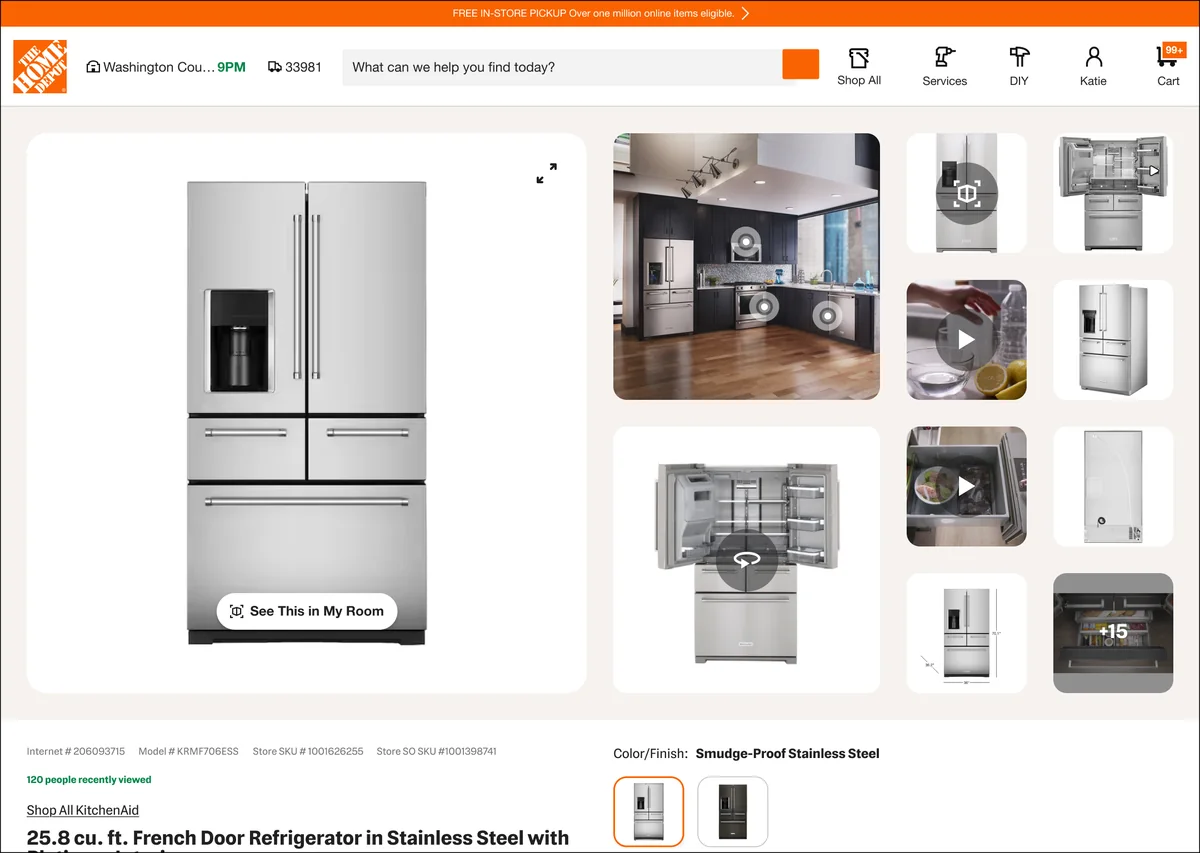
02Image + thumbnails
032×2 separate blocks
04Two rails
05Flat thumbnails
I also ran customer listening sessions focused on the PRO experience to hear directly from PRO customers and check how the page organization and hierarchy matched their needs.
Outcome & impact
- 3navigation patterns explored for product detailspiano keys, tabs and accordions
- 2customer segments with their own page hierarchyDIY and PRO
- PrioritizationA collaborative RICE workshop aligned the team on which opportunities to pursue.
- DIY product detailsThree navigation patterns explored, evaluated in listening sessions and a third-party test of piano keys.
- PRO product pageA layout with more prominent specifications and manuals and an updated gallery, reviewed with PRO customers.
- My contributionHeavily influenced the DIY product details exploration and designed the PRO layout.
Reflection
This project reinforced that information architecture is a core part of e-commerce. Making information available doesn't guarantee people can find or use it: navigation, hierarchy and page length all shape how customers engage with product details and with the rest of the shopping experience.
It also showed the value of pairing structured prioritization with customer feedback. RICE gave us a framework for choosing opportunities; listening sessions and third-party testing let us look at each direction from the customer's side.