Designing operational visibility across mobile and desktop: Distribution Center Operations UX case study by Rita Omatsone
A cross-platform operations experience for Lowe's distribution centers: focused workflows on Zebra handhelds for the floor, dashboards for managers, and one system of roles, exceptions and reusable components connecting them.
- Role
- Lead Product Designer
- Users
- Regional distribution center managers, supervisors and associates
- Platforms
- Zebra handhelds, desktop, tablet and kiosk
- Scope
- Dashboards, mobile workflows, exception management, permissions, components
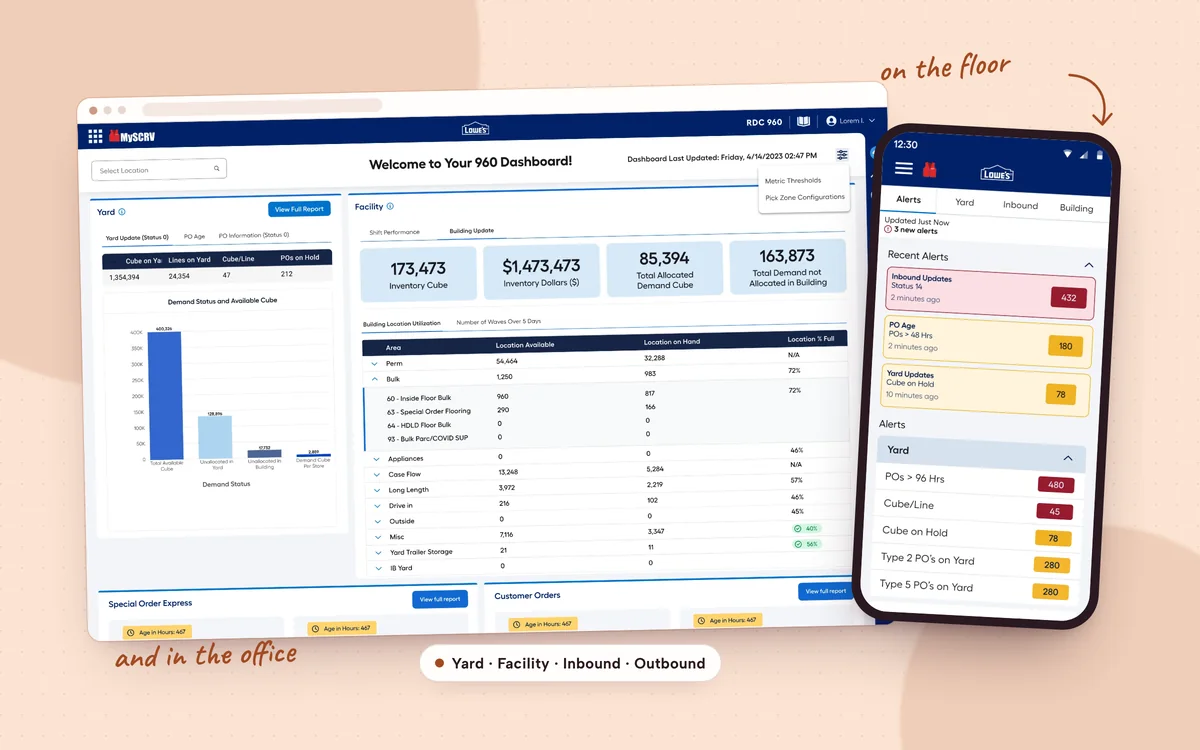
- 40% less navigation time per user
- 90% of managers moved to the new system in 60 days
- 60% fewer permission misconfigurations
- $3.2M estimated annual savings
The challenge
Distribution centers run on fast decisions. Associates and supervisors need the right information on the floor, while managers need to see performance, trends and exceptions across the whole operation.
I led UX for an operations experience spanning Zebra handheld devices, desktop dashboards and kiosk interfaces. The challenge was to support very different needs without forcing every user into the same workflow.
Different roles, different needs
- On the floorAssociates and supervisors need quick access to what matters for the task in hand, and a way to respond to exceptions where they happen.
- In the officeManagers and office teams need a broader view of performance, trends and the issues that need attention.
- One systemA single interface could not serve every context. The design had to account for how people work, what they need to see and what they are responsible for.
Understanding the context
People interact with operational software very differently depending on where they stand. On the floor, rugged handhelds support quick, task-focused interactions. In offices and at kiosks, people can work with larger dashboards and more detail. These differences shaped the whole cross-platform approach.
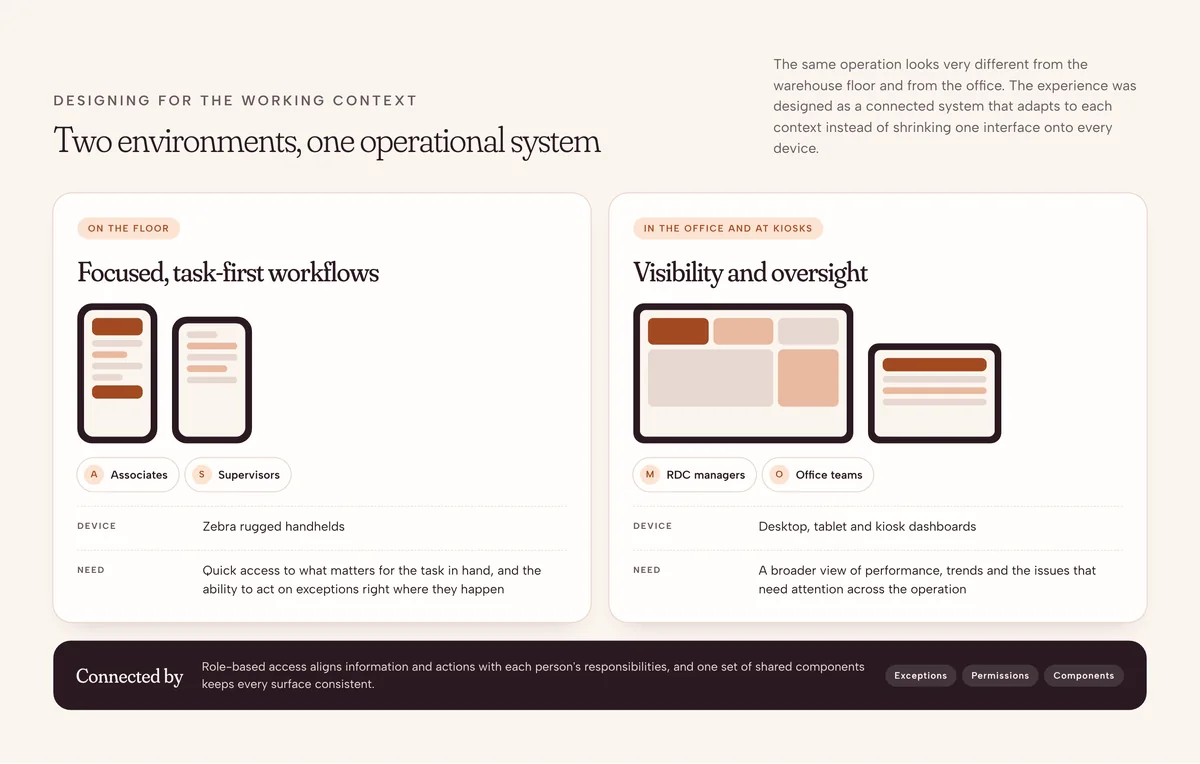
- MobileFocused workflows that help floor teams access information and act on operational exceptions.
- Desktop and kioskBroader visibility into operational status, performance trends and what needs oversight.
- Role-based accessInformation and available actions aligned with each person's responsibilities and permissions.
Design direction
I approached the experience as a connected operational system rather than a set of independent screens. Three principles framed the exploration across mobile and desktop.
- 1Prioritize exceptionsFocus on what needs attention
Surface the issues that need attention, so teams spend their time resolving problems instead of searching through information.
- 2Design for the contextFloor and office are different
Adapt the interaction model to the device and environment. A supervisor on the floor has different needs from a manager reviewing a dashboard.
- 3Reuse by defaultConsistent components
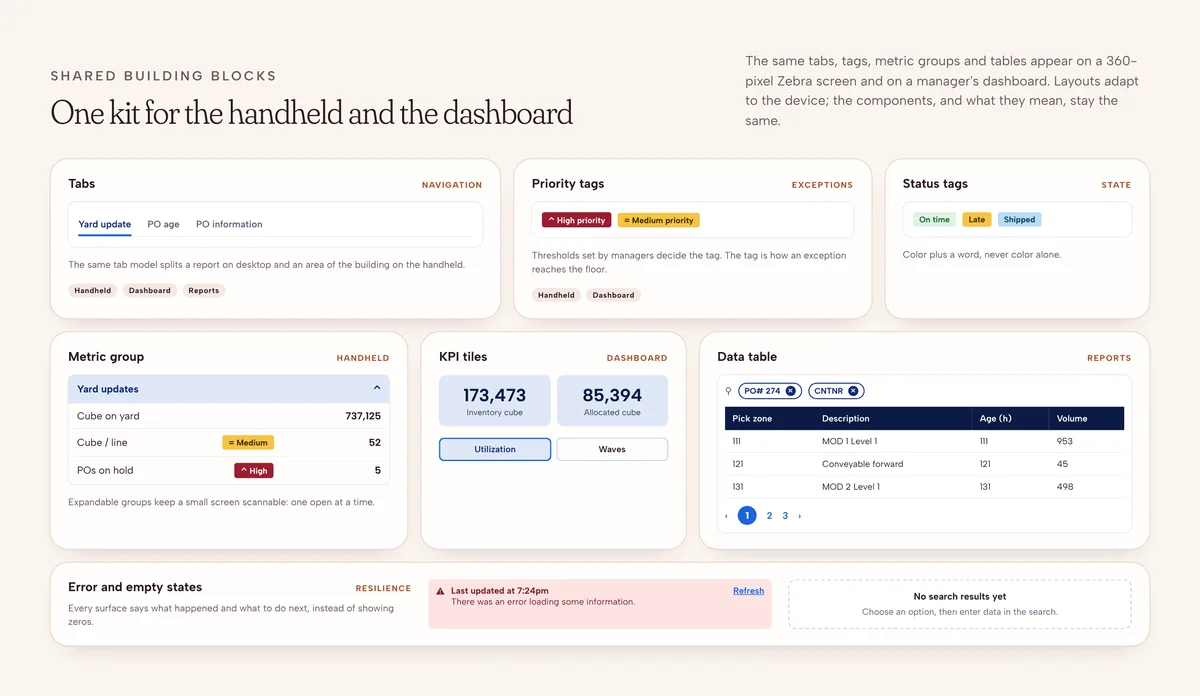
Use one set of patterns for tables, tabs, filters and status indicators, while letting each experience serve its own purpose.
Bringing visibility to the floor
Decision 01 · Mobile workflows for Zebra handhelds
Supervisors and associates rely on Zebra handhelds while they work. The mobile experience needed focused interactions in a compact interface, so people could reach what was relevant to their task without navigating a complex workflow. I designed workflows that brought key operational information and exception-related actions onto the handheld.
The handheld app, tab by tab
1 / 13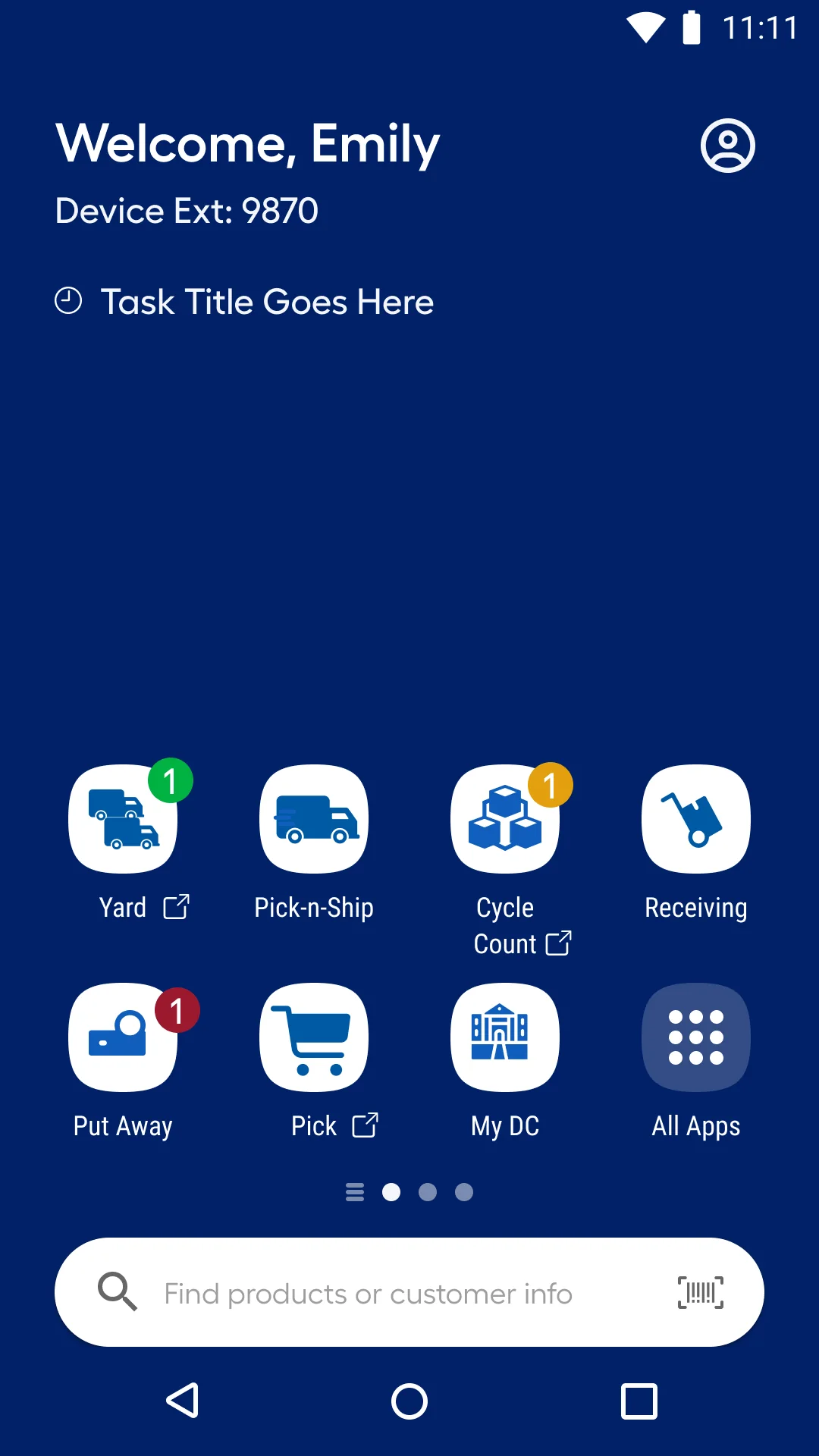
01Launcher on the Zebra device
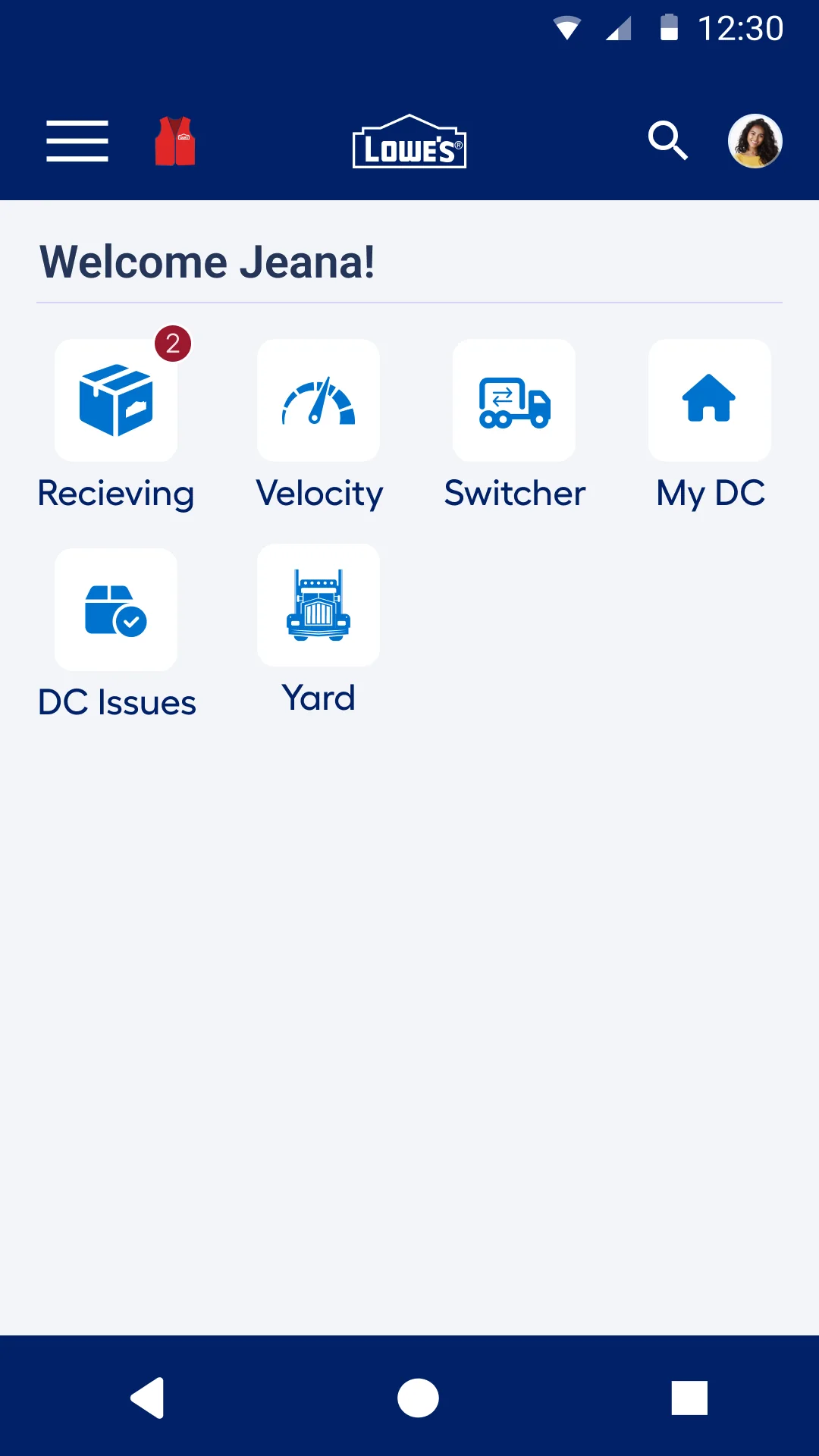
02App home
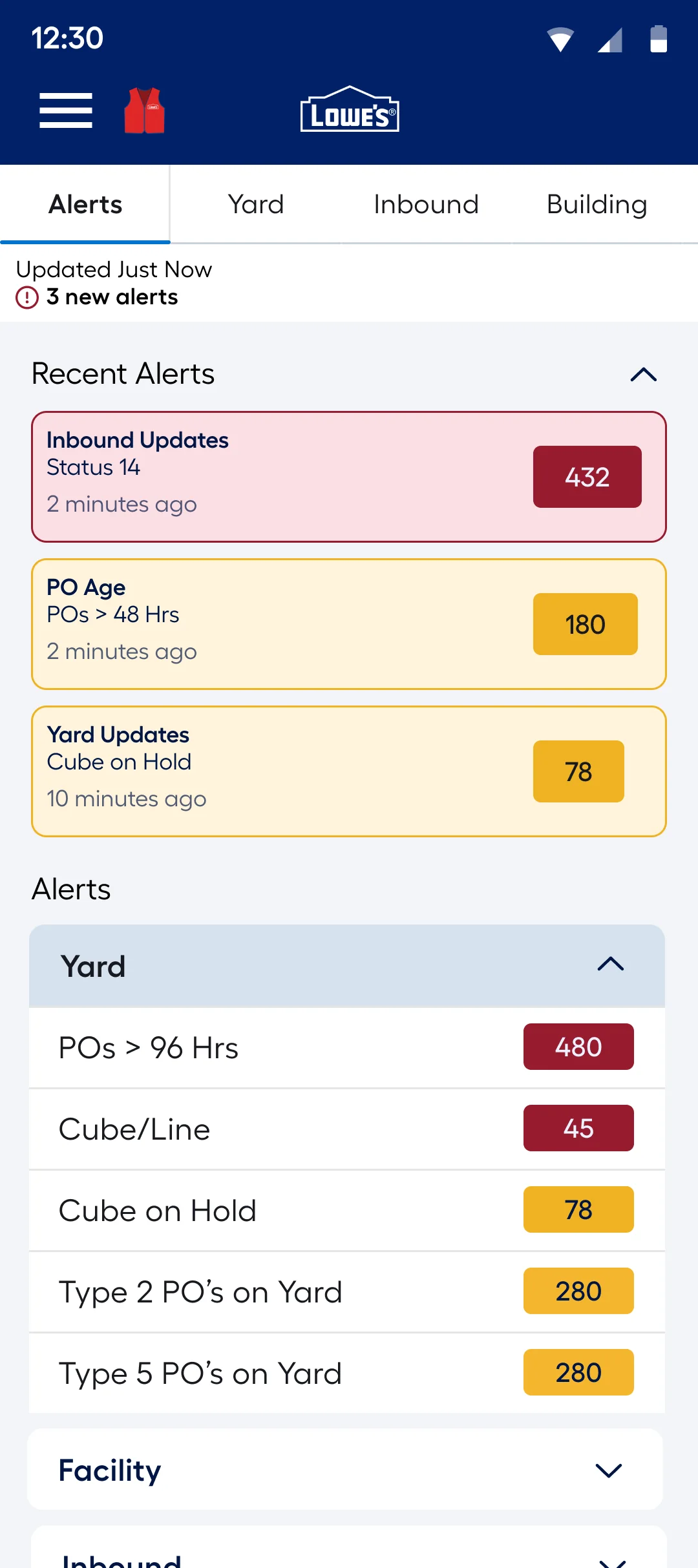
03Alerts first
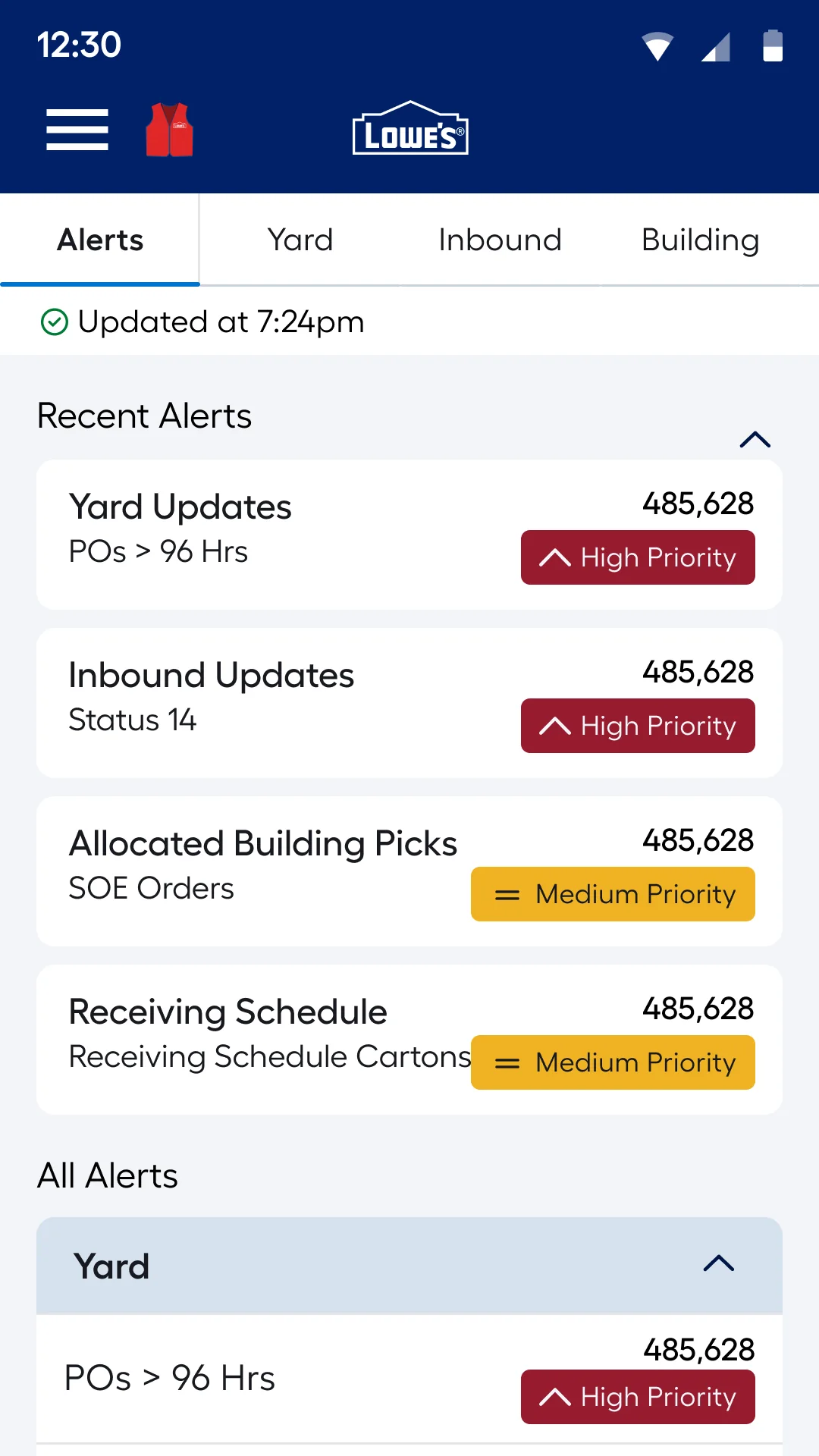
04Priority tags
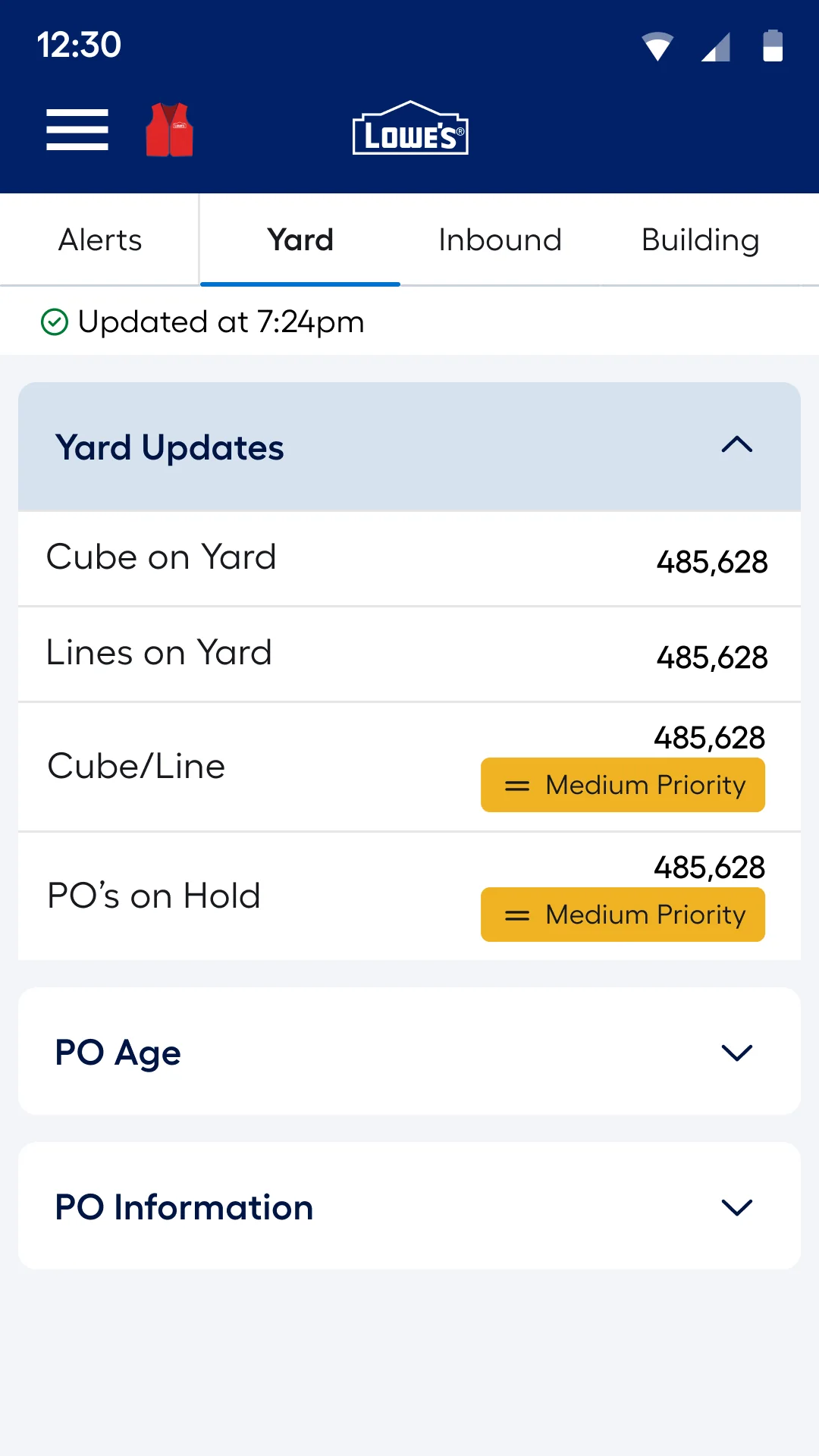
05Yard
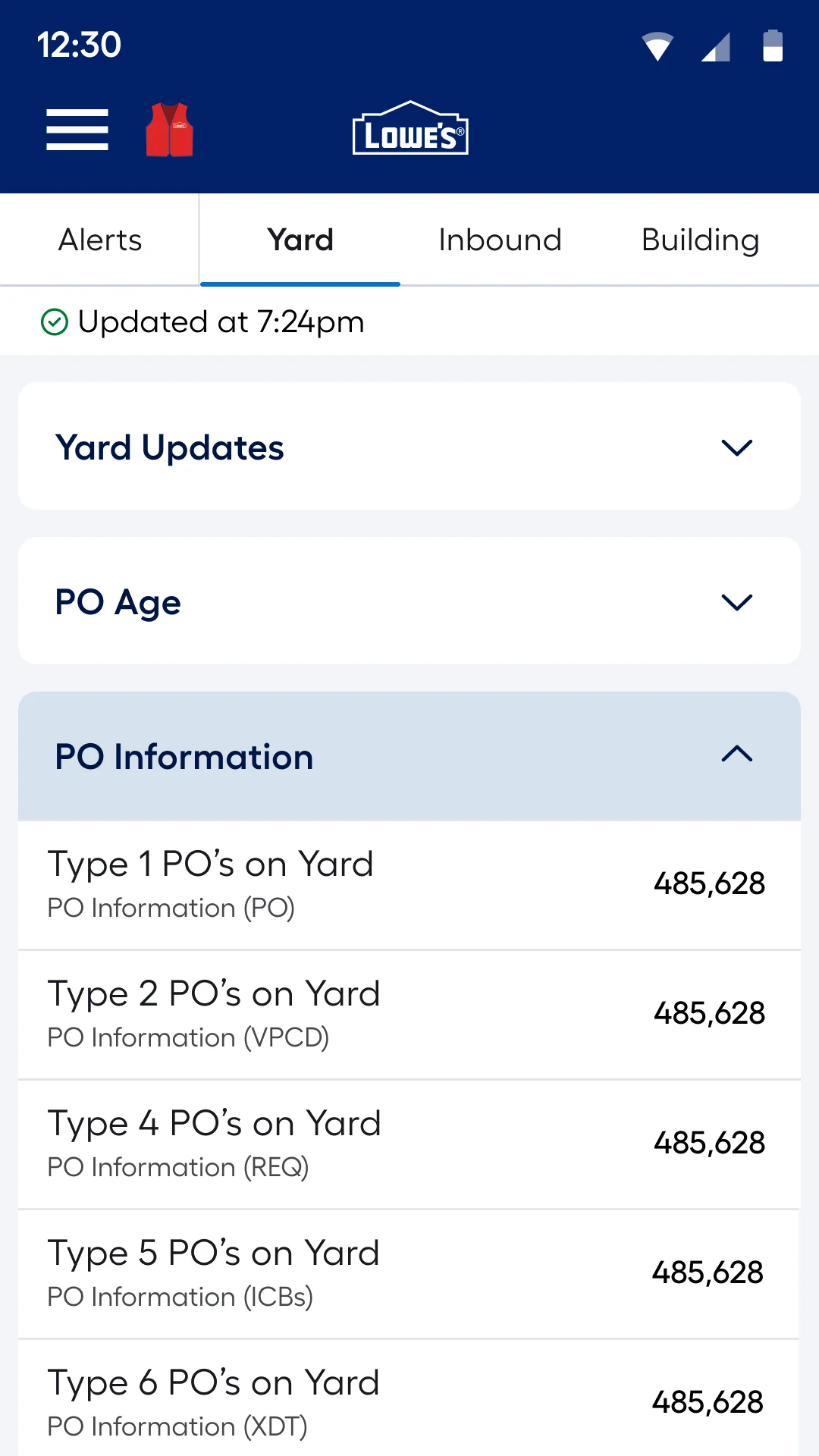
06Yard · PO information
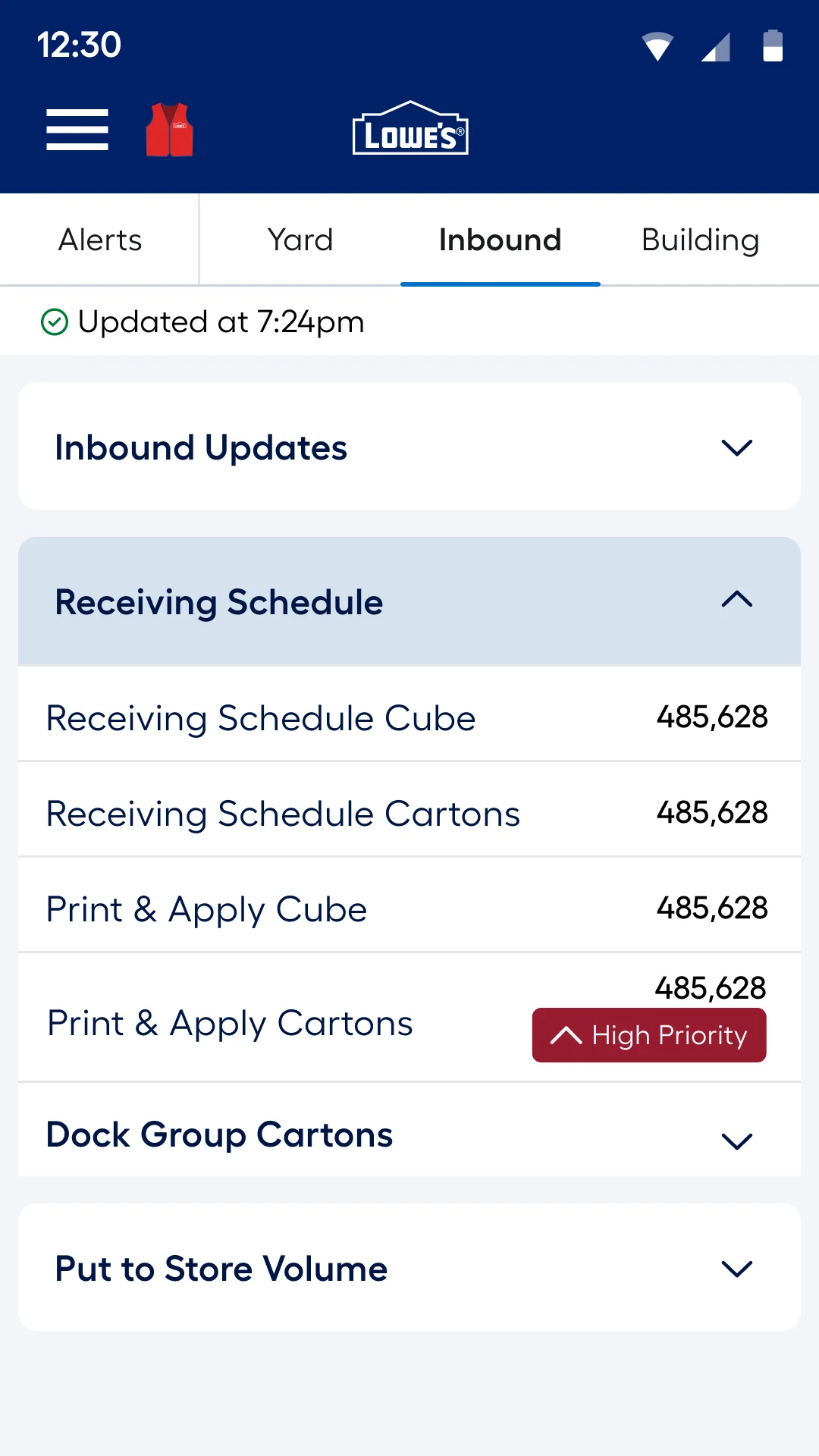
07Inbound
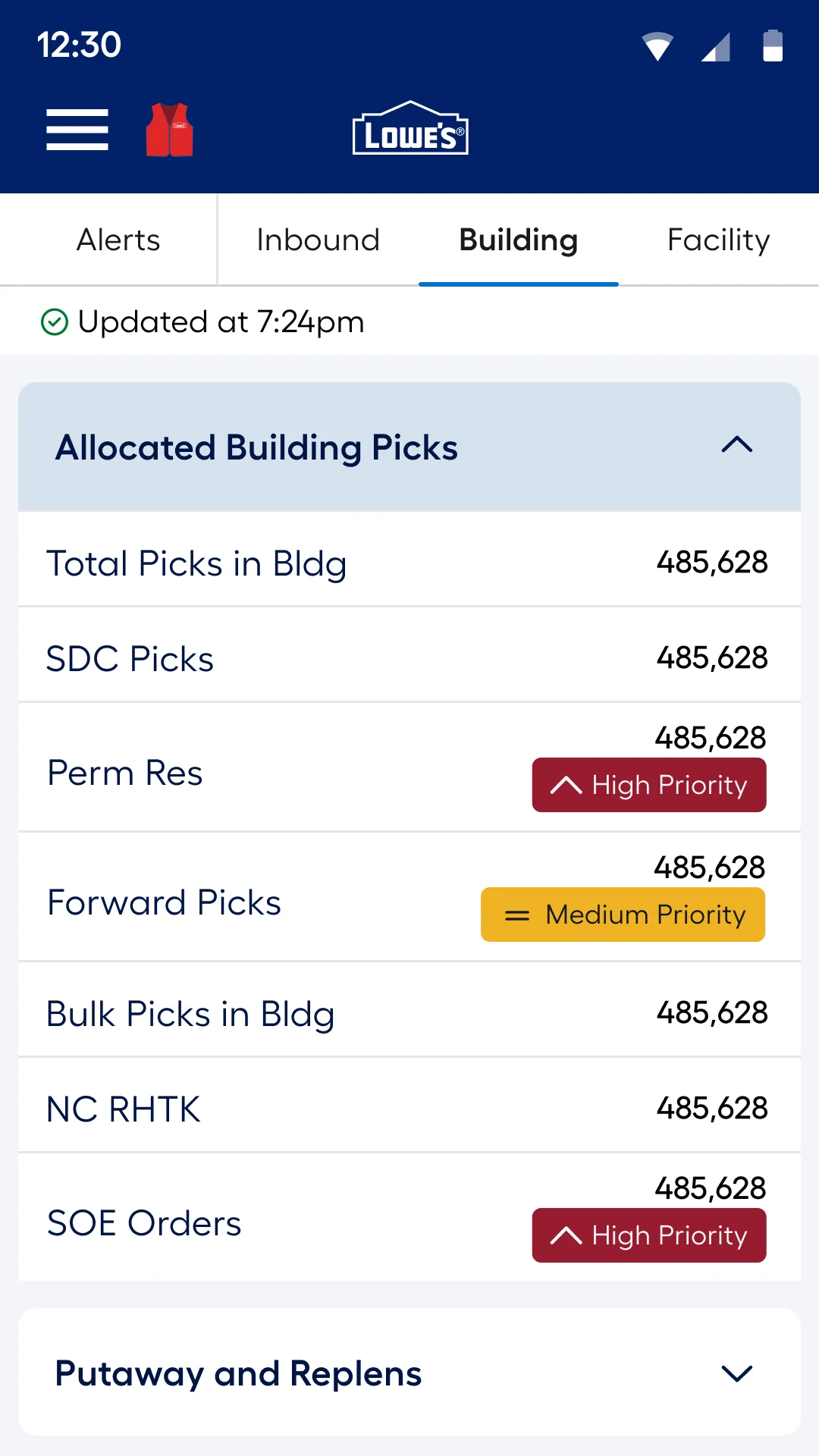
08Building
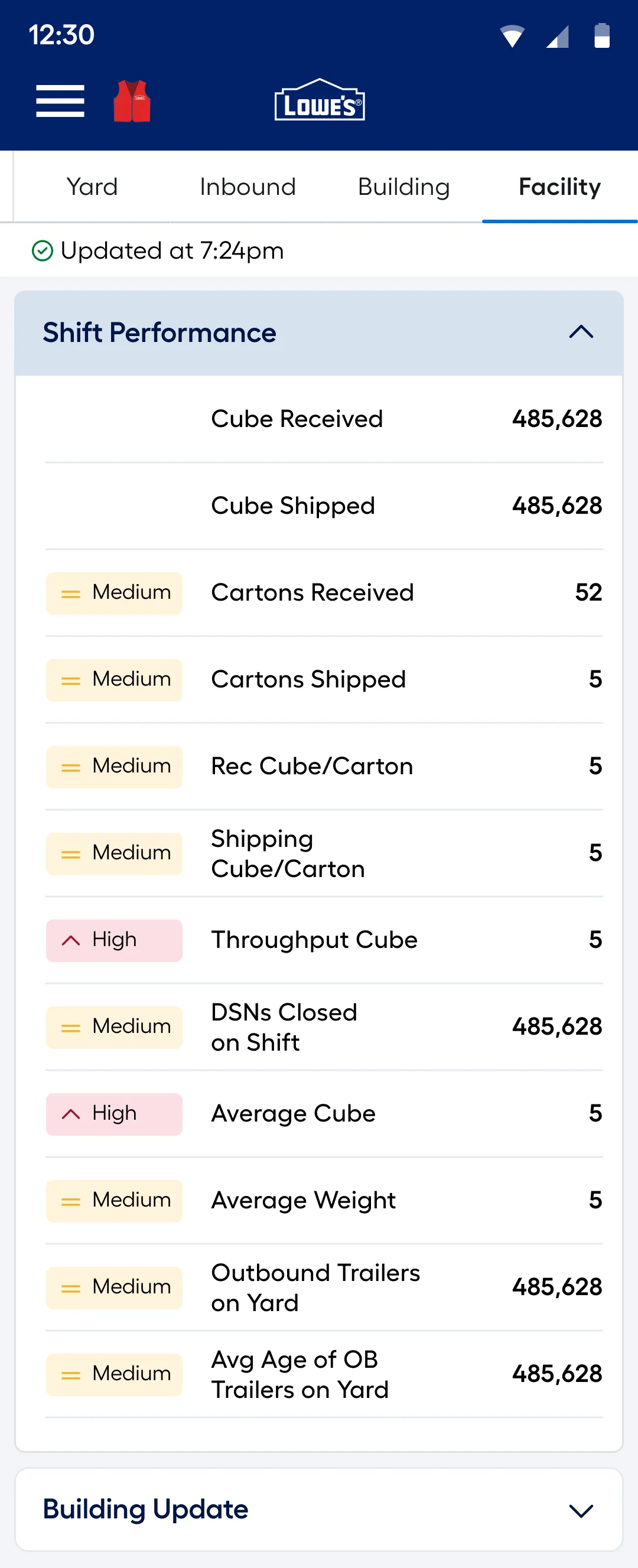
09Facility · shift performance
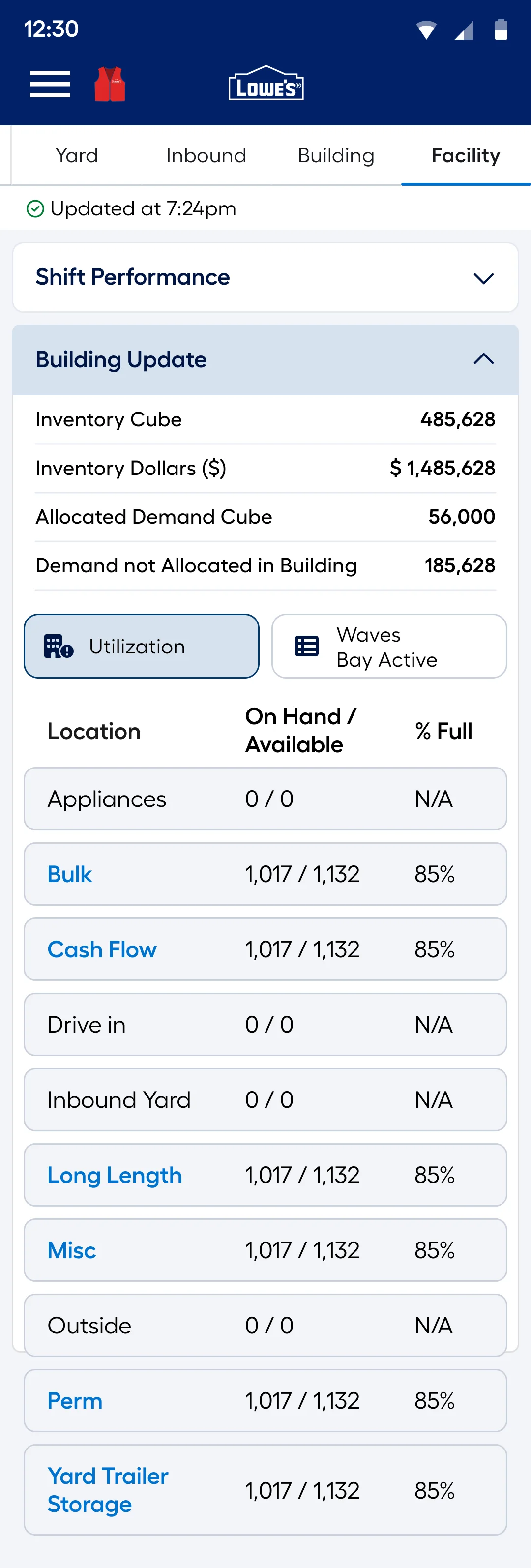
10Location utilization
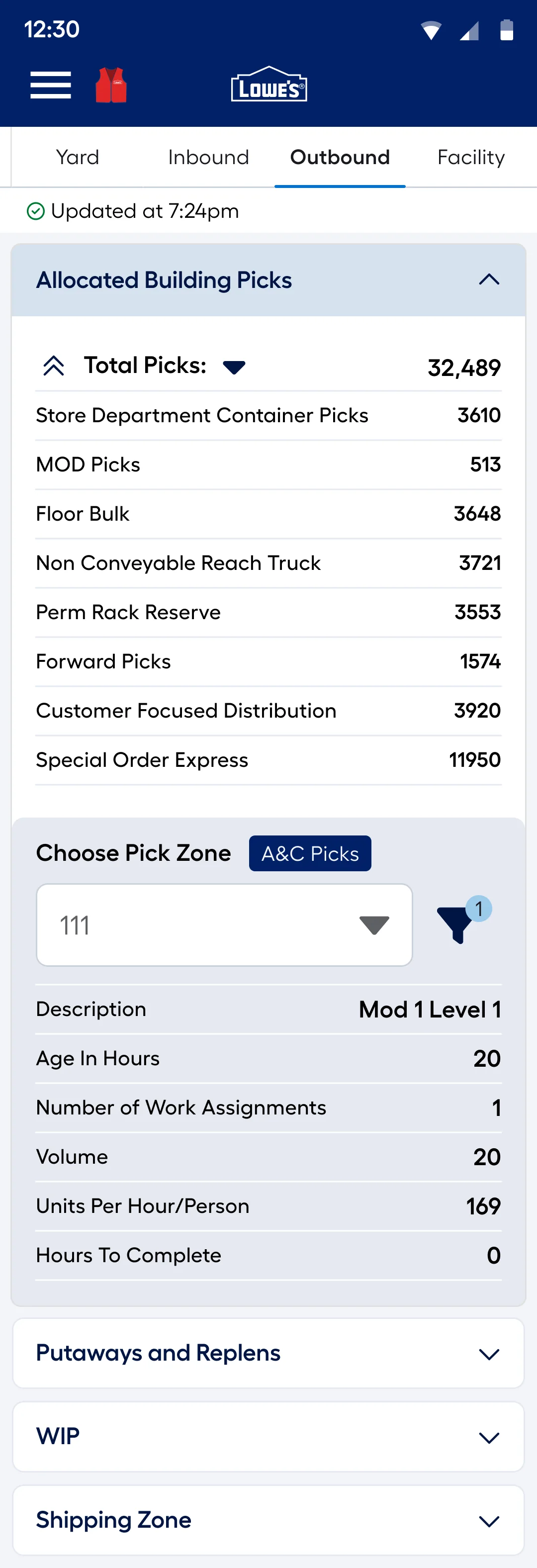
11Pick zones
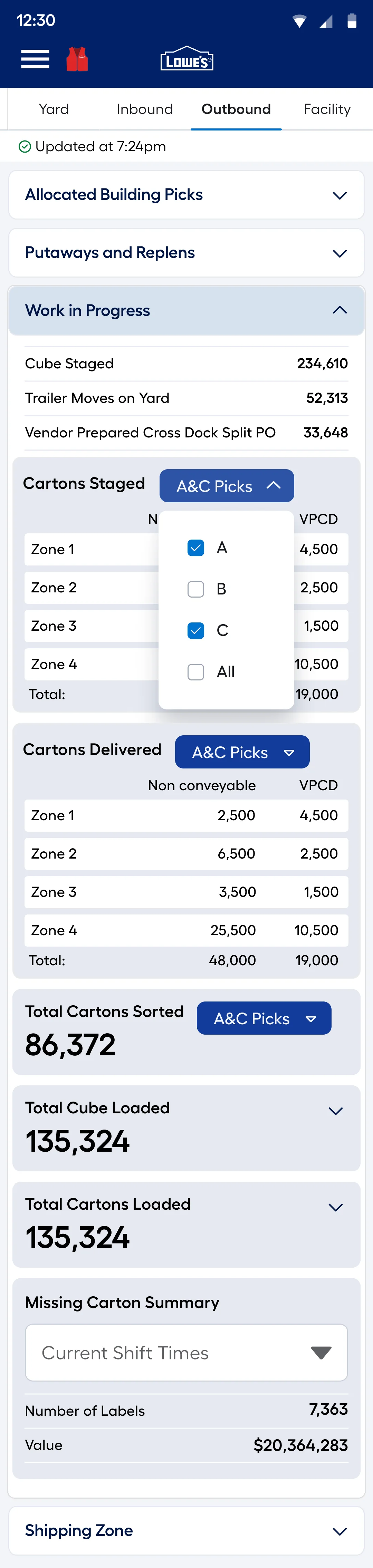
12Outbound in progress
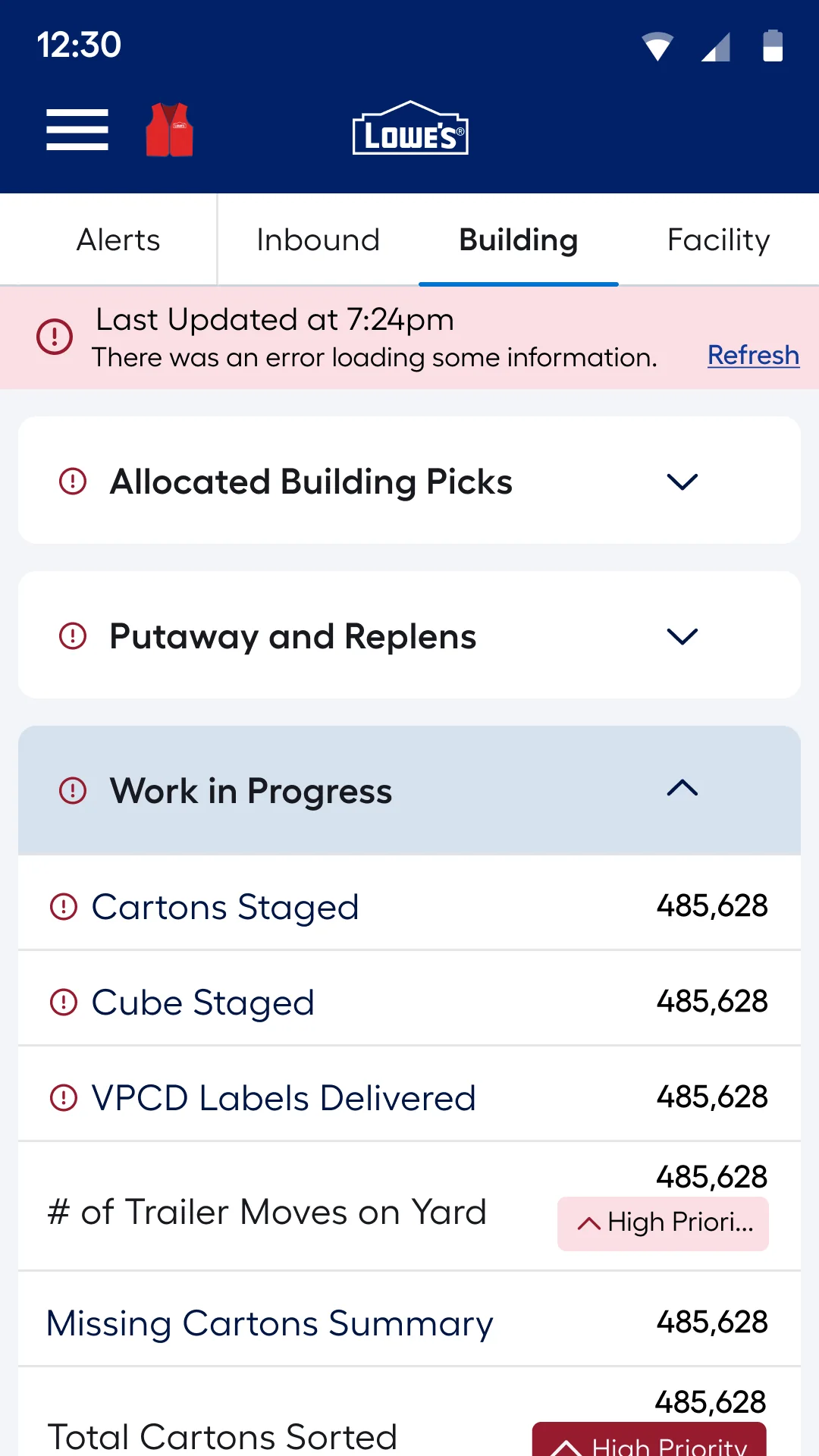
13When data fails to load
- Information organized for a small screen
- Key statuses and actions that are easy to spot
- Simple navigation between related workflow steps
- Quick access to everything around an exception
Visibility across operations
Decision 02 · Desktop and kiosk dashboards
Managers and office-based users need the bigger picture. Desktop and kiosk screens allowed operational information to be organized into dashboards for oversight and trend analysis, with a clearer visual hierarchy for scanning and comparison.
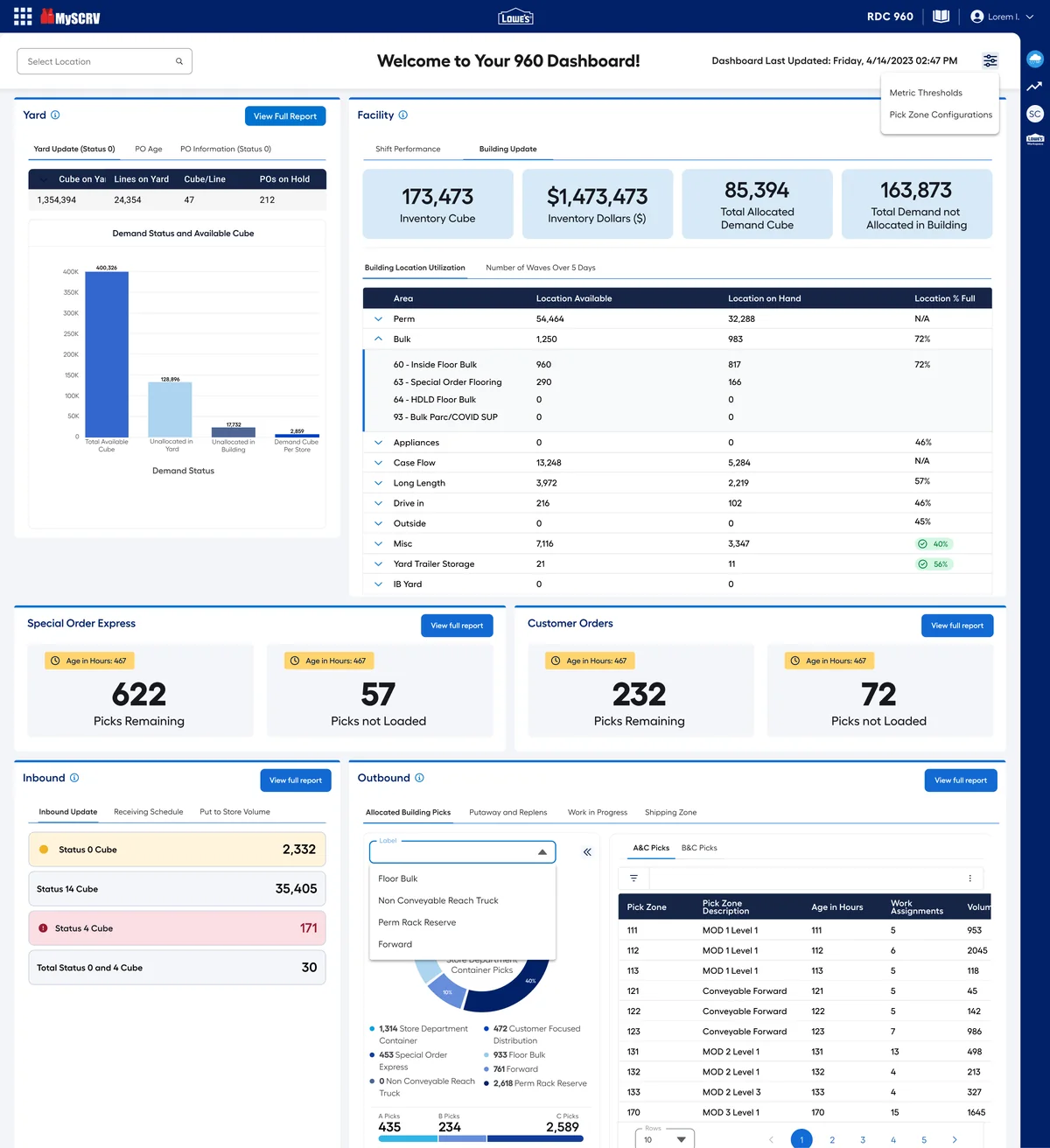
From launcher to configuration
1 / 4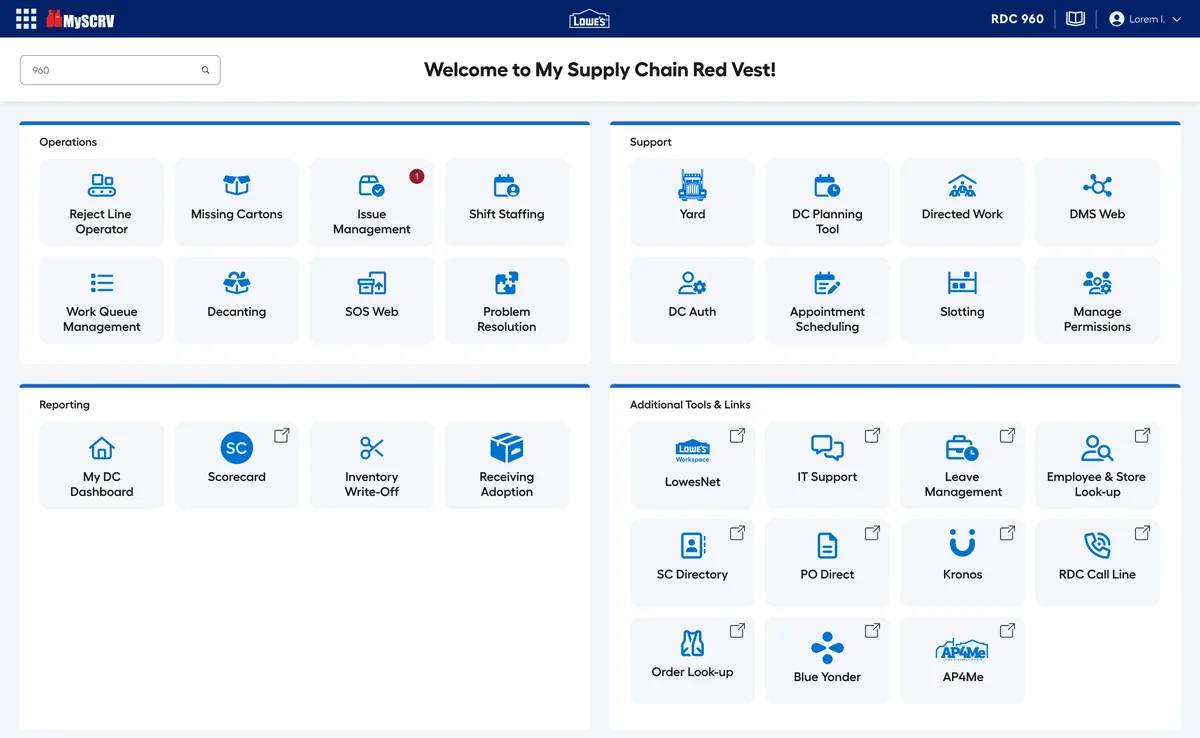
01Launcher for every DC tool
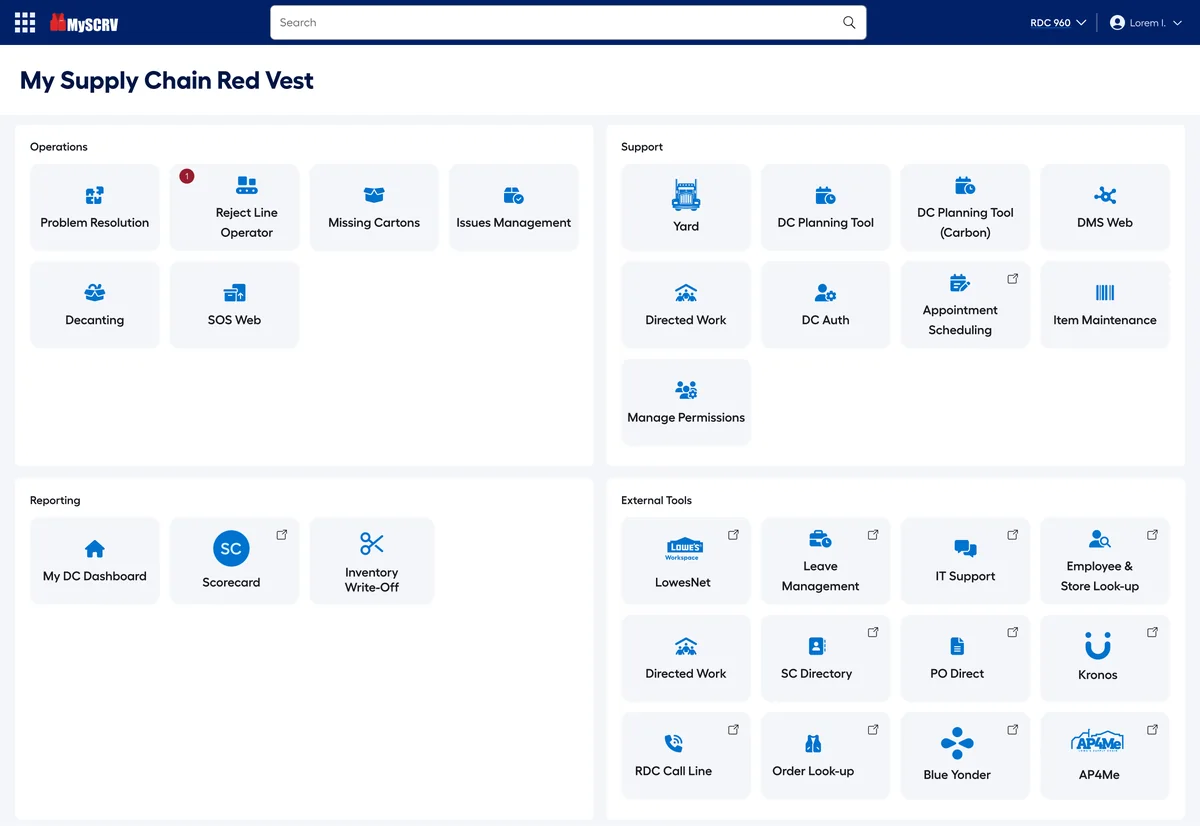
02Refined launcher
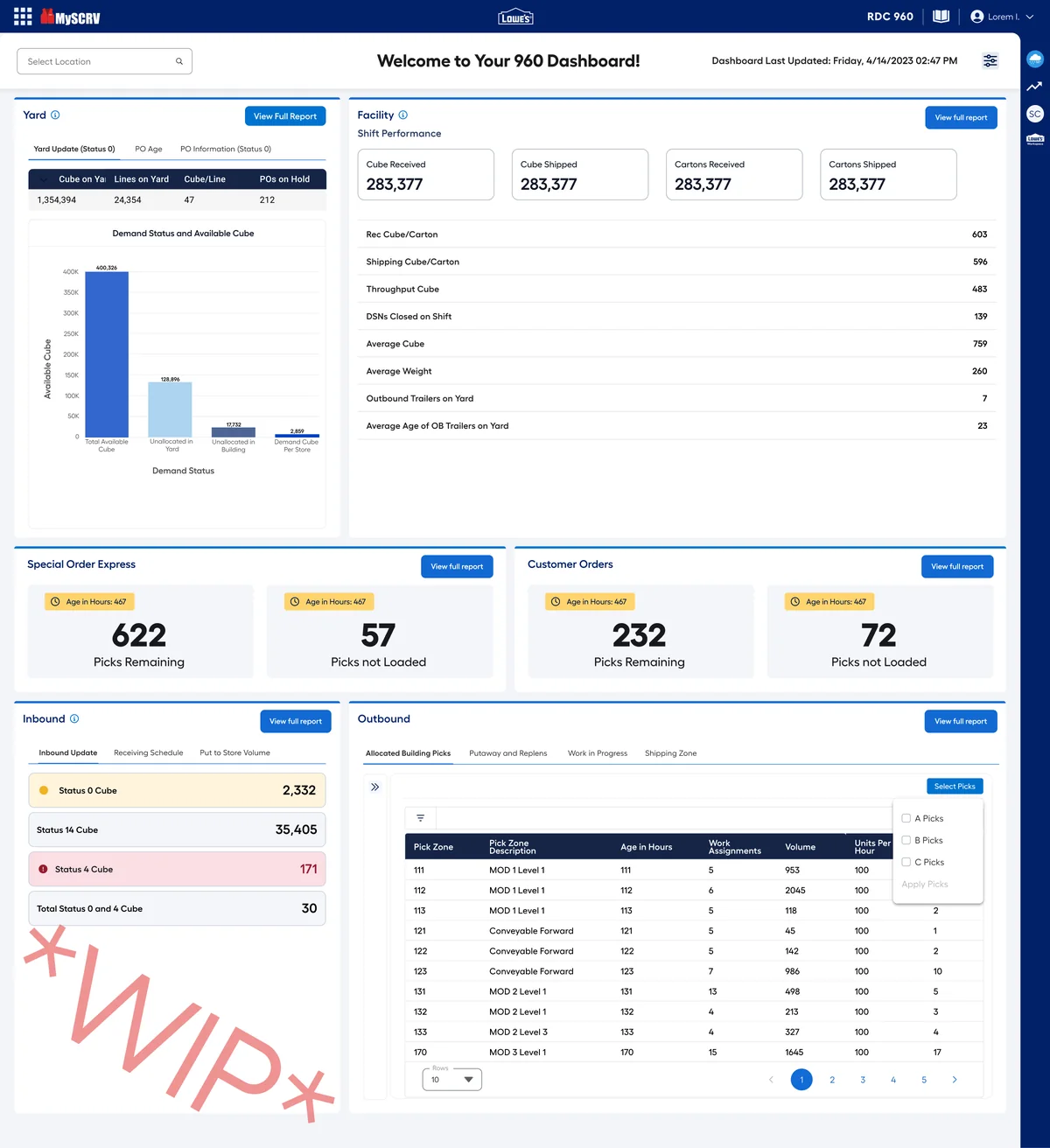
03Dashboard · shift performance
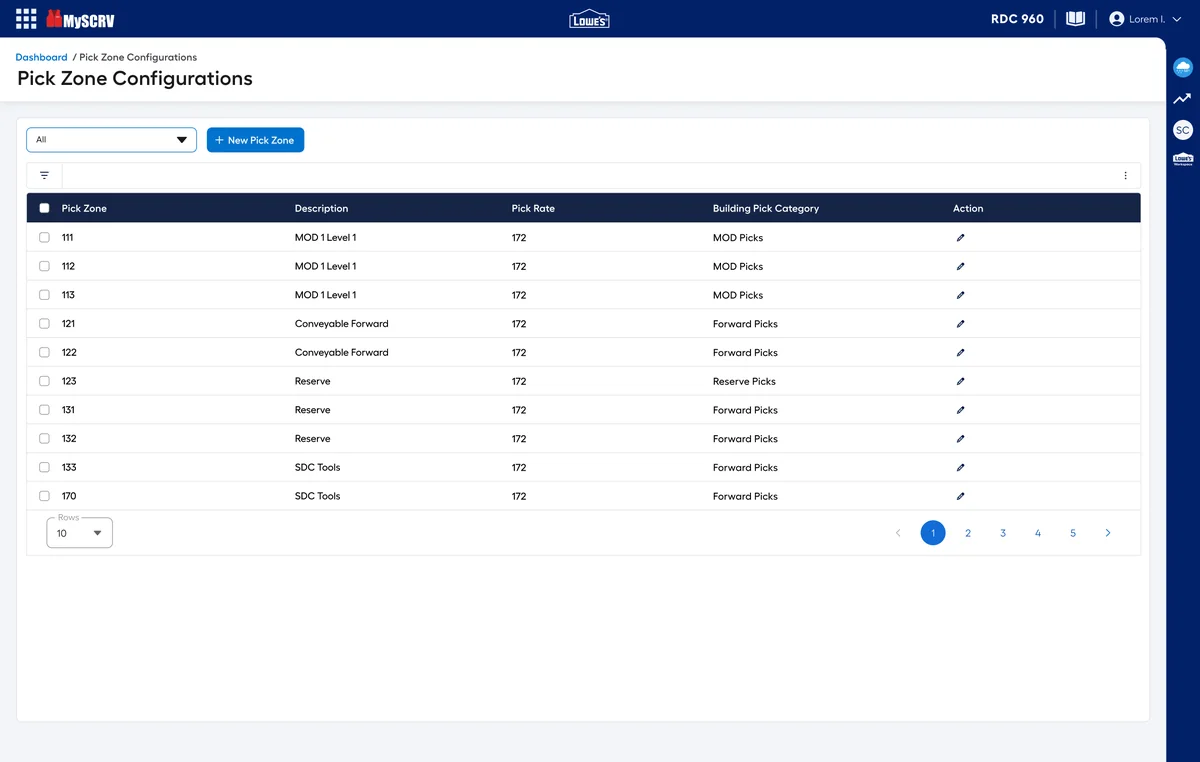
04Pick zone configuration
- Key information organized for scanning and comparison
- Dashboard components for status and trends
- Different levels of detail for managers and supervisors
- A clear path from the overview into detail
Designing for exceptions
Decision 03 · From reactive reporting to action
Rather than a collection of static reports, the experience surfaces exceptions and supports the actions needed to resolve them. Visibility is most useful when it helps people decide what to do next, so desktop oversight and mobile workflows were designed to work as one loop.
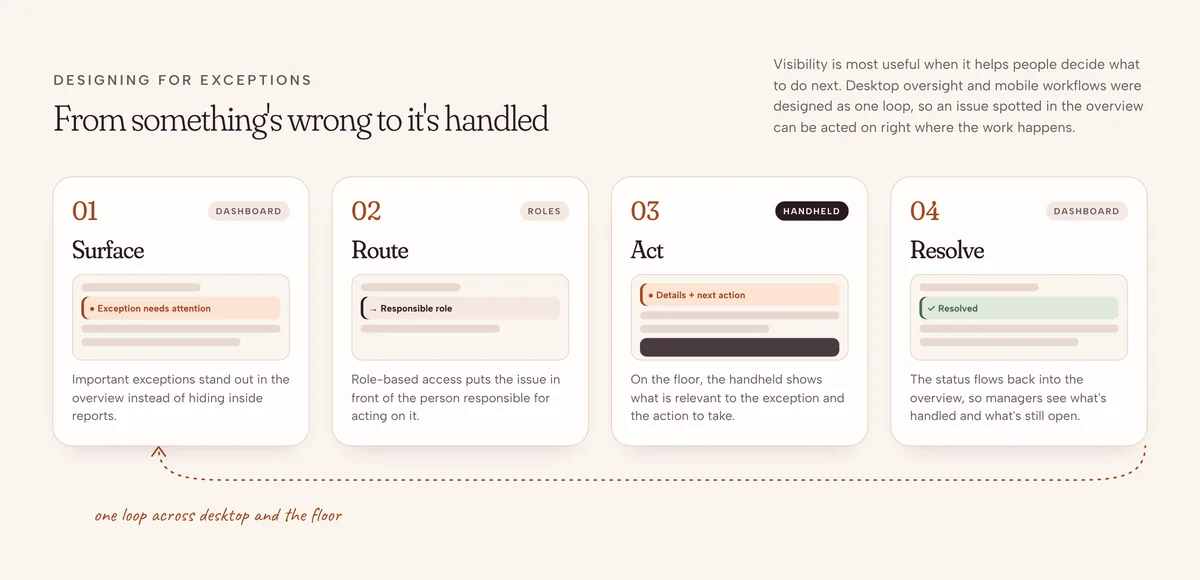
- Important exceptions are visible
- It is clear which issues need attention
- Information is connected to the right action
- Resolution happens inside the user's working context
A scalable, consistent interface
Decision 04 · Reusable components and patterns
With many devices, workflows and roles, consistency needed a deliberate approach. I explored and refined reusable components such as tabs, filters and tables, so patterns stayed consistent while layouts and interactions adapted to each operational need. It also gave design and engineering a clearer shared foundation.
Roles and permissions
Different people need different information and capabilities. The project aligned access and functionality with operational responsibilities, balancing usability with the controls a complex enterprise environment needs.
Access that follows responsibility
1 / 4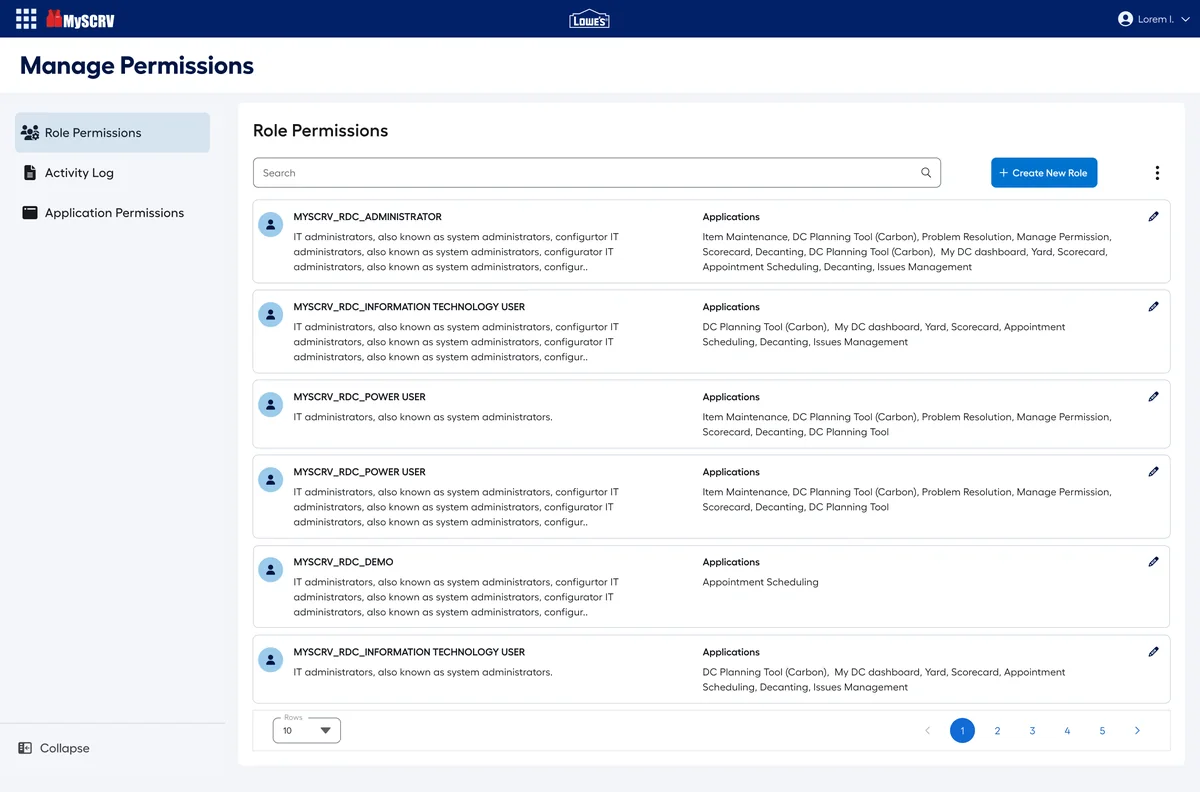
01Roles and their applications
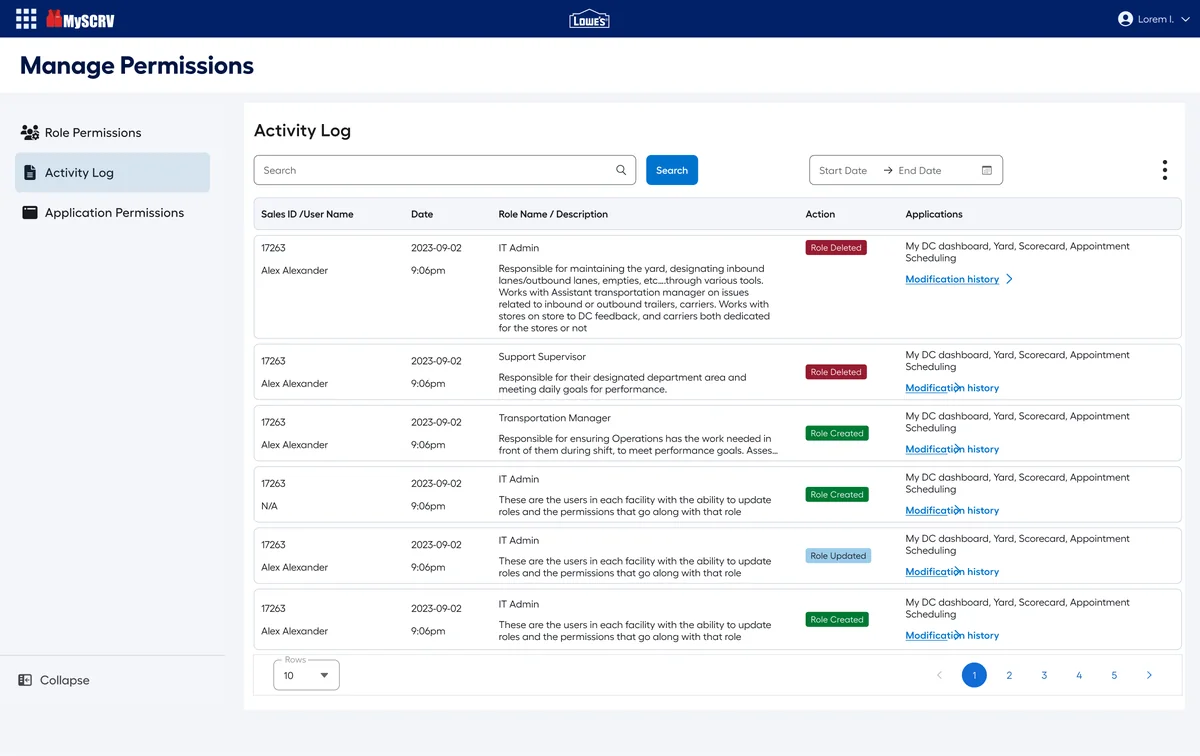
02Audit log
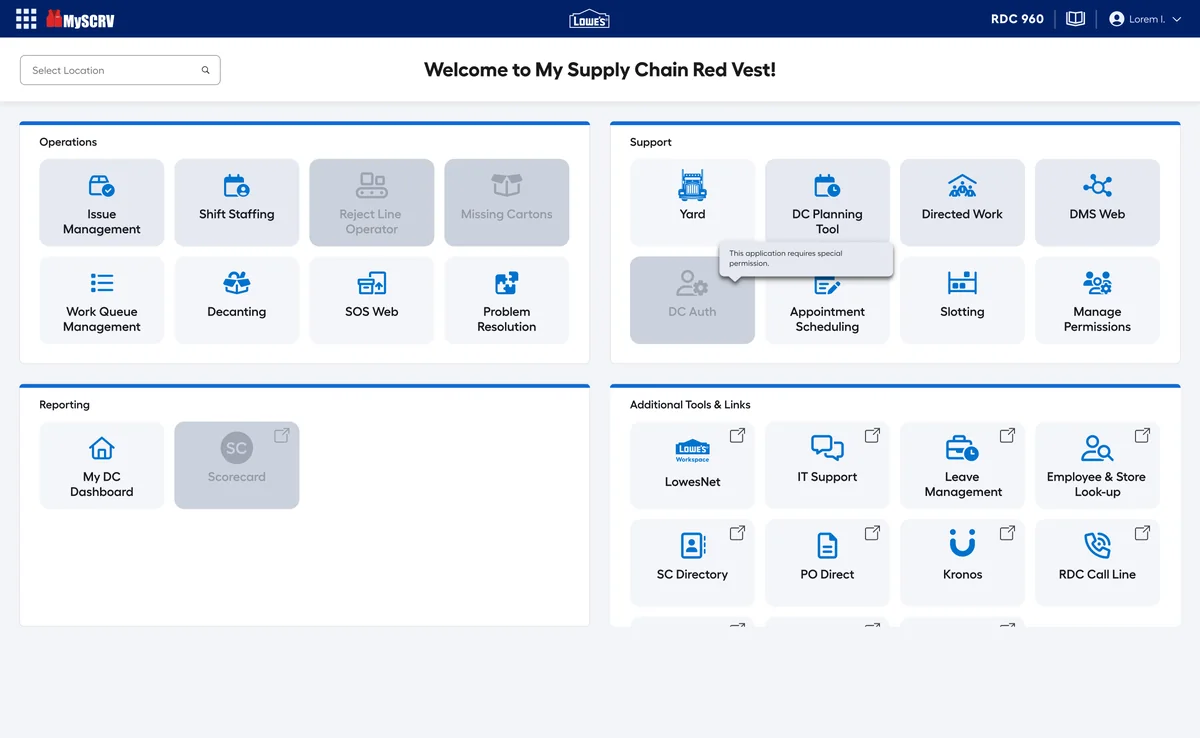
03No access, explained
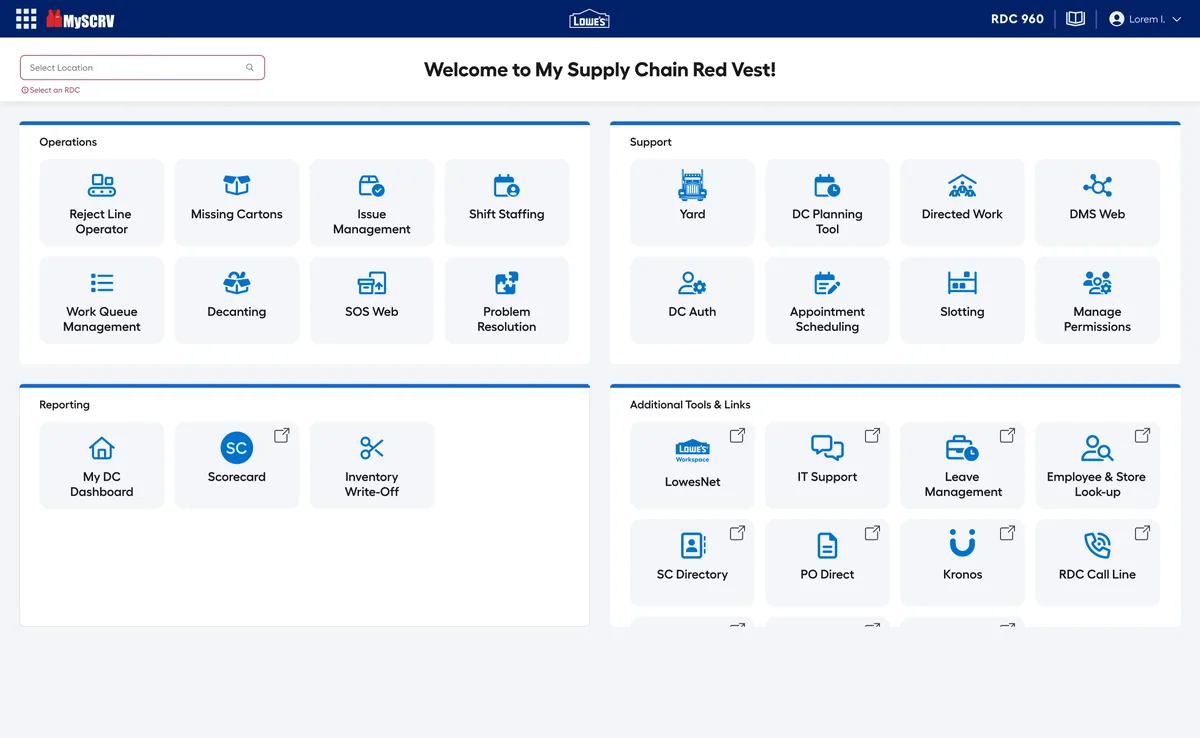
04Pick a DC first
- Role-specific workflows that are easy to understand
- Available actions aligned with each user's permissions
- Interfaces that handle access restrictions gracefully
- Consistency across every role's experience
Bringing it together
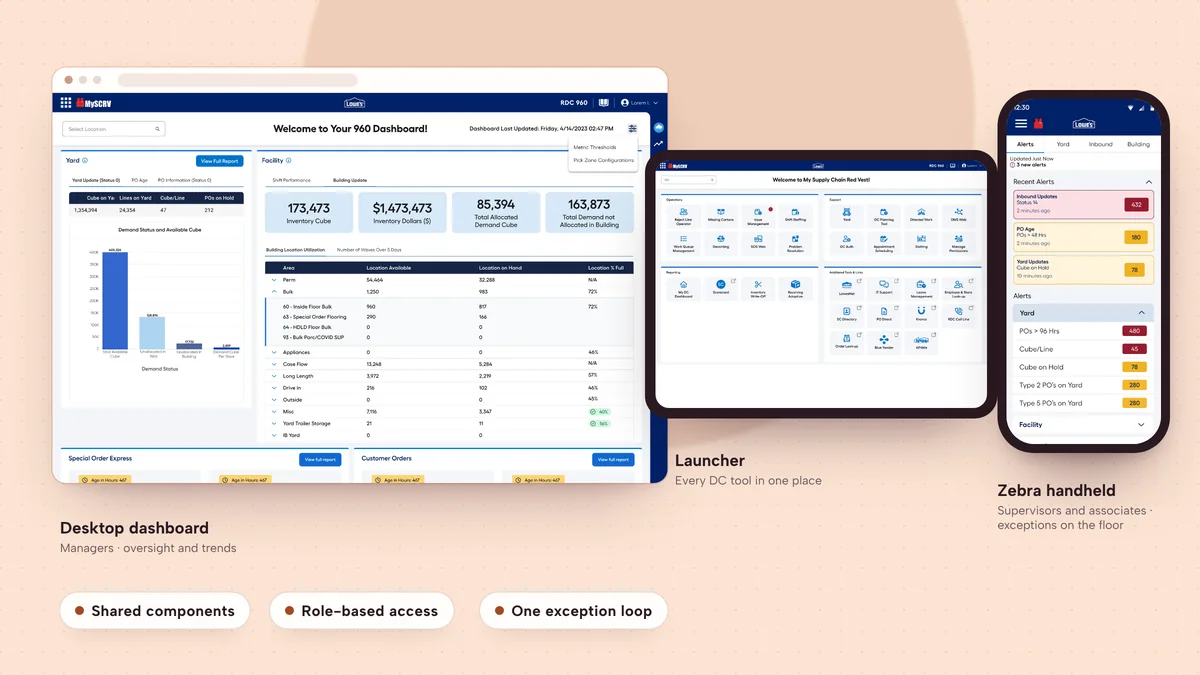
For associates and supervisors, the mobile experience brings operational information onto the floor. For managers, desktop and tablet dashboards support oversight and trend analysis. Across the product, shared components and role-aware workflows create one cohesive experience.
Outcome & impact
- 40%less navigation time per userabout 150 hours a week across distribution centers
- 90%of managers moved to the new system in 60 days70% of supervisors
- 60%fewer permission misconfigurations
- $3.2Mestimated annual savingsalongside 17% fewer late-truck escalations
The results reach beyond usability: efficiency, adoption, compliance and how quickly teams can respond to exceptions.
Reflection
Designing for distribution center operations is about more than individual screens. It means understanding how people, processes, devices and permissions work together, and designing for context: a floor supervisor responding to an exception needs something different from a manager reviewing trends.
Three principles I took away
- Prioritize the operational needFocus on the information and actions that matter in the user's working context.
- Design beyond the interfaceConsider workflows, permissions and cross-functional requirements alongside the screens.
- Build for consistency and scaleReusable patterns make the experience cohesive across devices and workflows.
What's next: tailoring dashboards further to each role, exploring predictive exception management, and extending the reusable patterns to other supply-chain applications.